 Stable Diffusion is a powerful generative artificial intelligence model for image generation. It became popular because it is open source, flexible, and well-suited to many art styles. Many creators use it for concept art, social media images, and design projects. However, over time, some users start looking for other options. For example, while Stable Diffusion is good at creating realistic images from text prompts, the results can sometimes miss the artistic style or exact look that some artists want. In addition, some users want simpler tools, faster results, or better built-in features. Because of this, exploring a Stable Diffusion alternative is growing. In this regard, this guide explores the best tools that can replace or complement Stable Diffusion. It reviews top alternatives to help you choose the right option for your creative goals.
Factors to Look at When Choosing a Stable Diffusion Alternative
When choosing the right AI image tool, it is important to look beyond popularity. Each platform offers diverse strengths, depending on your creative goals and technical skills. That is why comparing features helps you find the best Stable Diffusion AI alternative for your needs.
- Image quality and realism: Check how clear, detailed, and natural the generated images look. Also, high-quality results matter for professional and creative projects.
- Flexibility and customization: Some tools allow you more control over prompts, settings, and outputs. This is useful if you want specific styles or fine details.
- Built-in editing tools: Features like inpainting, outpainting, and image-to-image help you fix, expand, or improve images easily.
- Style variety: A good alternative tool should support a range of styles, including photorealism, anime, illustrations, and 3D renders.
- Speed and performance: Faster generation saves time, especially when you are creating multiple images.
- Licensing and commercial-use rights: Always check if you can use the images for business or marketing purposes.
- System requirements: Decide if you prefer a cloud-based tool or a local setup that needs strong hardware.
- Model library and community support: A large model library and an active community can deliver better results and provide helpful guidance.
Top 8 Alternative to Stable Diffusion
1. DALL-E 3
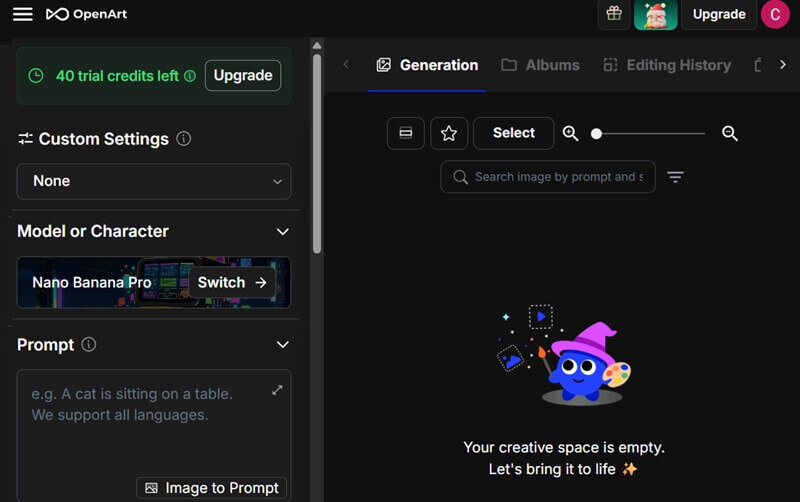
First on the list of the top Stable Diffusion alternatives is the latest OpenAI text-to-image model. It is designed to generate highly detailed, accurate images from complex text prompts. This also makes high-quality, detailed images that closely align with user expectations. Unlike Stable Diffusion, it has fewer settings to tweak, reducing complexity for users while still maintaining high-fidelity output. Moreover, it offers multiple AI models to choose from, including Nano Banana Pro, Veo3, Kling 01, and more. This array of models allows for diverse aesthetic outputs, ranging from photorealistic to highly stylized. It also includes basic editing functionality for minor adjustments, such as crop, rotate, and adding text.
- It also integrates seamlessly with ChatGPT, enabling conversational refinement of prompts to achieve desired image characteristics.
- The image generation usually takes a few seconds, allowing users to quickly create and adjust images during the creative process.
- It provides a limited number of image credits, which may limit heavy use for projects that need many image versions.
2. MidJourney
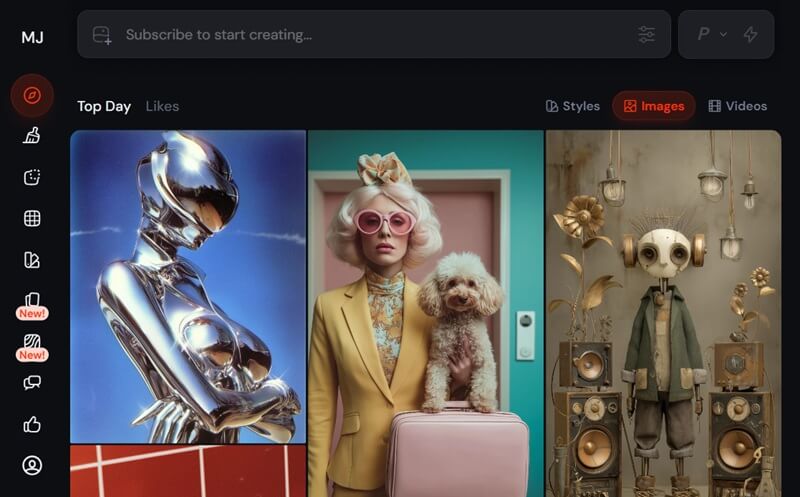
MidJourney, another prominent alternative to Stable Diffusion, is known for its ability to produce highly aesthetic and artistic images. Compared to Stable Diffusion, it uses a unique diffusion that optimizes aesthetic quality. It also shines with a range of creative styles, from photorealism to surreal and abstract themes. As a result, it produces distinct visual styles that often look more artistic than those produced by other models. Additionally, it runs entirely in the cloud via Discord or a web app, so you don't need powerful hardware. More than that, its vibrant community and social platform foster collaboration and sharing of AI-generated art. When it comes to performance, photo generation is fast, typically taking only a few seconds per image.
- The platform offers prompt tweaks and parameters to refine results, including aspect ratios and stylistic variations, giving users control over their creation.
- In version 7, users can set their own mood boards and visual styles using global personalization profiles, enabling consistently generated images.
- This alternative only offers subscription-based access, which might be a barrier for those seeking free options.
3. AceThinker AI Image Generator & Editor
AceThinker AI Image Generator & Editor is a flexible online platform made for modern content creators. It can generate high-quality images from simple text prompts with ease. Unlike Stable Diffusion, this includes powerful editing tools, making it a complete all-in-one solution for creating and improving visuals. These tools include an image compressor, background remover, image upscaler, and more. It also supports inpainting, which allows you to blur part of a picture or to remove unwanted objects from an image. In addition, it offers numerous AI models to choose from, including Juggernaut XL Lightning, Realistic Vision, Stable Diffusion 3, epiCRealism, and more. Regarding speed, it generates images quickly, making it ideal for rapid prototyping in design processes.
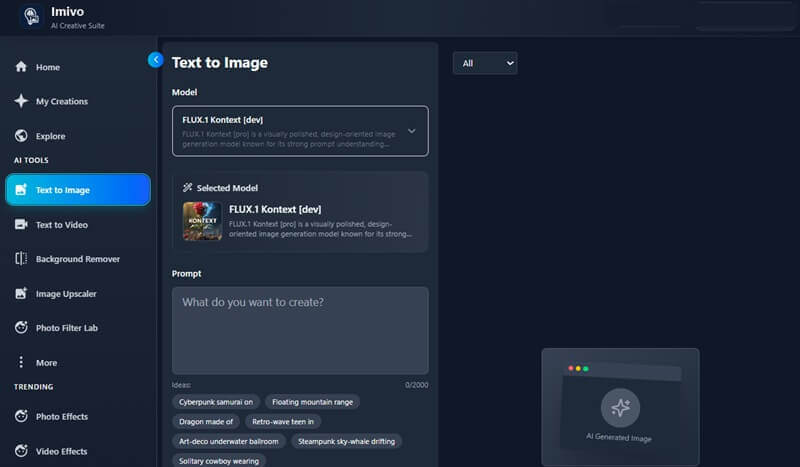
- This Stable Diffusion AI alternative also includes a Photo Filter feature that lets users transform their images into various artistic styles.
- Its intuitive interface ensures a user-friendly experience, catering to both novice and experienced users in image generation and editing.
- Since this platform is web-based, an internet connection is required for full functionality, which might be a limitation in offline environments.
4. RunDiffusion
If you are looking for Stable Diffusion alternative models that are robust enough for professional applications, RunDiffusion presents a compelling option. It delivers a powerful cloud-based solution that enables users to run various Stable Diffusion models without the need for high-end local hardware. Compared to Stable Diffusion, it provides a more streamlined workflow for rapid experimentation and deployment of generative AI projects. On top of that, it delivers high-quality, detailed AI-generated images, including photorealistic and creative options. This platform also supports an expansive range of artistic and realistic styles, from stock photos to concept art and animations. Furthermore, it supports advanced features such as inpainting, image-to-image, and more, making it a reliable solution for complex image generation tasks.
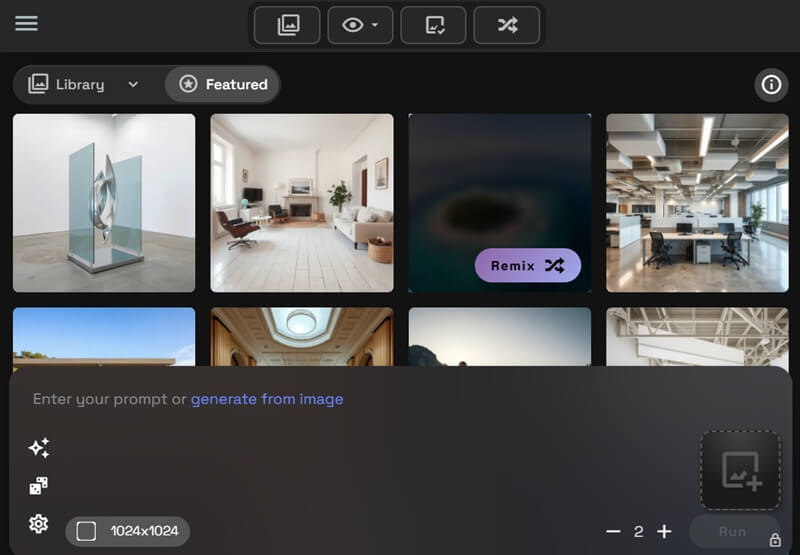
- It also integrates with multiple extension tools like AuraSr - True Upscaler, Bria Video Background Remove, ChatGPT Image Edit, and more. This permits users to leverage a comprehensive suite of functionalities to enhance their image generation.
- With its Prompt Magic feature, users can dynamically enhance their creative process by automatically generating and refining textual inputs.
- Because it offers multiple advanced features, it can be overwhelming for new users without a deep understanding of AI models and image-generation techniques.
5. Craiyon
Originally known as DALL-E mini, Craiyon offers a freemium model that stands out as a basic and widely accessible text-to-image generator. While it operates at a simpler level than Stable Diffusion, it still offers a viable option for users seeking straightforward image creation. Aside from that, it presents several filters before the photo generation, including a negative prompt and image size. It also delivers quality pictures, though often with a watermark on the free version. When it comes to licensing, its images are copyright-free, enabling broader use. Besides, this Stable Diffusion alternative generates 2 images at a time, making it efficient for quick conceptualization.
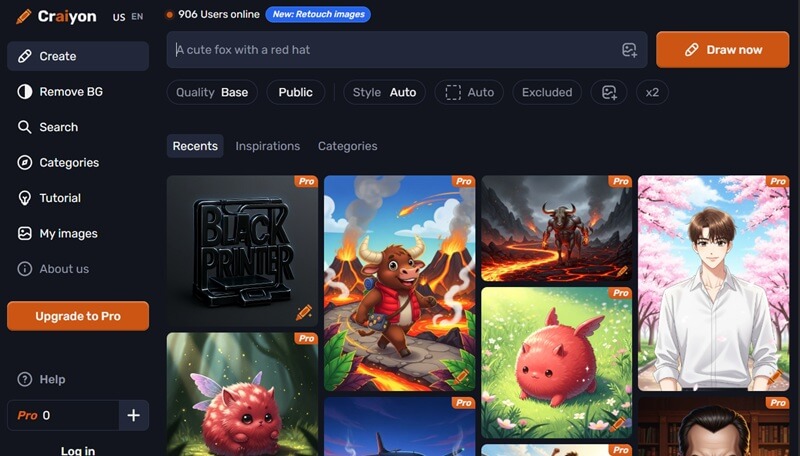
- It also runs in your browser with no installation required, so you don't need powerful hardware to use the tool.
- Although it does not include inpainting or basic editing tools, it offers a free background remover, giving you more flexibility in image manipulation.
- Craiyon doesn't support custom models or large-scale community sharing, and its style controls are limited compared to other platforms.
6. Adobe Firefly
Adobe Firefly produces clean, polished visuals that work well for design and professional content. Its outputs aim for balanced lighting and smooth textures, though they can sometimes lack the bold, artistic flair found in tools like Midjourney. It creates polished images that work well for marketing, social media, and design projects. In addition, it includes built-in editing tools that connect smoothly with Photoshop, making tasks like background edits easier. Compared to Stable Diffusion, Firefly focuses more on ease of use and commercial safety. Moreover, Firefly does not require a complex setup or strong hardware, as you can access it online. Because of this, it is a practical, Stable Diffusion AI alternative for professionals. You can also increase photo resolution in Photoshop after generating images, which adds extra value to Firefly's workflow.
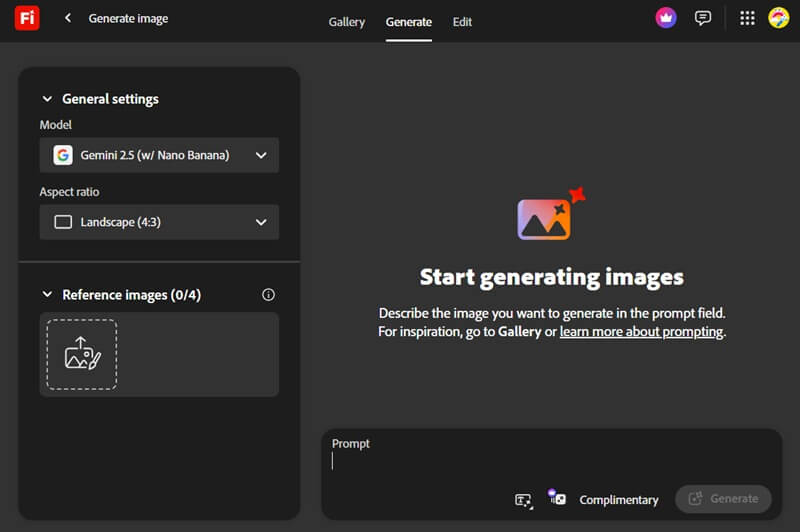
- It also integrates seamlessly with the Adobe ecosystem, allowing for a cohesive workflow between Firefly and other Adobe creative applications.
- This service also enables you to create animated clips using either descriptive prompts or static images as source material.
- It sometimes produces images that appear generic or overly commercial, lacking a distinctive artistic style often found in other generative AI models.
7. Playground AI
Another notable alternative to Stable Diffusion is Playground AI. It is an online image generator tool that lets users create images from text using simple controls and quick results. This alternative allows you to generate images for logos, t-shirt designs, posters, art, and more. When compared to Stable Diffusion, Playground AI is easier to use and runs fully in the cloud, removing the need for complex setups. Moreover, it has a large selection of templates that streamline content creation, making it an efficient tool for designers and marketers. Besides, it offers a range of AI models, including Nano Banana, Seedream, 4o image, and Playground v3, so you can choose the one that best suits your specific creative needs. Furthermore, it also provides clear licensing options, making it safe for commercial projects.
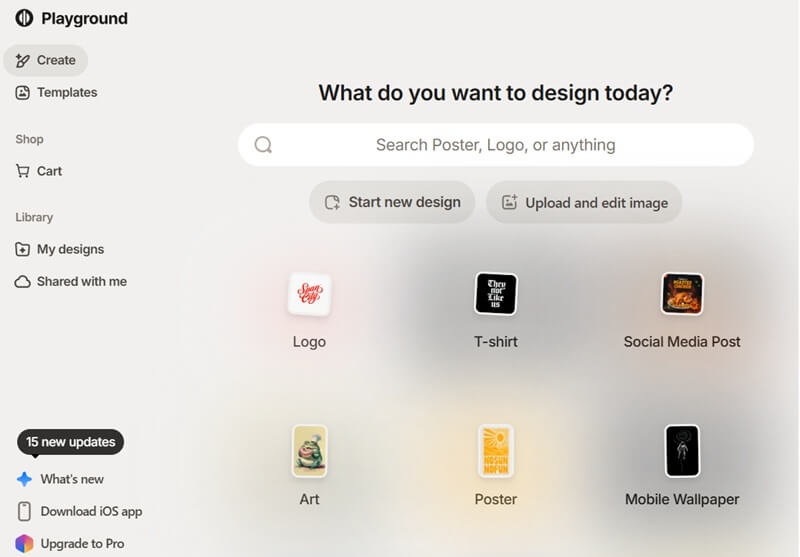
- Playground AI also supports high-resolution image generation, allowing for detailed outputs suitable for professional applications.
- This tool also allows you to fine-tune your generated images, such as resizing, selecting preset colors, and applying diverse filters to achieve the desired aesthetic.
- It offers less control over model fine-tuning and advanced settings than Stable Diffusion.
8. Imagine Art
Last but not least on the list of the Stable Diffusion alternatives is Imagine Art. This AI platform is designed for creative professionals and hobbyists alike, offering advanced features for generating high-quality artwork. In addition, it offers image editing tools such as face swap, AI age progression, skin retouch, and a text remover for removing dates from photos or unwanted text. Compared to Stable Diffusion, Imagine Art is more beginner-friendly and cloud-based, making it accessible for users. Aside from that, you can discover templates for posters, social media posts, and other designs, making content creation faster and easier. Moreover, Imagine Art includes a distinctive feature for creating animated clips from text descriptions or static images, further expanding its utility beyond static image generation.
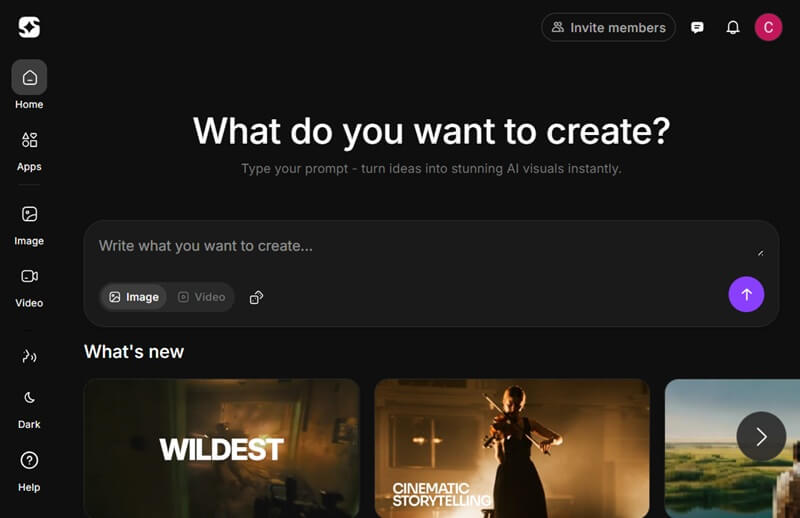
- It also provides clear licensing options, ensuring that users understand the permissible uses of their generated content.
- The platform also integrates robust security measures to protect user data and creative assets, ensuring a secure environment for artistic exploration.
- It can rely heavily on prebuilt templates, which can reduce the originality for advanced users.
Frequently Asked Questions
Is there a completely free alternative to Stable Diffusion?
Although some tools offer free credits or trial access, most of the Stable Diffusion alternatives include paid plans or pro features for full use. Completely free options with unlimited access are rare, and free tiers often come with limits on resolution, daily credits, or advanced features.
Do these tools require powerful hardware?
Not all Stable Diffusion alternatives require powerful hardware, as many run entirely in the cloud. Users can generate images through a browser without needing high-end GPUs or large local storage. Consequently, cloud-based platforms make AI image generation accessible even on standard devices or laptops.
Which is best for beginners?
For beginners, AceThinker AI Image Generator & Editor is highly suitable, as it combines ease of use with powerful image-generation and editing features. In addition, it provides templates, clear licensing, and a straightforward interface, helping new users create professional results quickly.
Conclusion
In conclusion, the best Stable Diffusion alternative depends on what you value most, whether it’s full control, artistic style, ease of use, or seamless workflow integration. Some tools, like AceThinker AI Image Generator & Editor, are beginner-friendly and easy to use, while others, such as MidJourney or DALL-E 3, offer more advanced creative options. To find the right fit, it’s helpful to try the free tiers of two or three platforms from this guide. Experimenting this way lets you see which tool best meets your needs and fits your creative process.
| Alternative | Pricing | Unique Feature | Best For |
|---|---|---|---|
| DALL‑E 3 | 40 free credits ChatGPT Plus: $20/month |
ChatGPT prompt refinement & quick text‑to‑image | Users who want fast detailed images and conversational prompting |
| MidJourney | Basic Plan: $8/month Standard Plan: $24/month Pro Plan: $48/month |
Artistic, high‑style visuals & personalization profiles | Creators focused on unique, artistic output |
| AceThinker AI Image Generator & Editor | Free: 10 credits Flicker $1.99 - 30 credits Glimmer: $5.99 - 100 credits Blaze: $17.99 - 350 credits Fireworks: $32.50 - 700 credits Carnival: $39.99 - 1000 credits |
Built‑in editing tools & large photo library for creations | Beginners & designers needing all‑in‑one creation + editing |
| Craiyon | Freemium Supporter: $10/month Professional: $20/month |
Browser‑based with free background remover | Quick ideas and simple, free image creation |
| Alternative | Pricing | Unique Feature | Best For |
|---|---|---|---|
| RunDiffusion | 30 Minutes Free in RunDiffusion Runnit Hobby: $8.79/month Runnit Pro: $23.99/month Creators Club + Runnit Pro: $41.79/month |
Extensions & Prompt Magic for advanced workflows | Professionals needing high‑quality, detailed results |
| Adobe Firefly | 10 complimentary credits Standard: $9.99/month Pro: $19.99/month Premium: $199.99/month |
Adobe ecosystem integration + Photoshop support | Designers and marketers in Adobe workflows |
| Playground AI | Freemium Pro: $15/month Pro Plus: $22/month |
High‑resolution generation with templates | Users needing easy cloud usage & detailed images |
| Imagine Art | Freemium Basic: $15/month Standard: $30/month Ultimate: $50/month |
Advanced editing tools (face swap, text remover) | Creators wanting templates + editing features |