menu

Craft Characters for Any Use Case

generate multiple version of a character

Generate Multiple Versions of the Same Character

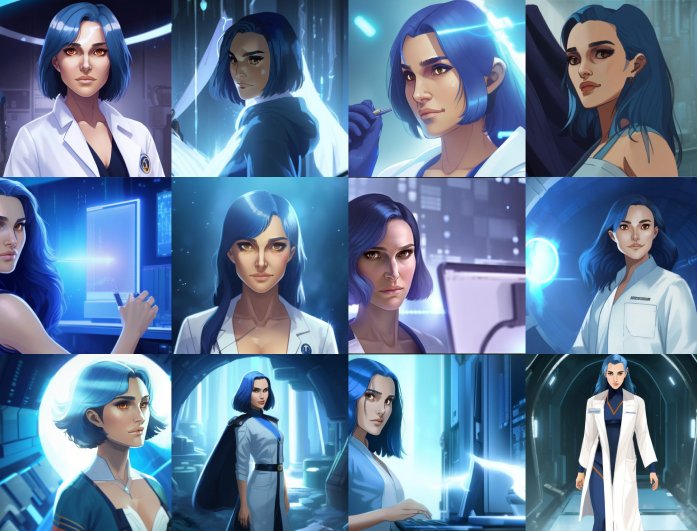
Sometimes one version just isn't enough, especially when you're exploring different ideas for your project. Our tool enables you to easily generate multiple versions of a single character, allowing you to experiment with various looks, styles, or moods. Whether you're designing for a story, game, or personal project, it gives you flexibility and creative freedom.

You can tweak small details, such as outfits, poses, or facial expressions, to see which one best fits your vision. That means each version feels fresh while keeping the original concept intact. It's a great way to refine your design using the power of an AI character generator prompt.


Upload Your Photo to Generate a Custom Character

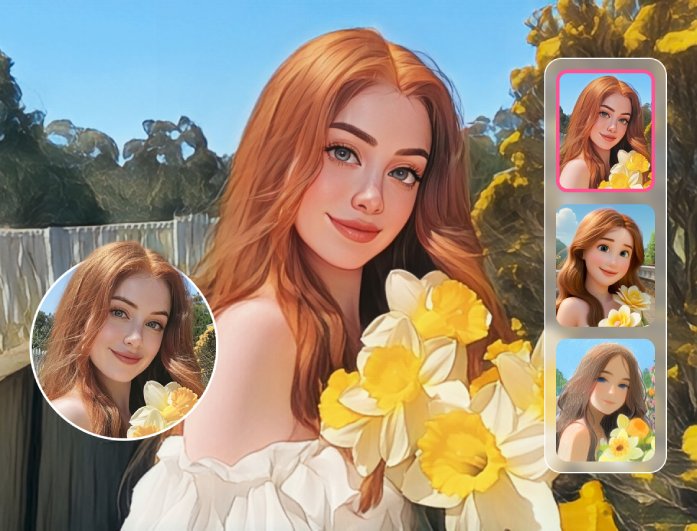
Suppose you'd like to turn yourself or someone else into a unique digital character. In that case, you can upload a photo to get started. Our AI character generator from photo transforms regular pictures into anime, cartoon, or other artistic character styles in seconds. You can even try simple photo effects and filters to see how different styles look before saving your favorite one.

This feature is perfect for those who want to make fun avatars, game icons, or creative art pieces from real images. Simply select the style that suits your mood and let the AI take care of the rest. It's an easy way to turn everyday photos into character designs full of personality.

photo to custom character
text prompt to create character

Type a Text Prompt to Create Custom Characters

You don't always need a photo to start — sometimes imagination is all you need. With our AI character generator from text, you can describe your dream character in a detailed prompt and let the AI bring it to life. Also, consider factors such as hairstyle, clothing, background, or expression to ensure the result aligns perfectly with your idea.

This feature enables you to create characters directly from your thoughts, whether for stories, comics, or games. The more descriptive your prompt is, the better the AI understands what you want. It's an exciting way to see your imagination transformed into original, high-quality character art.

How to Use our AI Character Generator Free?

insert your prompt
create a character
download and share
  • 01
    Insert Your Prompt

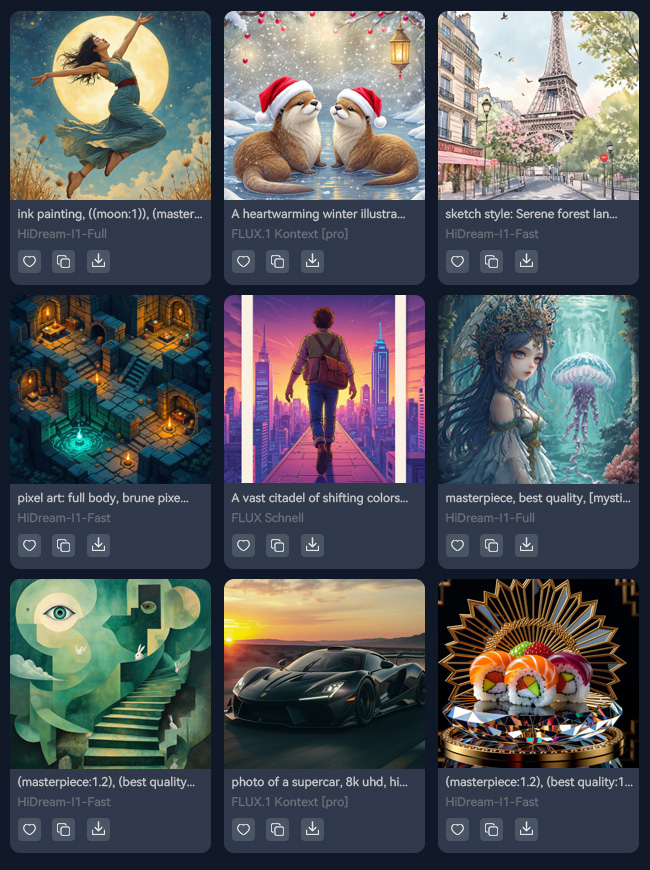
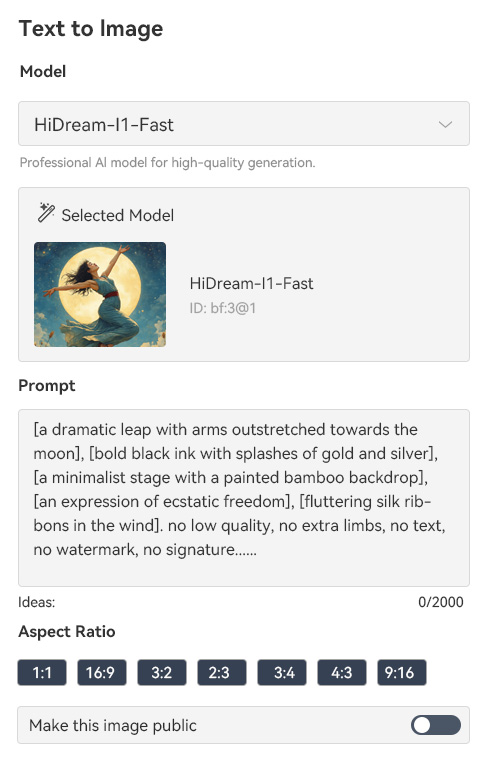
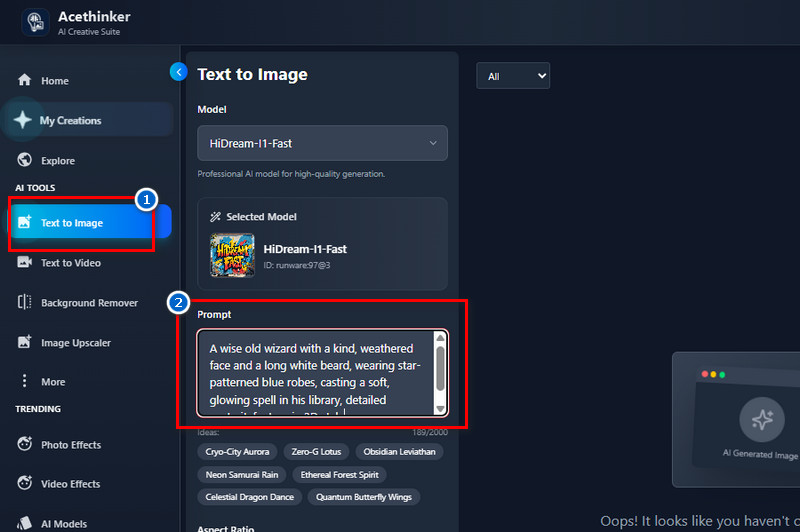
    First, access our AI Character Generator and navigate to the "Text to Image" feature. Next, start inputting the text prompt in the designated box on how you want your character to look.

  • 02
    Create a Character

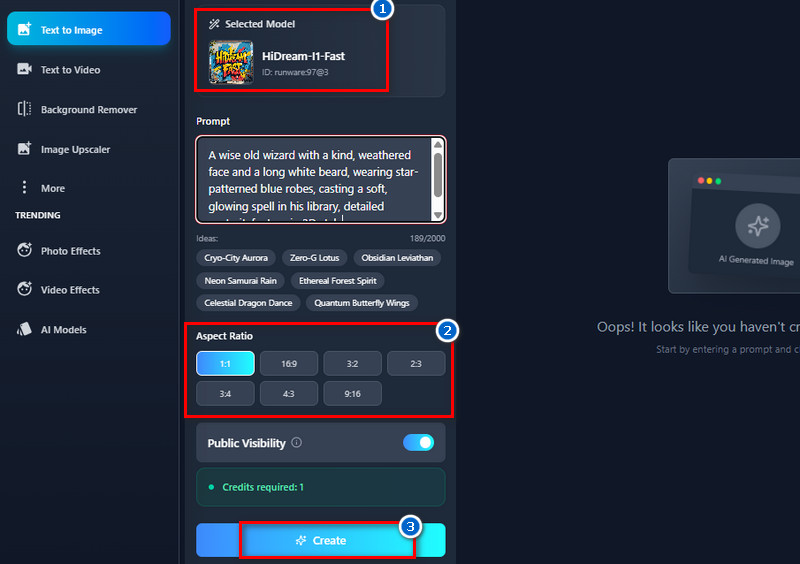
    Then, select a model and aspect ratio for the generated images. After that, click the "Create" button below, and our tool starts generating your text prompt.

  • 03
    Download and Share the Generated Character

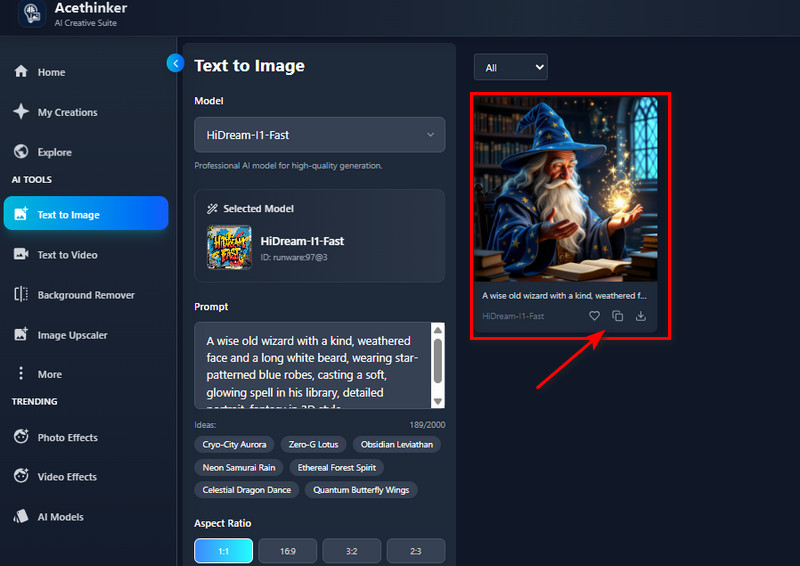
    Next, view the results in the gallery and click the download button to obtain it. Also, you can save it to the "Favorites" or copy the image link for easy sharing.

People Also Asked

How to generate an AI character?

When writing your prompt, include details like the character's appearance, pose, outfit, and background. You can also mention the art style you prefer, such as anime, realistic, cartoon, or fantasy, to help the AI better match your vision. Besides, the more descriptive your prompt is, the more accurate and creative your generated character will look.

Can I generate full-body or portrait characters?

Yes, both options are supported in our tool. Just mention in your prompt whether you want a full-body character or a portrait only. This helps the AI focus on the exact framing you prefer for your character image.

What are the best prompts to get stunning AI character images?

Detailed prompts always produce the best results. Try to include details such as the character's clothing, pose, background, and style. For example: "a fantasy knight in armor, full-body, dramatic lighting". The more specific you are, the more accurate and visually impressive the output will be.

Can the AI Character Generator create 3D Characters?

Yes, our tool can create 3D-style characters with realistic lighting and depth. You can generate characters that look more lifelike or stylized, depending on your chosen model. It's perfect for projects that need detailed or semi-realistic visuals.

How long does it take to generate a character image?

It usually takes about 5 seconds to generate your character. But the speed may vary slightly depending on your Wifi connection and the complexity of your prompt. It's perfect for everyone who wants to get quick results.

product iconAceThinker PicWish

Do Smart AI Edits, Get Perfect Photos Always

pro image editor
Back to Top
Contact Us
Learning Center