menu

AI Pixar Filter

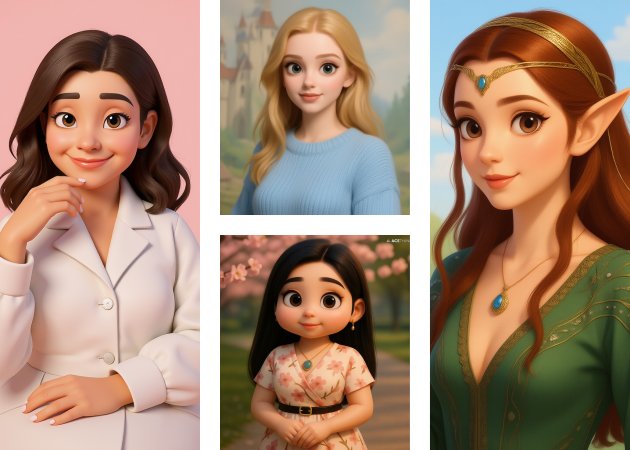
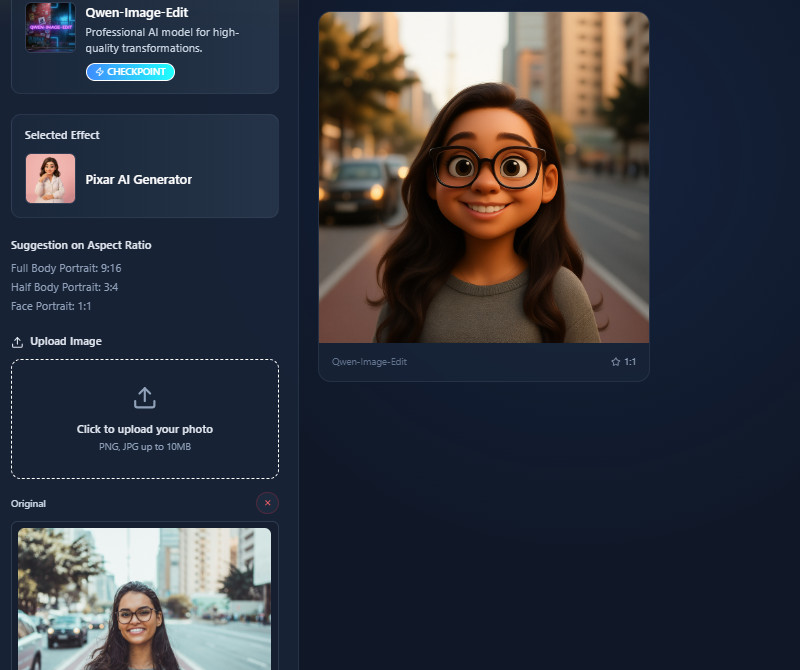
The AI Pixar Filter transforms ordinary photos into vibrant, Pixar-style images. It is perfect for casual users, social media enthusiasts, and content creators.

Edit Photos into Pixar Art Instantly

enhanced photo features

Enhanced Photo Features

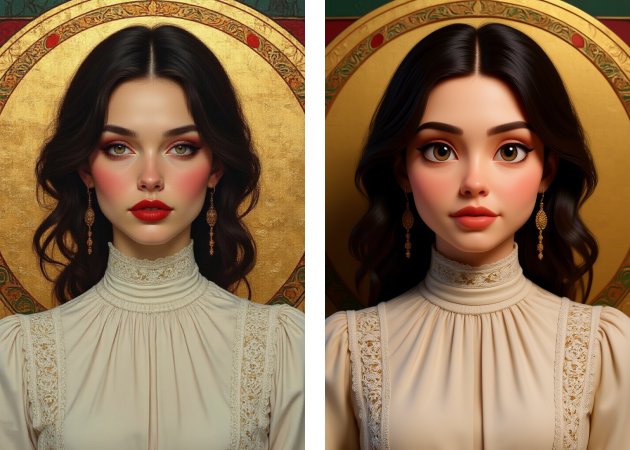
You can get the best Pixar-style results with this Pixar AI generator free. It creates a whimsical, cartoonish effect by enlarging eyes, softening facial features, and adding vivid hair colors. As a result, images become instantly more interesting and enjoyable to view. It also maintains the original expressions, so the finished product still has your personality. Additionally, the tool saves time and effort by automatically enhancing photos. Without the need for intricate editing, users can experience a creative transformation. All in all, it transforms boring pictures into vibrant, animated ones.

Intelligent Feature Detection

With our Pixar filter online free, the AI detects key facial features automatically for accurate cartoon transformations. It recognizes the shapes of the mouth, eyes, and face to make sure the cartoon effect is both playful and realistic. This makes the tool reliable for different face angles and expressions. Besides, users consistently achieve high-quality results. It works for both single selfies and group photos. The feature also reduces manual adjustments, making the process faster and easier.

intelligent feature detection
turn photo into pixar characters

Turn Photos into Pixar Characters

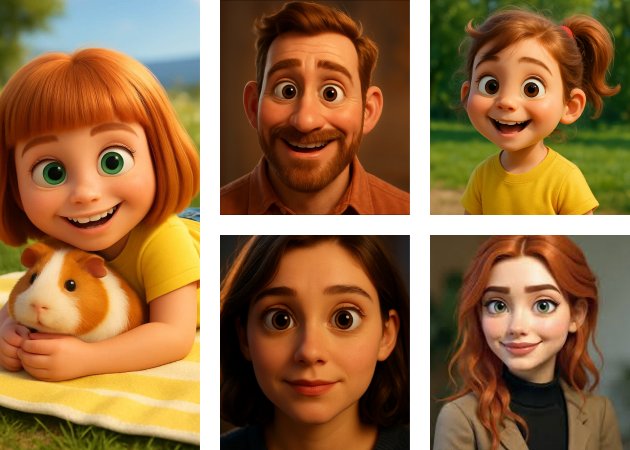
The Pixar AI photo filter can convert any photo into a Pixar-style character in just a minute. It transforms everyday images into fun, vibrant cartoons ready for sharing. Additionally, this tool supports JPG and PNG formats with file sizes up to 10 MB. Moreover, the process is straightforward and doesn’t require editing skills. Users also get entertaining, shareable results with minimal effort. It’s ideal for social media posts, profile pictures, or creative projects.

Disney-Style AI Magic

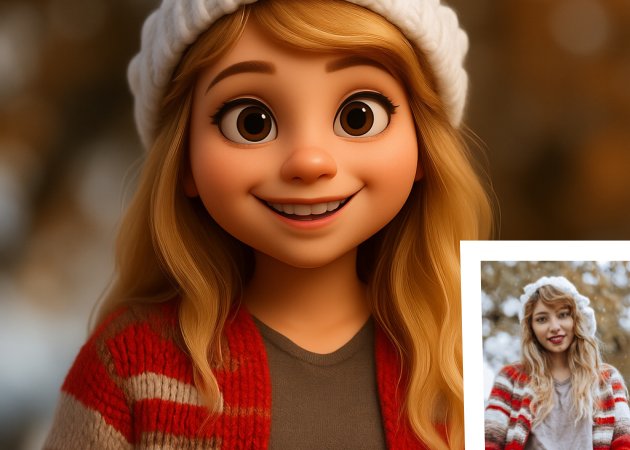
Get Disney-inspired effects by using our online Pixar AI generator! It uses vibrant colors and smooth textures to make photos come to life. The tool also creates charming, whimsical images that feel magical and visually appealing. Furthermore, the AI adds depth and expression to the cartoon, enhancing the overall result. This makes every edit look polished and fun. It’s perfect for anyone who wants a creative, playful transformation. Overall, the tool combines advanced AI with artistic style for impressive results.

disney style ai magic

Apply Pixar-Style to Your Photos in 4 Steps

  • 01
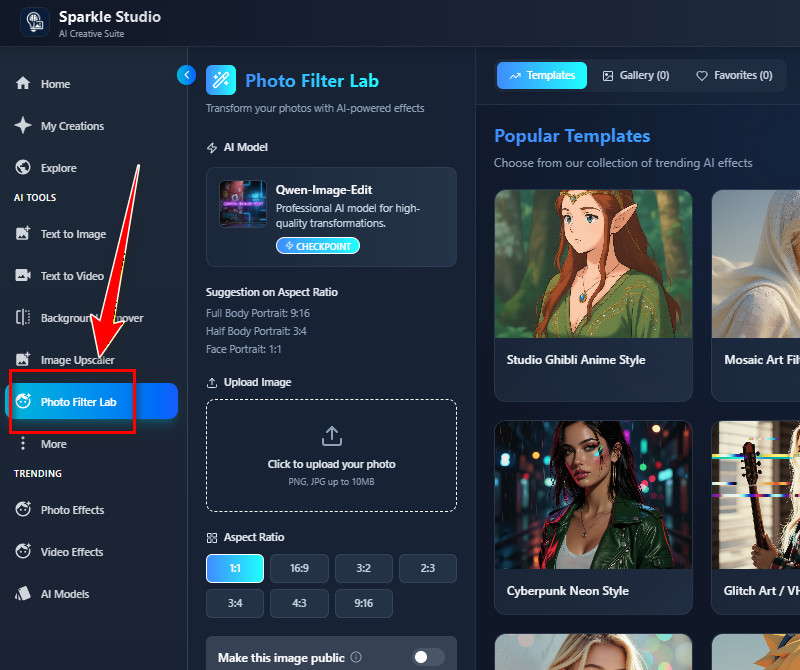
    Go to Photo Filter Lab
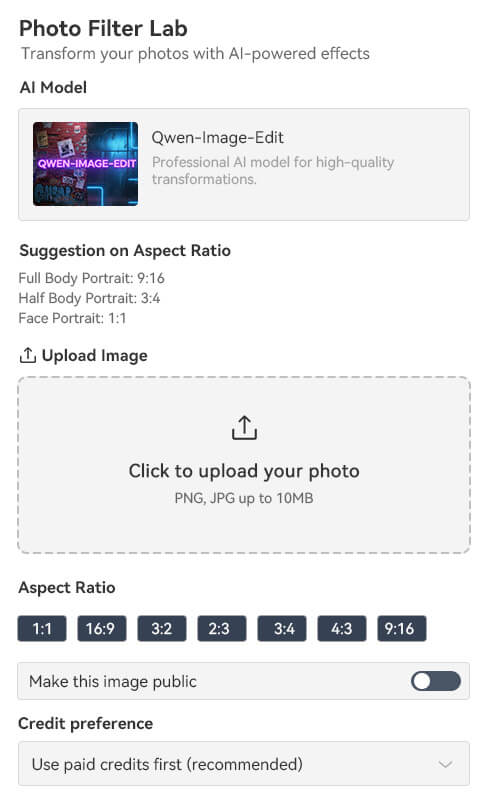
    Begin by visiting the online AI Pixar Filter tool in any web browser. Then, proceed to register or log in to your account. Once you access the main land page, go to the "Photo Filter Lab" tab.
  • 02
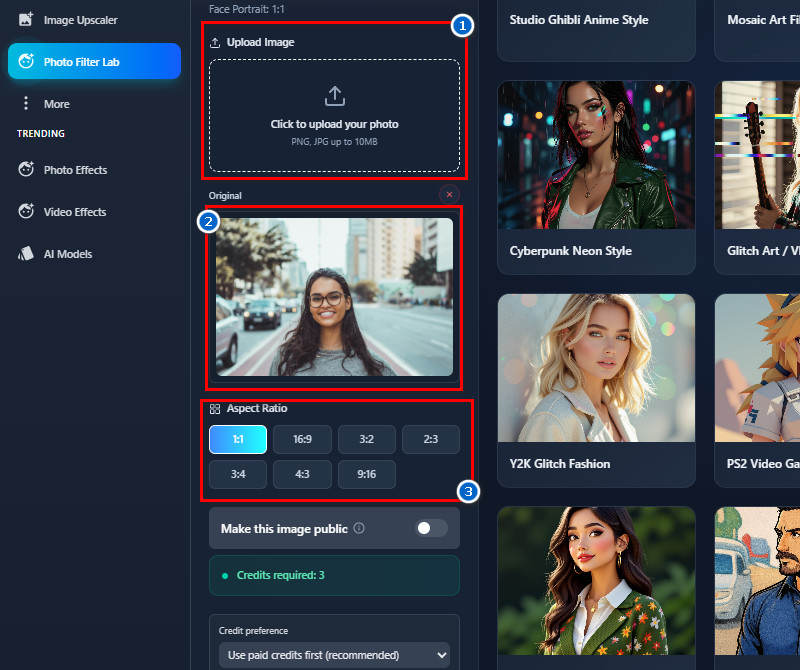
    Upload an Image
    From the Photo Filter Lab, upload the image you want to transform into a Pixar-style image. Simply click the icon from the Upload Image section to upload. Once the photo is uploaded, choose an aspect ratio for the output below it.
  • 03
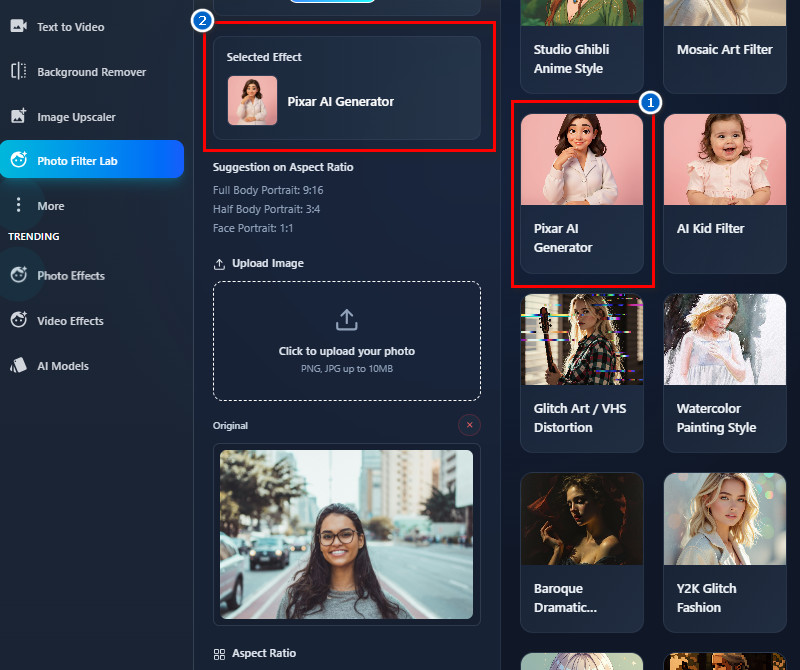
    Apply the Pixar Filter
    Next, go to the Templates tab above to see the available filters. Here, find and select the Pixar AI filter from the choices. After that, scroll down and click the 'Create Magic" button to start the generation process.
  • 04
    Download the Output
    After a minute, the tool will present the outcome below and to the right side of the original photo. You can compare it with your uploaded image to see how the filter changed your features. If you're satisfied, you can simply click the download icon on the photo to save it to your device.
go to photo filter lab
upload an image
apply the pixar filter
download the output

Try more tools that upgrade your daily workflow.

These recommended tools help users quickly and easily create, improve, and modify videos, photos, and graphics. They are perfect for anyone who wants better content. Overall, these tools save time, make editing easier, and help your videos and photos look better.
"I was surprised by how detailed the cartoon effect was. The tool is fast, and the result was ready in a few seconds. It’s enjoyable to use for fun photos."
Aaron Gray, Barista
11-17-2025
iiiii
iiiii

"The tool worked smoothly on my phone. The Pixar-style look came out clear and recognizable. I ended up using it for my profile picture because it looked nice."
Caleb Ramos, Bank Teller
11-20-2025
iiiii
iiiii

"I tried the AI Pixar Filter on a few selfies, and the results looked clean and fun. The cartoon effect wasn’t too strong, which I liked. It was easy to use and didn’t take much time."
Mia Acosta, Customer Support Representative
10-17-2025
iiiii
iiiii

"I used the filter on a group photo, and it handled all the faces well. Each person still looked like themselves, but in cartoon style. The result made my coworkers laugh in a good way."
Ivan Flores, Warehouse Staff
12-06-2025
iiiii
iiiii

"I tested the Pixar filter on my old photos, and it still produced good results. The tool adjusts well, even if the picture quality isn’t perfect. I appreciate how easy the process is."
Hazel Diaz, Cashier
12-08-2025
iiiii
iiiii

"I tried the tool out of curiosity, and it performed well. The filter picked up my facial details clearly. It’s a useful tool when you want something creative without much effort."
Grant Taylor, Electrician
10-25-2025

iiiii
iiiii

Why Choose Us

Frequently Asked Questions

Who can benefit from Pixar AI Filters?

Pixar AI filters are helpful for anyone looking for fun, creative cartoon-style photos. They work well for casual users who want something playful for social media. They are also useful for content creators who want to create quick, eye-catching visuals. Furthermore, people who like animation or want a unique profile picture can benefit too. In fact, even businesses making light promotional content can use them, too. Overall, they suit anyone who wants simple, entertaining edits.

What happens to my uploaded images?

Uploaded images remain safe and secure during processing. They are used only to generate the cartoon effect. The tool also does not reuse or share the pictures with others. After processing, the photos are not stored permanently. This helps protect user privacy. Users can feel confident that their uploaded photos are used only for the intended purpose.

Can I use photos with multiple people?

Yes, photos with multiple people work fine with the filter. The tool can detect multiple faces in a single image. Each person is processed with the same cartoon style. This makes it useful for group pictures, events, and family portraits. It can also handle friends taking photos together. Still, we recommend uploading photos with clear faces.

Are there any usage restrictions?

There are no strict limits on how the generated images can be used. Users are free to share them online or use them for personal projects. They can also use them for fun digital content. In addition, there are no special rules that would block everyday use. The tool is meant to be simple and open for most users. This makes it easy to enjoy the results without worrying about restrictions.

Do free images include watermarks?

No, the free images do not come with watermarks. This allows users to download clean and usable results. The photos look more polished without logos or markings. It also makes sharing easier and more natural. Besides, people can use the images however they like without removing anything. This makes the free version more convenient and user-friendly.

pro image logoAceThinker PicWish

Turn Any Image Into a Clean Canvas

pro banner image
Back to Top
Contact Us
Learning Center