menu

Make Your Images Flawlessly Beautiful

effortlessly remove people from any photo

Effortlessly Remove People from Any Photo

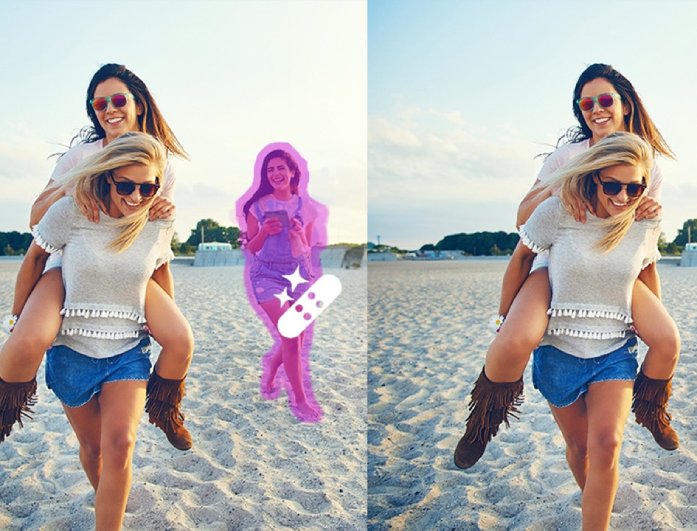
You can easily remove people from photos in just a few clicks without needing professional editing skills. Our online object removal tool helps you clean up group pictures, travel shots, or background scenes by smoothly erasing unwanted people. It restores your image to look natural, as if those people were never there.

In addition, this feature works perfectly for both personal and professional images. Whether it’s a vacation photo or a social media post, you can instantly remove unwanted objects and make your picture look neat and focused.

Natural Background Restoration

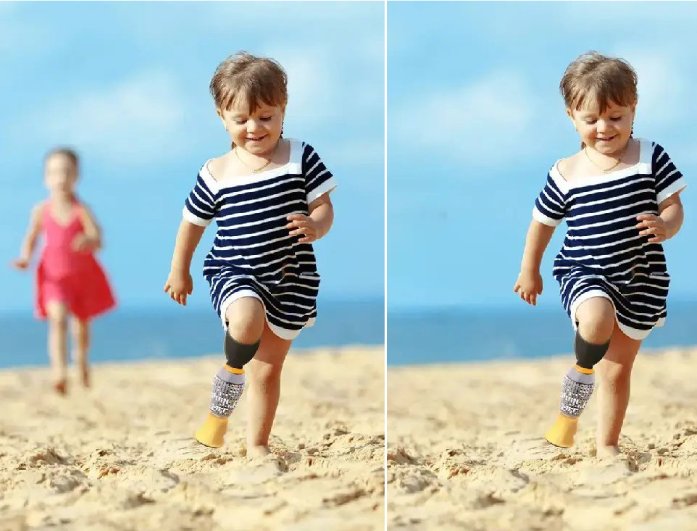
When you remove people from photos online, our tool automatically fills the removed area with matching colors, lighting, and textures. This keeps the background natural and consistent, so your image doesn’t look edited or uneven.

Moreover, it ensures that every photo maintains its original beauty and clarity. You can confidently share your pictures knowing they still look real and smooth even after the unwanted person is removed.

natural background restoration
remove unwanted objects with ease

Remove Unwanted Objects with Ease

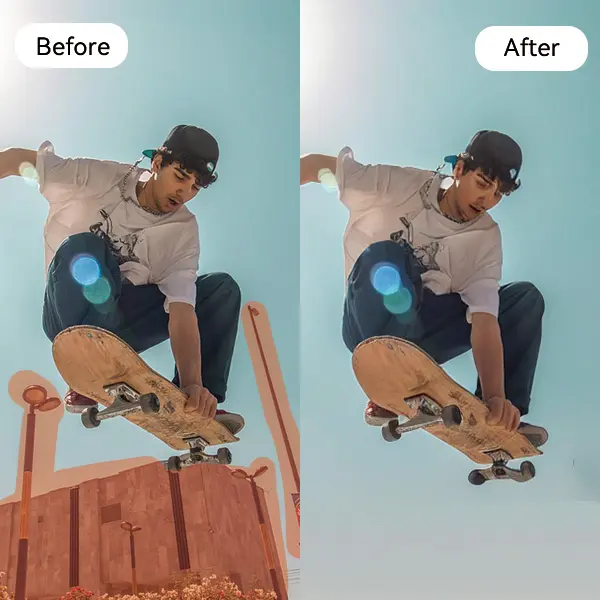
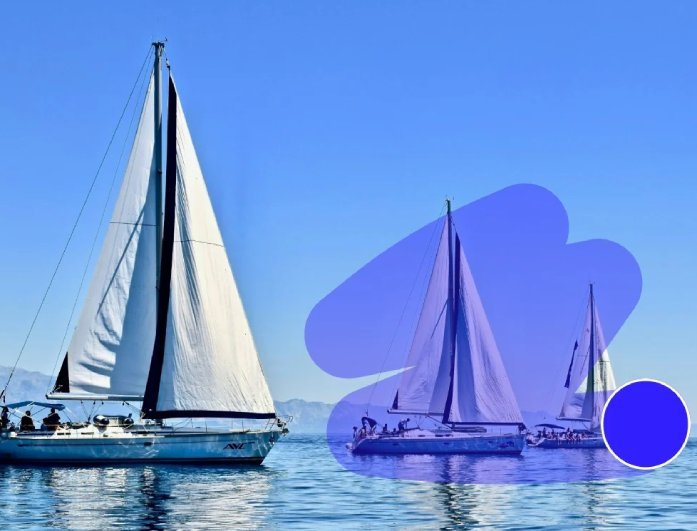
Aside from people, the tool can also remove unwanted objects, such as signs, cars, or distractions in the background. It helps you concentrate on the main subject of your photo and get a clean, professional look.

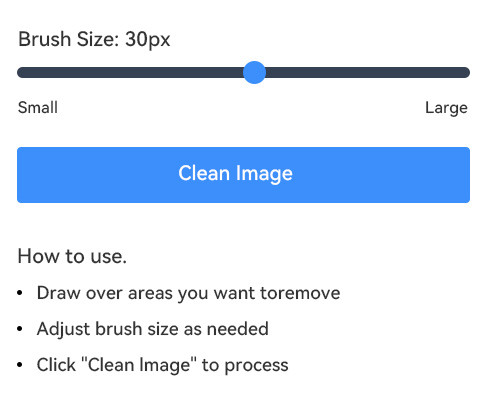
With a few effortless steps, you can remove or erase anything you don't want in your image. You just need to brush the objects or people from the photos. This makes it a convenient option for users who wish to have complete control over how their photos appear.


Simple Guide to Remove People From Photos

upload your photo
use the brush tool
generate and download your photo
  • 01
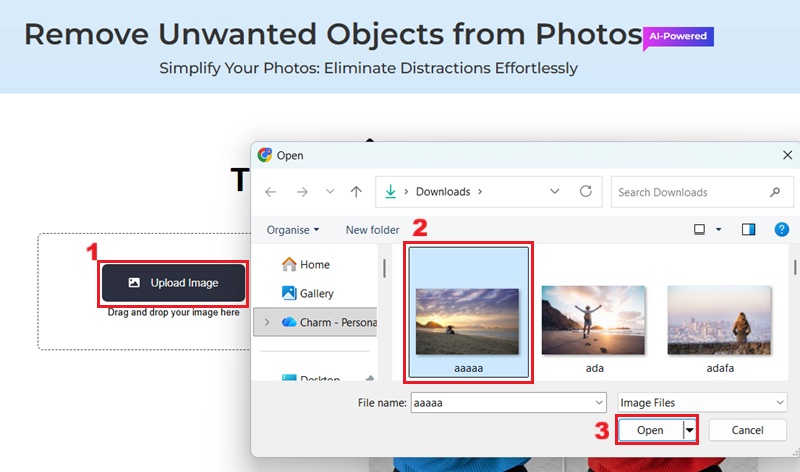
    Upload Your Photo

    First, access the online object remover, then upload the picture you want to edit or remove unwanted individuals.

  • 02
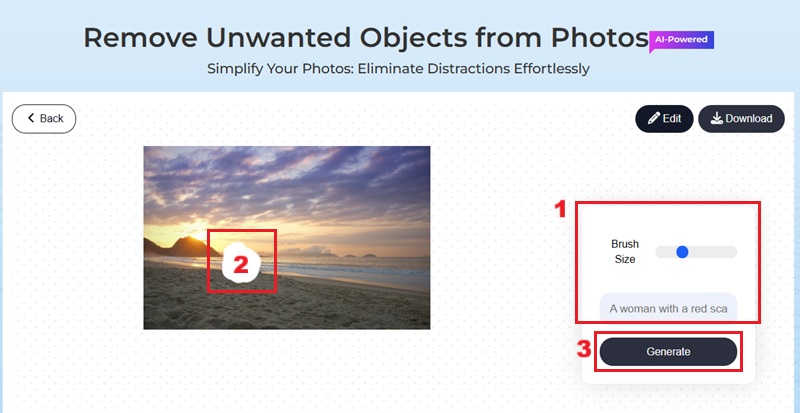
    Use the Brush Tool

    Carefully highlight the people or objects you wish to remove from the image utilizing the intuitive brush tool.

  • 03
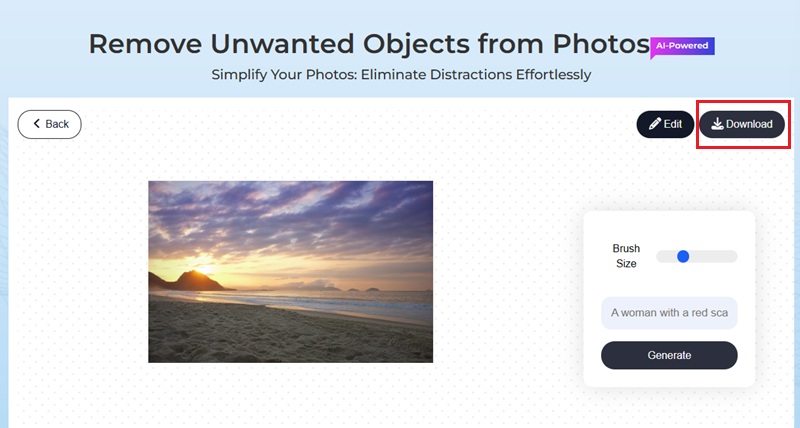
    Generate and Download Your Photo

    Once you have highlighted the people, click “Generate." Then, wait until the process is done, and click the "Download" option.

FAQs about Removing People from Photos

Can you remove people from photos on iPhone?

Yes, since our online tool is browser-based, it is fully compatible with iPhones and other mobile devices. This allows you to conveniently remove unwanted elements from your pictures directly from your mobile browser without needing to download any applications.

How can I remove a photobomber from my pictures?

You can use our Remove People From Photos For Free tool. With it, you can effortlessly highlight and erase unwanted individuals from your images. This will allow you to post your pictures without any distractions or photobombs, ensuring a clean visual content.

Will the surrounding background remain natural after removing people?

Yes, our online tool uses inpainting algorithms to reconstruct the background seamlessly. This helps restore the background naturally by filling the removed area with matching textures, colors, and lighting. It blends perfectly with the rest of the photo, keeping the image smooth and realistic.

Do I need to register an account to use the online remover?

No, our online remover tool does not require you to register an account. You can use it right away by simply uploading your photo and starting the edit. This makes it quick and convenient for anyone who wants to clean up images without extra steps.

Is it safe to use this online object remover?

Yes, our online object remover is completely safe to use. Your uploaded photographs are processed securely and are not stored or shared with anyone. You can confidently remove unwanted objects knowing your privacy and data are fully protected.

product iconAceThinker PicWish

PicWish - Create Stunningly Beautiful Images

picwish banner
Back to Top
Contact Us
Learning Center