menu

AI Steampunk Filter

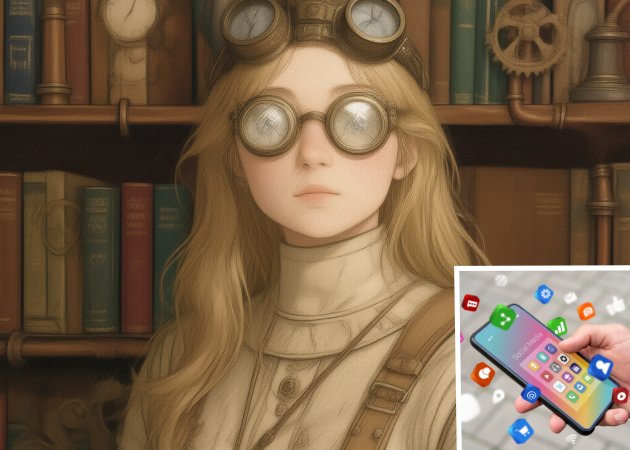
We made this AI steampunk filter to make ordinary photos into vintage, mechanical, and retro-futuristic artwork quickly. It offers unique visuals that stand out and save time on manual editing, making it perfect for creators, designers, and social media users.

Transform Ordinary Shots into Mechanical-Themed Images

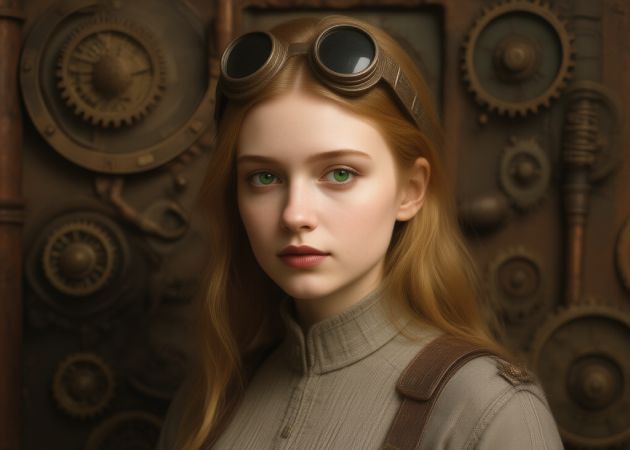
one photo, multiple steampunk avatars

One Photo, Many Steampunk Avatars

Use a single photo to generate multiple unique steampunk avatars. The tool works by repeatedly recreating your photo, producing different outputs each time. To do this effectively, make sure you have enough credits in the app. This lets you explore several creative versions without having to upload multiple times. The results are perfect for profile pictures, innovative projects, or just experimenting with different looks. Overall, the AI steampunk filter makes it easy and fun to generate diverse avatars.

Selfies, Groupies, and Pet Photos are Supported

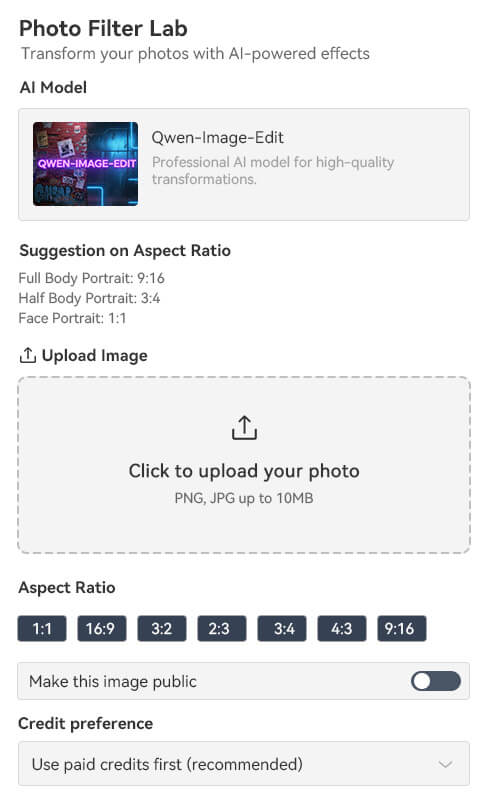
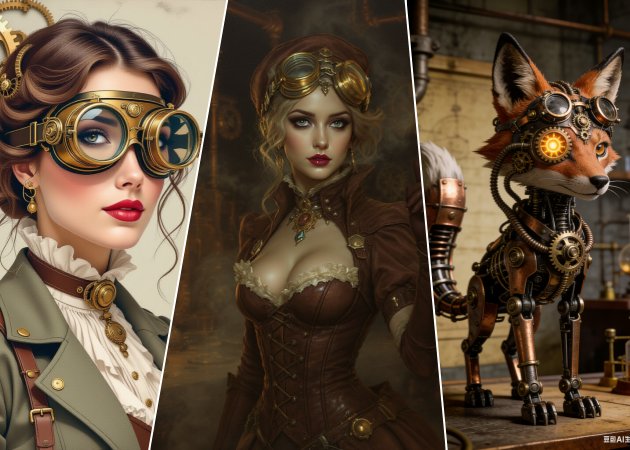
Upload all types of images you have, including selfies, group photos, and even pets. You don’t have to worry about resizing or adjusting your pictures beforehand. The filter adapts to different subjects while maintaining the steampunk look. Plus, JPG and PNG images with up to 10MB are also supported. It’s perfect for anyone looking to create artistic visuals quickly. Even beginners can achieve professional-looking results in just a few clicks. This makes the steampunk photo filter online free accessible and convenient for all.

any photo is supported
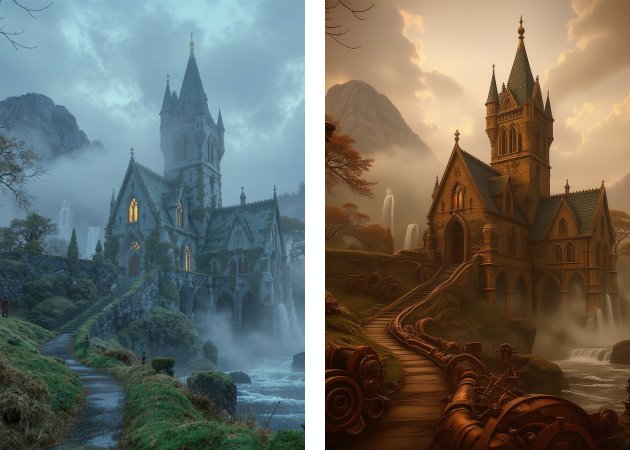
transform landscape into steampunk style

Transform Landscapes Into Steampunk Scenes

You can turn ordinary landscape photos into imaginative steampunk-inspired scenes with this mechanical filter. The tool adds mechanical details, gears, and metallic textures to enhance the environment. This effect works well for both urban and natural landscapes, giving them a vintage, industrial vibe. It’s perfect for social media content, posters, or creative projects that need a unique twist. The transformation is automatic, so you don’t need design experience. Therefore, using this AI tool, you can make your landscapes look fantastical and visually striking.

Share The Output on Social Media

After creating your steampunk images, you can easily share them on social media platforms. The tool ensures the outputs are free of copyright restrictions, so you can post them without worry. You can also download the output image in JPG format, high-quality and perfect for sharing. This feature is especially useful for anyone who wants to showcase their art, especially marketers and content creators. Moreover, it encourages experimentation, as you can quickly post new designs and get feedback. Overall, the steampunk style photo effect helps you create shareable, unique visuals safely and easily.

share the output on social media

Simple Process to Start Transforming Your Photo into a Steampunk-Themed

  • 01
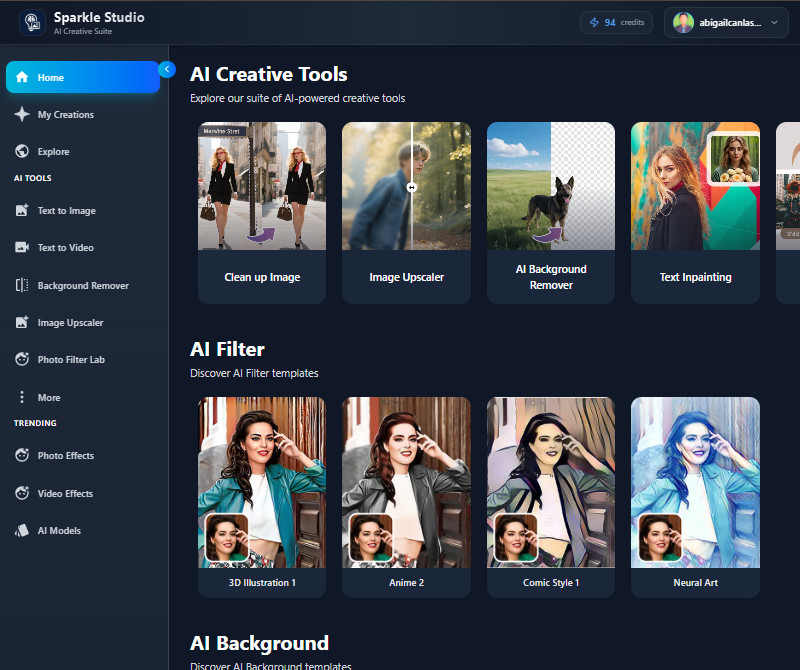
    Go to the Main Dashboard
    The first step is to visit our tool. You can use any browser you have to search for it. Then, it will ask you to register or sign in to your account to access the main dashboard.
  • 02
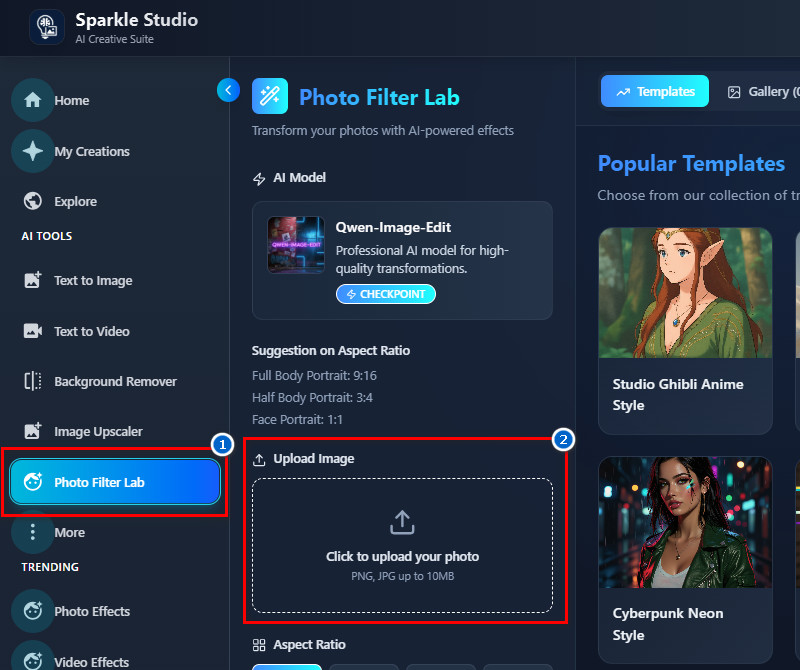
    Upload Your Image
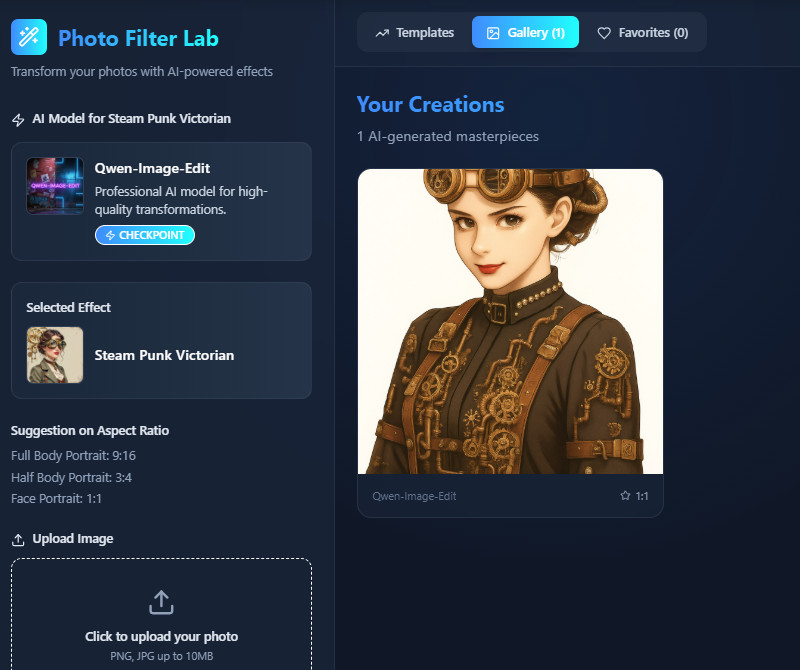
    On the main homepage, go to the "Photo Filter Lab" section. Then, upload the photo you want to transform into a steampunk style. You can use the upload button there or drag and drop the image to upload.
  • 03
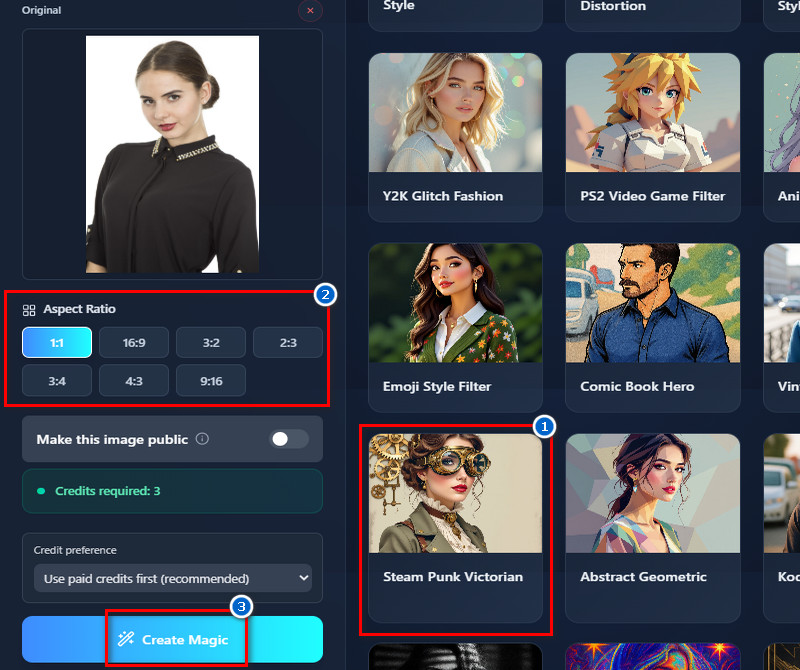
    Apply the Effect
    Once uploaded, find the steampunk filter on the "Templates" tab and click on it. Then, choose an image size for the output you prefer. After that, scroll down and click the "Create Magic" button.
  • 04
    Download the Output
    The tool will then start transforming the photo into the steampunk style. Wait 1-2 minutes for the results. Once the result comes in, preview it below and to the side of the original photo, and download it afterward.
go to the main dashboard
upload your image
apply the effect
download the output

Try These Recommended Apps

The recommended tools below are designed to give you more creative tools for editing photos, creating art, or enhancing videos. They help meet user needs by providing easy ways to create unique, professional-looking content. Moreover, you can save more time in improving your images using these tools.
"I applied the filter to my landscape shots, and it added a fun, steampunk vibe. The gears and metallic textures look great without manual editing. It also saves time when preparing images for my blog."
Arjun Rodrigues, Travel Blogger
12-03-2025
iiiii
iiiii

"I used it for social posts, and the images grabbed attention. The vintage, mechanical style fits well with my content theme. It’s also very easy to use on both desktop and mobile."
Artur Vieira, Social Media Manager
11-18-2025
iiiii
iiiii

"I used it to create illustrations from my photos. The mechanical textures and vintage details were impressive. It’s a great tool to add a creative twist without drawing from scratch."
Hana Jelínková, Illustrator
11-06-2025
iiiii
iiiii

"I applied the filter to album cover ideas. The vintage mechanical look suited my music theme perfectly. It’s fast and gives multiple creative options."
Andrea Pierre, Musician
10-31-2025
iiiii
iiiii

"I tested it on room and landscape shots for mood boards. The steampunk style added a creative industrial vibe. It’s a helpful tool for visualizing ideas."
Toms Jansons, Interior Designer
12-10-2025
iiiii
iiiii

"I used it to create poster images for an upcoming event. The tool made them look more stylish and attention-grabbing. It’s very user-friendly, even for beginners."
Jaxon Douglas, Event Planner
11-20-2025

iiiii
iiiii

Why Choose Us

Frequently Asked Questions

What is steampunk style?

Steampunk style is a creative design theme that combines vintage, industrial, and mechanical elements. It often includes gears, pipes, steam engines, and old-fashioned machinery in the artwork. The Victorian era inspires the style but adds a futuristic or mechanical twist. Furthermore, it is commonly used in illustrations, photography, and digital art to create a retro-futuristic look. Moreover, steampunk images usually feel imaginative and visually detailed. Overall, it turns ordinary visuals into a unique, mechanical, and vintage-inspired style.

What kind of characters are commonly featured in steampunk images?

Steampunk images often feature characters wearing Victorian-era clothing mixed with mechanical accessories. This includes goggles, gear-filled outfits, mechanical arms, or clockwork gadgets. You may also see inventors, explorers, or adventurers as common subjects. Sometimes animals or robots are included with a steampunk twist. The characters also usually appear in creative, imaginative, or industrial settings. These elements combine to create a retro-futuristic and visually engaging scene.

Can I remove or adjust mechanical effects after applying the filter?

No, our tool works on an image-to-image basis, so you cannot edit the output once it’s generated. If you are not happy with the result, you can regenerate the image. Each regeneration produces a new version with different effects. This allows you to try several options until you get the result you like. The process is simple and does not require advanced skills. You can keep regenerating as long as you have credits available.

Can I use the filter for commercial projects, such as posters or ads?

Yes, you can use the generated steampunk images for commercial purposes. This includes posters, advertisements, social media content, or other business-related projects. The tool ensures that the outputs are free from copyright restrictions. You can also safely include them in professional or marketing materials. Additionally, the filter works with both digital and print projects. This makes it versatile for a range of creative and commercial uses.

How do I get more credits to generate additional images?

When your free credits run out, you can buy more directly from our tool. Simply click the Credits button next to your Profile and select Buy Credits. On the next screen, choose the plan you prefer. One-time credits are available starting from $1.99 up to $39.99. Subscription plans are also offered, ranging from $2.50 to $30.00, depending on the plan you select.

pro image logoAceThinker PicWish

Your Fast and Simple Background Tool

pro banner image
Back to Top
Contact Us
Learning Center