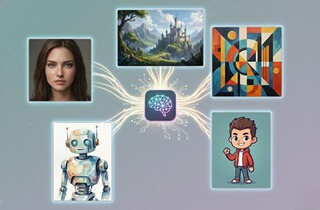
 AI image generators are tools that employ artificial intelligence to craft images from text prompts or simple ideas. Instead of drawing or editing by hand, you can describe what you want, and the image is generated in seconds. Because of this, they have become essential for creators, marketers, designers, and businesses who need visuals fast without high costs or complex skills. Moreover, the best AI image generator is not just about pretty pictures. It also means good image quality, realistic results, easy controls, fair pricing, and useful features like style options and fast rendering. These factors help users save time while still producing professional-looking images. In this guide, you can expect a clear review of the top 10 AI image generators so you can pick the right tool with confidence.
Top 10 Best AI Photo Generator (Free & Paid)
| Tool | Pricing Plan | Best For |
|---|---|---|
| Midjourney | Basic Plan: $8/month Standard Plan: $24/month Pro Plan: $48/month |
Artistic & stylized work |
| Reve | Freemium Pro: $20/month |
Affordable, prompt-friendly AI art |
| AceThinker AI Image Generator & Editor | Free: 10 credits Flicker $1.99 - 30 credits Glimmer: $5.99 - 100 credits Blaze: $17.99 - 350 credits Fireworks: $32.50 - 700 credits Carnival: $39.99 - 1000 credits |
All-in-one editing + generation |
| DALL-E 3 | 40 free credits ChatGPT Plus: $20/month |
Realistic & detailed prompts |
| Ideogram | 12 free credits, renewed every 2 days Basic: $8/month Plus: $20/month Pro: $60/month |
Text-heavy images/logos |
| Fotor AI Image Generator | 8 free credits Fotor Pro: $8.99/month Fotor Pro+: $19.99/month |
Balanced approach (editing + AI) |
| Adobe Firefly | 10 complimentary credits Standard: $9.99/month Pro: $19.99/month Premium: $199.99/month |
Commercial design workflows |
| Recraft | 30 free credits, renewed daily Pro: $10/month Teams: $50/month |
Vector, mockups & branding |
| Leonardo AI | 150 Tokens for daily image generation Apprentice: $10/month Artisan Unlimited: $24/month Maestro Unlimited: $48/month |
Game assets & creative visuals |
| Microsoft Designer | Free (requires a Microsoft account) | Daily social media & layout images |
1. Midjourney
Unique Feature: It offers advanced style control, letting users adjust lighting, mood, colors, and composition with simple prompt tweaks.
First on our list is Midjourney, which is a powerful image generator known for its artistic style and rich visuals. It operates as a text-to-image AI service, generating diverse art across realistic to abstract styles from user-defined textual descriptions and prompts. Before, Midjourney could only be accessed via Discord, but it now offers a web-based interface that lets you make an account with your Gmail. Moreover, users can fine-tune the model to better match their own style, providing greater control. It stood out for its strong colors, detailed textures, and creative results. Because of its visual strength and customization, many users still consider it the best text to image AI for artistic projects. Additionally, it lets you edit and organize your images, making workflows smoother once you learn the system.
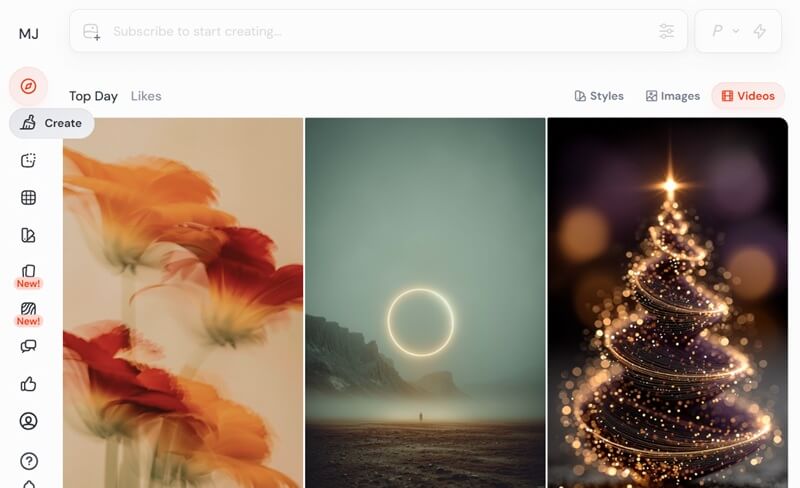
- Midjourney offers strong creative freedom, which helps artists explore bold and imaginative ideas.
- The platform also provides detailed guides, making it easier for users to learn advanced features over time.
- All generated images are public by default, which may not suit private or business use.
2. Reve
Unique Feature: It allows you to upload images to use as a basis for generating new visual content.
Reve is a simple generative AI image generation platform that prioritizes user-friendliness. With this tool, users can easily create visually appealing images without complex settings. In addition, it is often considered the best free AI image generator, as the service doesn't have any hidden fees or premium features locked behind a paywall, ensuring full functionality for all users. Furthermore, as we explored the tool, we discovered it offers multiple pre-made images that you can use to optimize and refine your prompts. This allows you to learn from existing examples and quickly produce new, high-quality visuals that match your specific needs. On top of that, it generates multiple images in a single prompt that you can then further refine or use directly.
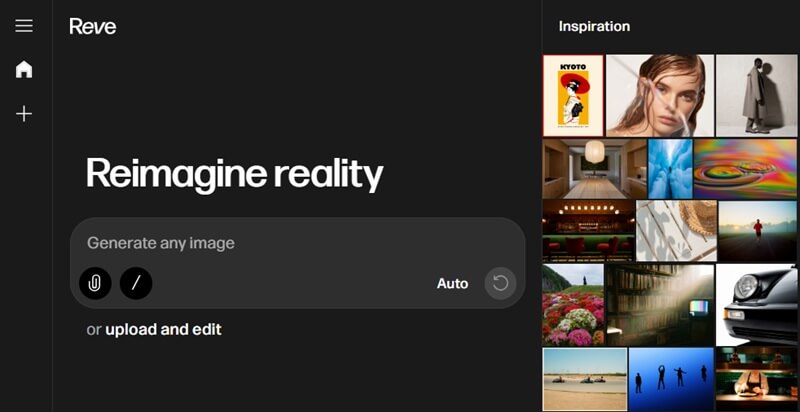
- This platform is free to use as long as you create an account using your email, making it an accessible option for those seeking a cost-effective solution.
- The tool does not have ads that would disrupt the user experience, ensuring an uninterrupted creative flow.
- The quality and resolution of photos generated by Reve might be lower than those of more advanced image-generation tools.
3. AceThinker AI Image Generator & Editor
Unique Feature: This best AI picture generator uses multiple AI models to provide diverse artistic styles, giving you the best output possible.
Another option you can use as a text-to-image generator is the AceThinker AI Image Generator & Editor. This platform seamlessly integrates advanced AI capabilities for generating high-quality images. You can generate images in animated or photorealistic detail, enabling broad creative applications. That said, you can input simple words and receive visually stunning outputs almost instantly. Aside from generating images, it also serves as a robust editor with basic and advanced editing tools. These editing tools enable you to crop, rotate, or overlay a watermark on your images. With this, you can also fix a pixelated image and enhance its overall visual quality. On top of that, the AI image generator lets you select the aspect ratio before generating an image, making it suitable for a wide range of platforms and applications.
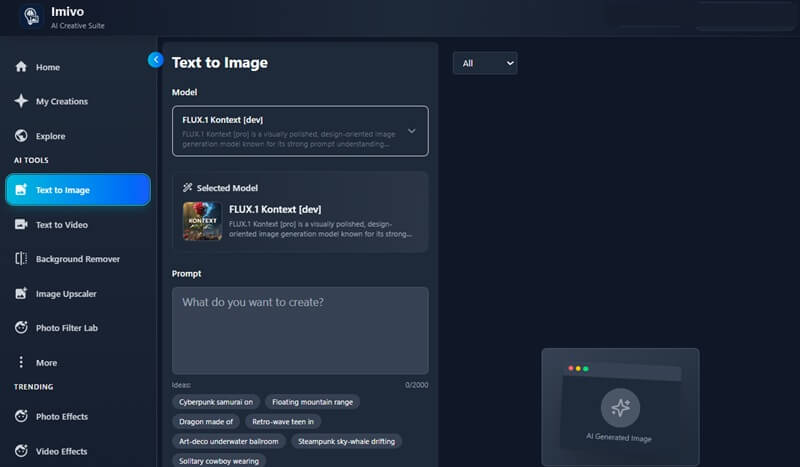
- This photo generator features a user-friendly interface, making it accessible to new users.
- The tool also offers multiple photo effects and filters that can transform ordinary images into visually captivating artwork.
- While the tool offers numerous advantages, it needs an internet connection to function, restricting its use in offline environments.
4. DALL-E 3
Unique Feature: It stands out for creating high-quality images very quickly. This helps users test ideas quickly and make changes step by step without waiting too long.
Next on our list of the best free AI image generators is DALL·E 3, the latest image model developed by OpenAI. After testing the tool, we found that it produces realistic, creative images from text prompts with very little effort. The process feels smooth, making it easy, even for first-time users, to generate images without complicated steps. DALL·E 3 also supports a wide range of styles, including vibrant fantasy, general anime-style visuals, and photorealistic portrait images, giving users more creative freedom. In addition, it allows you to zoom in and out on the generated image, so you can inspect it more closely.
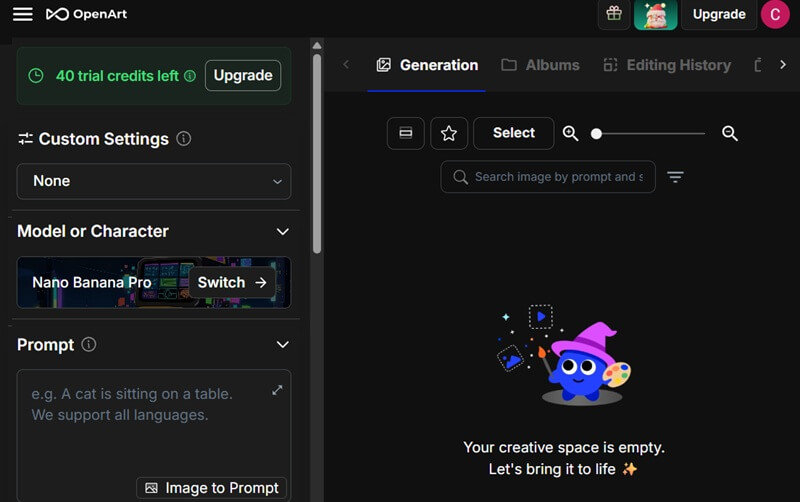
- Apart from English, it also supports a wide array of other languages for text input, including Chinese, Japanese, and Spanish. This multilingual capability expands its accessibility and utility for a global user base.
- It also provides a section for your collection where you can explore your generated images, making them easy to access.
- One main limitation of DALL-E 3 is that it can struggle to understand very detailed or complex prompts, so the final image may not fully match the user's imagination.
5. Ideogram
Unique Feature: It excels at creating posters and logos for businesses and creative projects, making it a preferred tool for marketing purposes.
Ideogram is another web-based text-to-image generator that easily turns your text prompts into realistic images. As you access the website, it prompts you to create an account or sign in with your Google account to utilize its features. Once you have an account, you have 12 free credits, which reset every 2 days, offering continuous opportunities for image generation without immediate cost. Moreover, the photographs are generated with high artistic fidelity and realism. This enables the creation of sophisticated visuals that can be directly applied to professional design tasks. It also lets you create characters from your imagination, making it a versatile tool for concept art and illustrative projects.
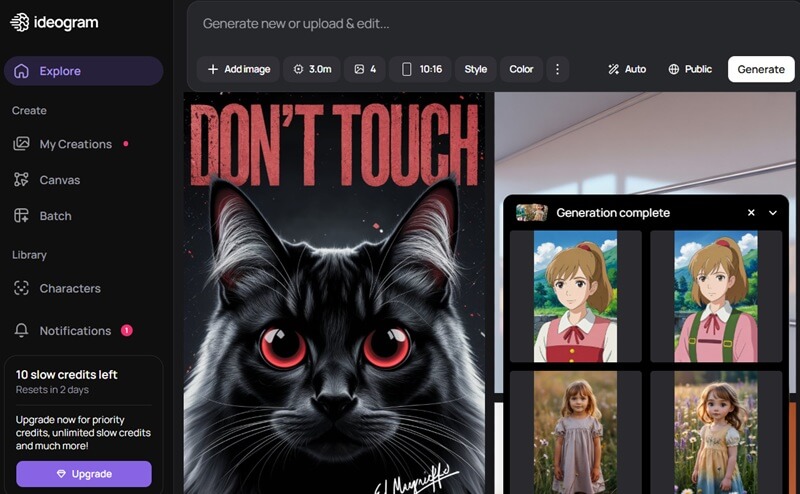
- Ideogram also allows you to modify the output number, ranging from 1 to 4 images, offering flexibility in the volume of generated content.
- It also lets you edit images directly on the platform using the "Canvas" function, further enhancing your image
- Other functions, such as batch generation, magic fill, and extend, are exclusively available to premium subscribers.
6. Fotor AI Image Generator
Unique Feature: It allows you to select from classic, 3D cartoons, or anime styles to generate photos.
Fotor AI Image Generator is an online platform that effortlessly transforms your textual prompts into compelling visual content. It is designed for users who want good results without having to learn complex settings. The platform focuses on quality and realism, especially when creating portraits, illustrations, and social media graphics. Because the interface is clean and simple, beginners can start creating images right away. It also includes other photo editing tools. You can use its AI baby to turn your photographs into baby pictures. Moreover, you can remove a double chin from a photo with its AI photo editor, which features a magic eraser.
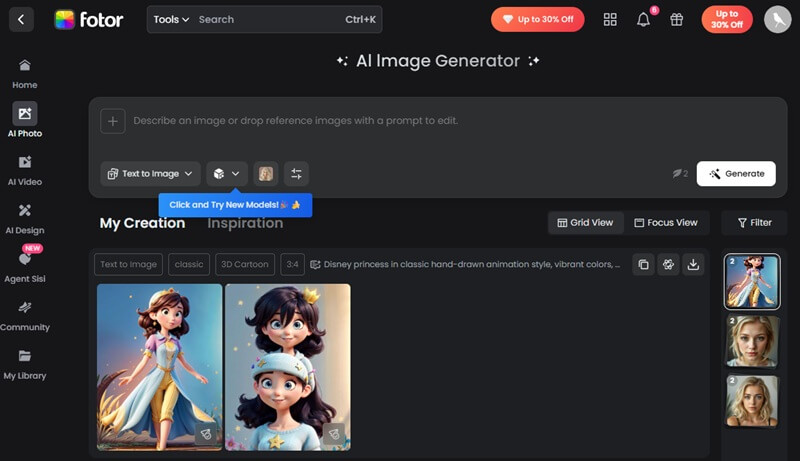
- It also allows you to upload an image and create necessary edits using text prompts, further enhancing your control over your desired outputs.
- Your generated photos are categorized into distinct styles, making it effortless to manage and locate specific creations.
- The platform's free version includes click ads, which can disrupt the user experience.
7. Adobe Firefly
Unique Feature: Its unique feature is its deep integration with Adobe's creative ecosystem, allowing you to experience a seamless workflow.
After trying Adobe Firefly, we found it to be a reliable and polished AI image tool for both creative and practical use. The image quality feels clean and well-balanced, which makes the results suitable for professional projects. Besides, the interface is easy to understand, so generating images does not feel overwhelming. In terms of realism, Firefly excels at producing images that closely mimic photographs. It performs especially well, as you can switch between its partner generators like Flux.2, Nano Banana, and GPT Image. Because of this flexibility, many may consider it the best AI picture generator for mixed workflows.
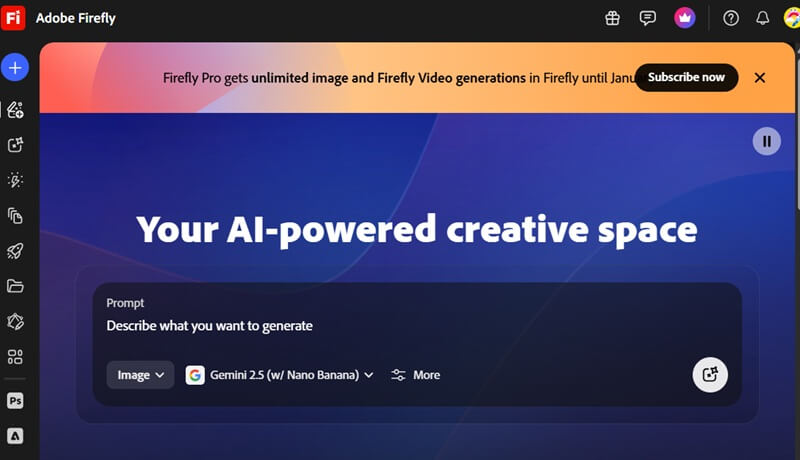
- It also includes helpful features, such as choosing from 21:9 to 2:3 aspect ratios and quick actions for background removal, cropping, and resizing.
- Aside from images, you can also generate videos or clips that you can use for multiple purposes.
- The platform’s reliance on cloud-based processing can lead to slower generation times during peak usage, impacting productivity for urgent tasks.
7. Recraft
Unique Feature: Recraft specializes in vector art and illustrations, creating scalable graphics that remain clear and sharp at any size.
Using Recraft was surprisingly smooth, especially for creating high-quality vector art and illustrations. This best AI image generator is very intuitive, so even a newbie can start creating graphics without a steep learning curve. Additionally, this tool allows you to generate AI mockups, turning your simple designs into a polished product preview quickly. It also supports multiple AI models, including Recraft V3 and external options like Nano Banana Pro and Flux 1 Kontext Max. This gives you plenty of creative flexibility to create the photos you want. One notable aspect of the tool is the upscale option, which lets you increase JPEG resolution without introducing pixelation. The app is also available on both the App Store and Google Play, making it suitable for mobile users.
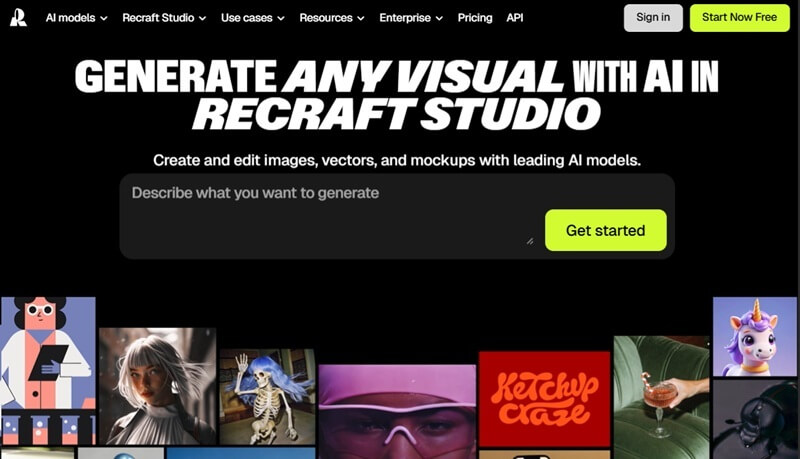
- It lets you choose the use cases, providing a tailored experience for a range of design needs, from marketing materials to digital art.
- This service lets you choose from diverse styles, including photorealism, illustration, and graphic design. This enables you to adapt your output to specific aesthetic requirements.
- Some external models can take longer to render for complex illustrations, hindering rapid prototyping and iterative design.
9. Leonardo AI
Unique Feature: Its style versatility, combined with batch generation, enables users to generate multiple images simultaneously.
Leonardo AI provides a robust platform for generative art, catering to both novice and experienced creators. This text-to-image tool lets you choose from a variety of styles, including dynamic, cinematic, portrait, and more. This makes it easier to create unique and realistic images. Moreover, you can select the number of images to generate, giving multiple options to pick the best result. It also lets you organize your creations into folders, making it simple to manage and revisit your work. Beyond that, choosing custom image dimensions is straightforward, and the generated images maintain high-quality, realistic details.
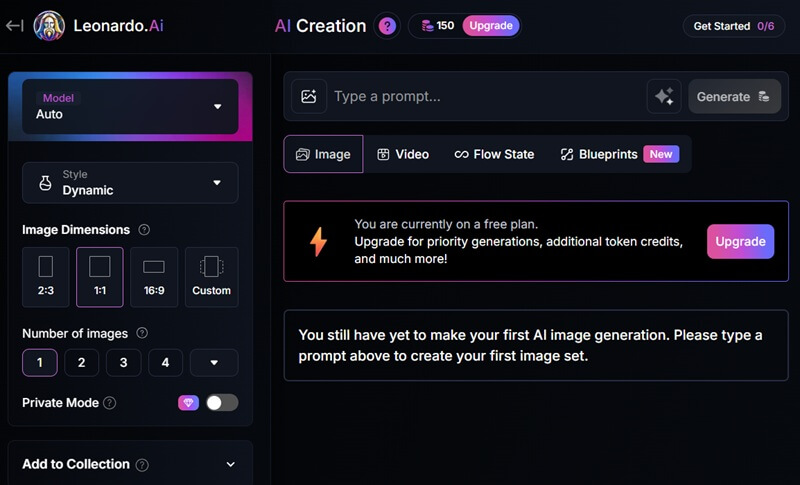
- With its premium option, you can also make your images private, protecting your creative work from public view.
- It also features a Blueprints section, allowing users to explore 50+ pre-designed templates to create a variety of images efficiently.
- This tool takes longer to complete complex generation tasks, so users can experience longer wait times before the final result is ready.
9. Microsoft Designer
Unique Feature: Its integration with other Microsoft products provides a streamlined workflow for users already within the Microsoft ecosystem.
Microsoft Designer is one of the best AI image generators we tested. This is especially a great choice for users who want to access DALL-E 3 without needing a ChatGPT subscription. The platform integrates with Microsoft Copilot and the Designer web app, allowing you to generate images by simply asking Copilot. This accessibility makes it particularly convenient for quickly generating visual content for presentations, social media, or other creative projects. Furthermore, it offers 15 boosts per day, and since each prompt generates 4 images, you effectively get 60 outputs per day. Users can also choose different image sizes, including square (1024x1024), portrait (1024x1792), and landscape (1792x1024). This adds flexibility for your various projects.
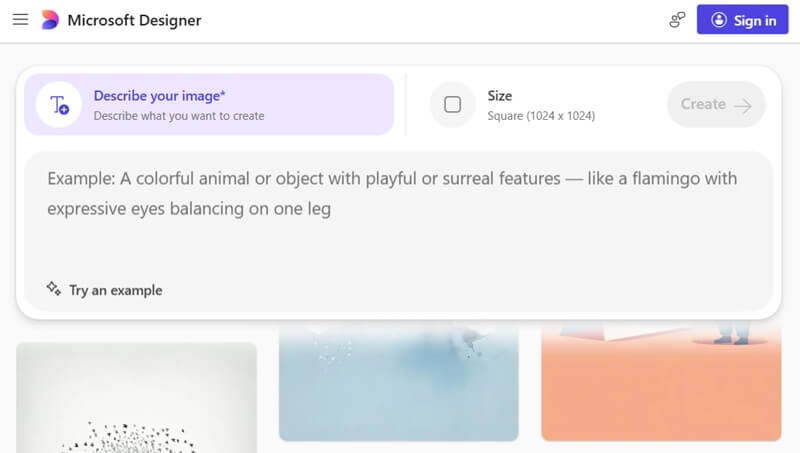
- Its strong interpretative capabilities also allow it to accurately convert complex text prompts into high-resolution images. This ensures the generated visuals closely align with your creative vision.
- The platform is currently free, making it an option for individuals and small businesses seeking to leverage AI for design.
- The daily boost limit can feel restrictive for users who need to produce a large number of images in one session.
How to Improve Results with Any AI Generator
AI tools work best when you guide them well. Small changes in how you use them can make a big difference. These tips are easy to follow and work with almost any AI tool.
- Write clear prompts: Input or type exactly what you want using simple and clear words. Adding style, mood, or key details can help the AI better understand your idea.
- Use negative prompts: Clearly tell the AI image generator what you do not want in the result. This helps reduce errors and avoid unwanted details.
- Try image-to-image: You can begin with a basic or rough image and slowly improve it step by step. This method helps refine details and reach better results.
- Test different models or styles: Each model or style creates a different look and feel. Trying several options helps you choose the one that works best for your project.
- Upscale the final result: You should upscale the finished image to improve sharpness and quality. This makes it look better when sharing online or printing.
Bonus Tip: Upscale Generated Images
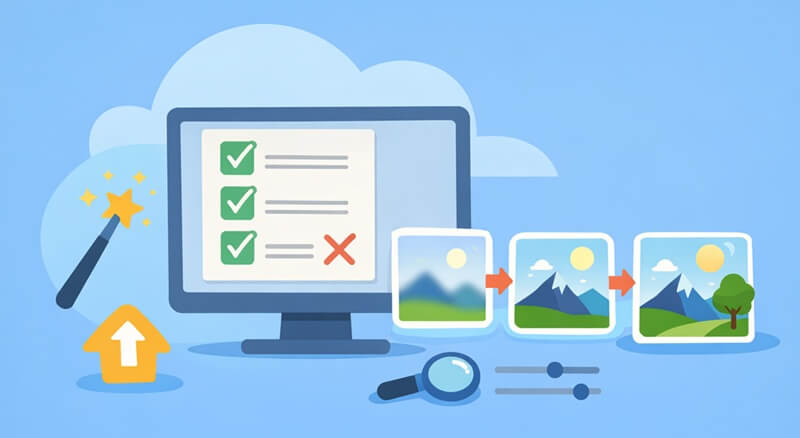
To maximize the quality of your AI-generated visuals, you can consider using the AceThinker Online Image Upscaler. It is an AI-powered tool designed to improve image resolution without making images look pixelated or over-processed. It allows you to upscale images by 2× or 4×, making photos clearer and sharper. Besides, the process is simple and fast, so you do not need advanced editing skills. In addition, it supports common image formats such as PNG, JPEG, and WebP, making it easy to work with a variety of files. To use this image upscaler, you can see the photos below.
Step 1 Add Image
First, access the AceThinker Online Image Upscaler on your preferred web browser. Then, click the "Upload Image" option to access your file explorer. From here, select the image you want to upscale.
Step 2 Upscale Photo
Once uploaded, choose your desired upscale factor: 2X or 4X. Afterward, you can click on the available output format for your image. Then, clicking "Upscale Image" will let you process your image.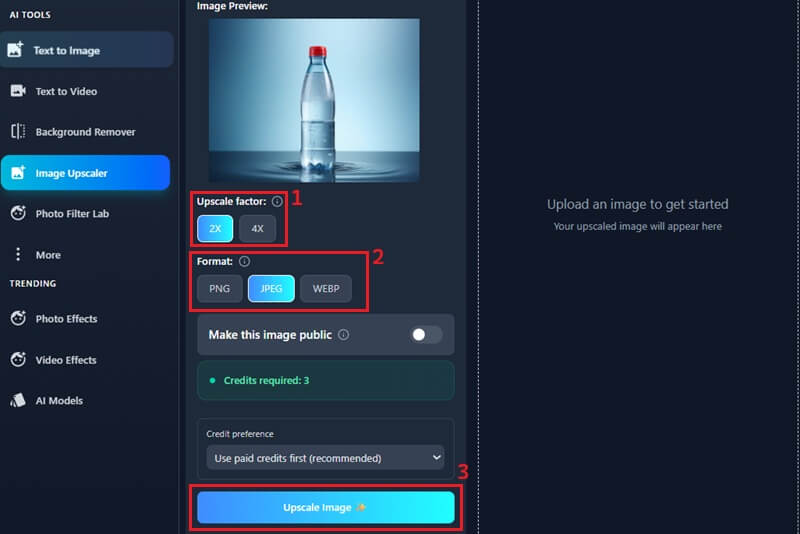
Step 3 Save Upscaled Image
After the upscaling process is complete, preview the enhanced image to check the quality. Next, click the "Download Image" option to save the file. The upscaled image will then be stored directly on your local device for easy access.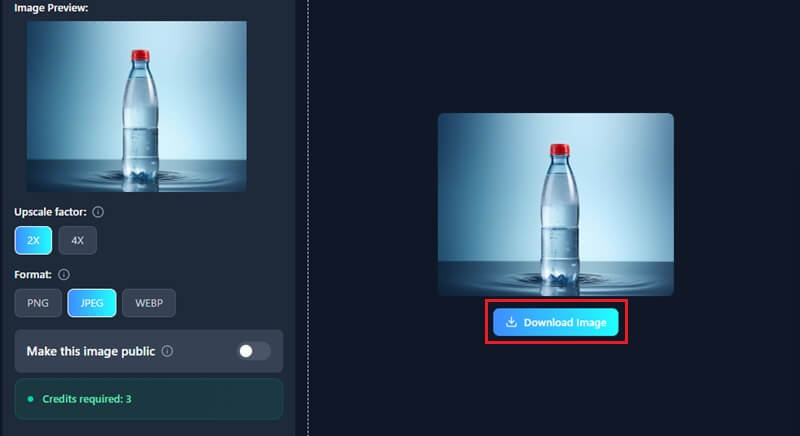
Final Verdict
Choosing the best AI image generator really depends on what you want to create. If you enjoy artistic and stylized images, Midjourney and Leonardo AI are great options. For realistic results and fast image creation, DALL·E 3 and Microsoft Designer are reliable choices. Ideogram and Recraft work well for logos, posters, and vector designs that need clear text. On the other hand, Fotor and Adobe Firefly offer a good balance of image creation and editing for daily projects. If you want realistic images with quick results and built-in editing tools, AceThinker AI Image Generator & Editor is worth trying. Overall, free tools are ideal for beginners, while advanced users may prefer feature-rich platforms.