menu

AI Cyberpunk Filter

Our Cyberpunk photo filter transforms your photo into a neon-infused image. It uses advanced AI to add vibrant colors, glowing lights, and futuristic effects, making it perfect for creators and anyone looking for a unique, high-tech photo.

Effortlessly Convert Photo to Cyberpunk Style Image Online

Write the ALT Attribute here, don't make a sentence

Clean Cyberpunk Photos

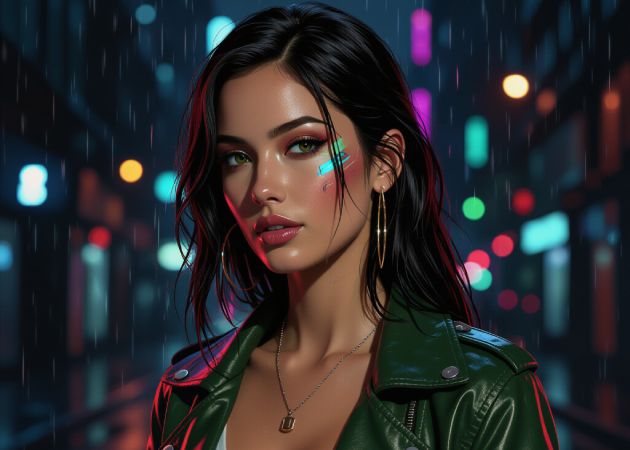
You can turn your ordinary photos into striking cyberpunk images without worrying about watermarks or branding. This feature of our AI cyberpunk filter ensures your final images are completely clean, keeping your work professional and ready to use anywhere. You don't need to edit out logos or marks and just focus on your creative vision. The AI applies vibrant neon lights and futuristic effects while preserving the clarity of your images. As a result, your images are perfect for social media, portfolios, or personal projects.

Fast Filter Application

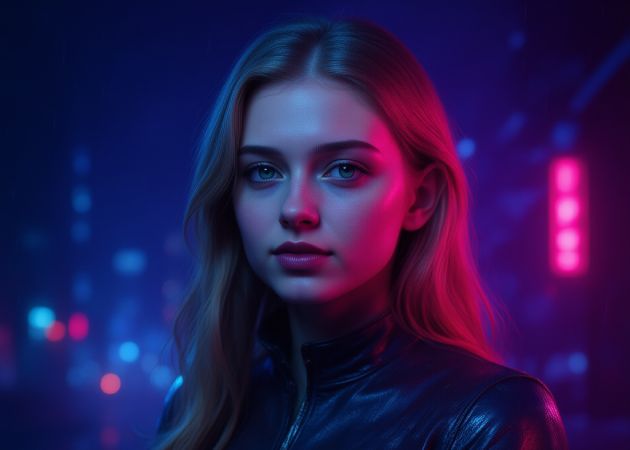
Creating a cyberpunk photo is quick thanks to our preset styles that require no adjustments. This online photo to cyberpunk tool is AI-powered, so it analyzes your image and applies the effect intelligently. You just upload your photo, select a style, and watch it transform within seconds. This saves time and avoids the frustration of tweaking multiple settings manually. Additionally, the smooth workflow encourages you to experiment with different images and styles without interruptions.

fast filter application
support any images

Support Any Images

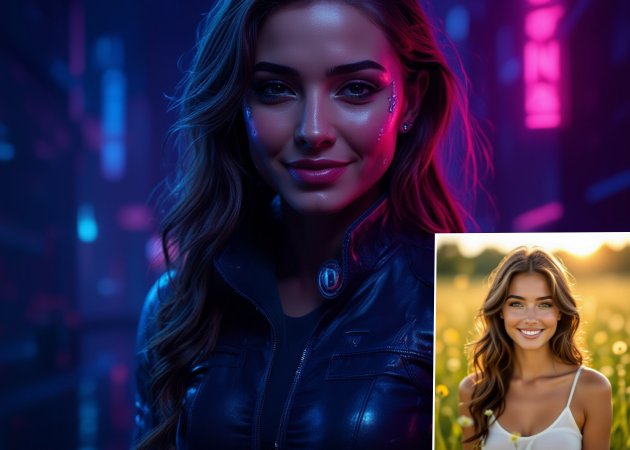
Whether it is a selfie, a landscape, or a picture of your pets, our tool handles it effortlessly. The photo to cyberpunk online filter is flexible with various subjects and compositions. You do not need to worry about specific angles or image types, as the AI adjusts the effect to suit your photo. This makes it ideal for users of all skill levels who want creative freedom. For instance, you can upload a portrait and convert it into a dystopian cyberpunk character, or transform a cityscape into a futuristic neon-drenched metropolis.

Professional-Quality Output

Even with bright neon lights and bold effects, your images stay sharp and clear. The cyberpunk photo filter keeps the photo high-resolution, so it looks professional on social media, blogs, or portfolios. You won't get blurry or pixelated results that ruin the image. This ensures your work looks polished and eye-catching without extra effort. You can share your photos confidently or use them in any creative project. Overall, it makes it easy and reliable to turn ordinary photos into cyberpunk art.

professional-quality output

Simple Steps on How to Apply the Cyberpunk Effect

  • 01
    Access the Online Tool
    First, open the browser of your choice. Here, go to the designated web address for the Photo to Cyberpunk online tool. Once you access it, you need to log in or register for an account to access the main interface of the online tool.
  • 02
    Choose a Photo to Upload
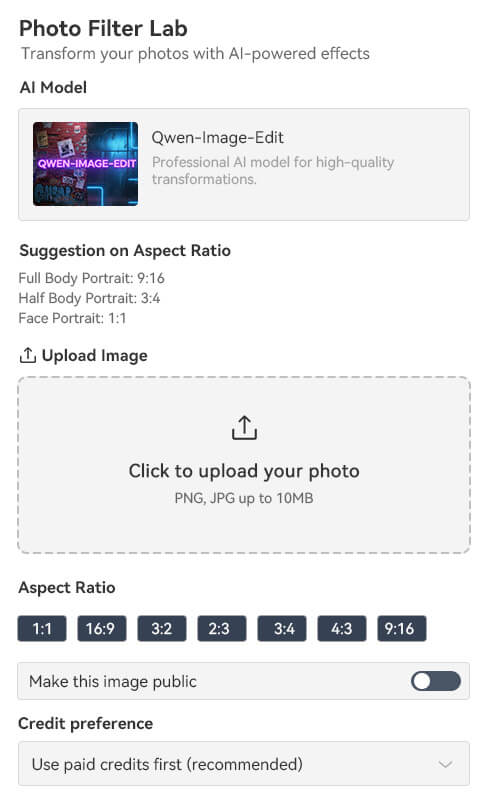
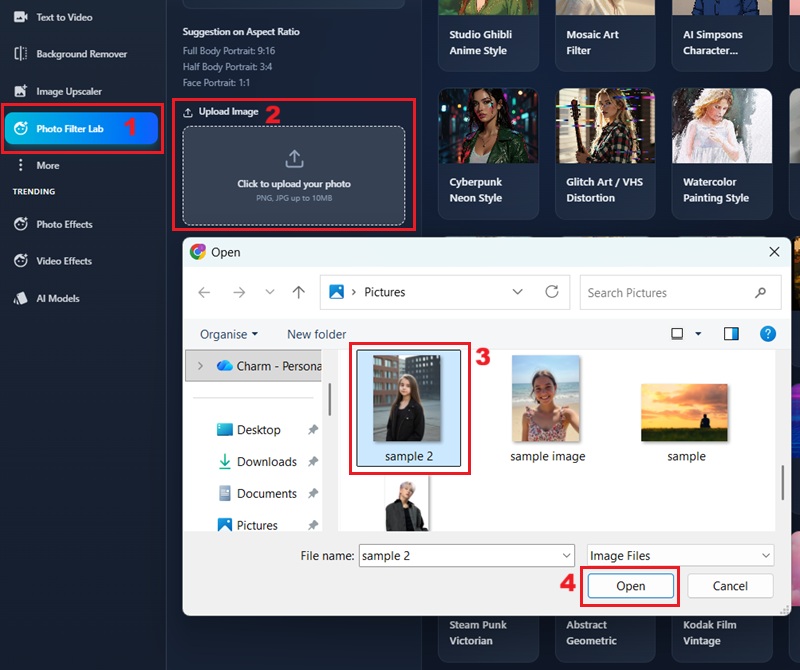
    On the main interface, click the "Photo Filter Lab." Subsequently, click the upload box to browse for the image you want to transform. Once you selected the image, click the "Open" button to import it into the tool's interface.
  • 03
    Select and Apply Cyberpunk Filter
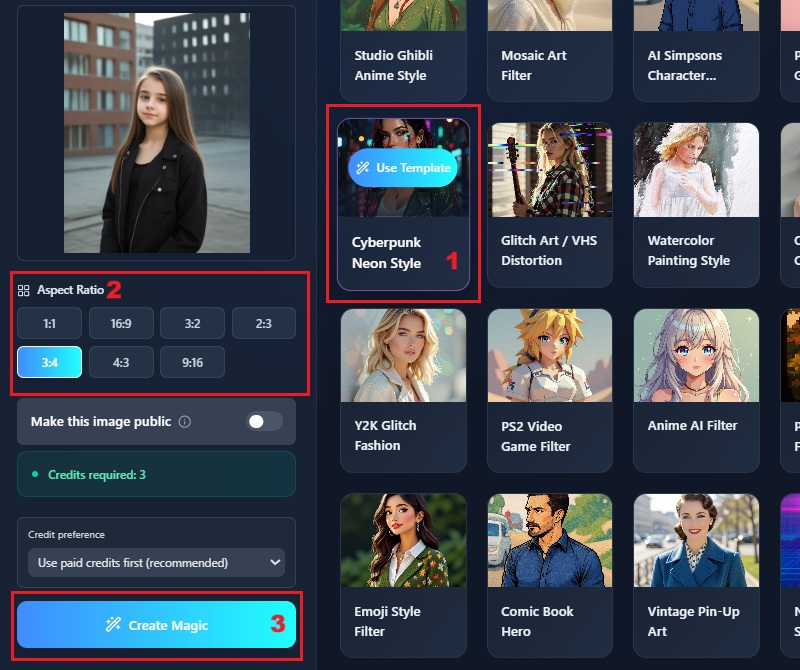
    Once your image is loaded, navigate to the filter options and select the "Cyberpunk Neon Style." When the “Use Template” option appears in the filter, click it. Then, pick the size of your image from the "Aspect Ratio" options and click the "Create Magic" to apply the filter.
  • 04
    Save Cyberpunk Image
    When you click the "Create Magic," the image processing will initiate. Wait until the processing is done. Afterward, you can download your newly stylized cyberpunk image in high resolution.
access the online tool
choose a photo to upload
select and apply cyberpunk filter
save cyberpunk image

Try Other Useful Tools

These tools are recommended to further enhance your images beyond applying filters. They offer advanced features, such as removing unwanted images or applying effects to turn your photos into a video. These are useful when you want to do more editing and make your work look polished.
"This filter gave my photos a cool neon look with hardly any work. I like that the images stay sharp. It's a solid choice when I need to edit quickly."
Aliyah West, Graphic Designer
2025-12-03
iiiii
iiiii

"I like trying out different styles, and this filter gives a fun neon effect. It works quickly, which is handy. The final images look clean and high-quality."
Helena Curry, Digital Artist
2025-11-28
iiiii
iiiii

"I used it on my Instagram photos, and the effects look great. The neon glow gives them a cool, futuristic feel. It's perfect for making posts that stand out."
Angela McConnell, Content Creator
2025-11-04
iiiii
iiiii

"I used the filter for a client’s social media post, and it came out better than I thought it would. The colors stand out but aren’t overdone. It’s a handy tool for quick creative ideas."
Lucio Doyle, Freelancer
2025-11-13
iiiii
iiiii

"I tried this tool for concept art, and it worked well. It adds a neon look right away without hurting the image quality. It’s great for quick inspiration."
Mike Pratt, Video Editor
2025-11-12
iiiii
iiiii

"I used it for my album photos, and the neon style was a perfect match. The tool is simple to use, even the first time. The results look professional enough to share online."
Chester Chang, Music Producer
2025-10-06

iiiii
iiiii

Why Choose Us

FAQs about Cyberpunk Photo Filter

What is a cyberpunk photo?

A cyberpunk photo is an image edited to look like it belongs in a futuristic, neon-lit world. You usually see bright colors like blue, purple, and pink mixed with glowing lights. It often gives your photo a gritty, high-tech atmosphere. You will notice details like neon signs, rain effects, and metallic textures. These effects help your picture feel like it came from a sci-fi movie. As a result, your photo looks more dramatic and futuristic.

How to make my picture look cyberpunk?

You can make your photo look cyberpunk with our online filter, which adds neon colors and futuristic details. First, you upload your picture to the online photo to cyberpunk site. Then, choose the cyberpunk filter and let it apply effects like glowing lights, neon edges, and cool color tones. You don’t need editing skills because this online photo filter handles everything for you. Finally, download the edited photo once you’re satisfied with the results. You can use it across multiple platforms to share your newly transformed cyberpunk image.

Where can I access this photo in Cyberpunk?

You can access our photo with the cyberpunk filter directly online using your browser. You just open the website without installing anything. Whether you are using Chrome, Safari, Firefox, or another browser, you can easily use it. This setup is convenient because you can access the tool on your phone or computer at any time. However, you should make sure that you have a steady internet connection since it processes your images online. With a stable connection, the tool will run smoothly and give you fast results.

Does it work on group photos?

Yes, this cyberpunk filter works on group photos, and it handles multiple faces well. You just upload the group picture like any other photo. The tool will automatically apply the neon and sci-fi effects to the entire image. Sometimes the results look even more interesting because the lighting spreads across different people. You don’t need to separate or crop anyone out, making it simpler to transform collective images into futuristic scenes. As long as your picture is clear, the cyberpunk filter will work out well.

Can I use this cyberpunk filter for my profile picture?

Yes, you can use your cyberpunk photo as a profile picture on any social platform. The bright neon colors usually stand out well in small icons. You just need to crop the photo to a square if the platform requires it. After that, upload it like any normal profile image. Many users choose this style because it looks unique and stylish. As a result, your profile becomes more eye-catching and modern.

pro image logoAceThinker PicWish

Get Precise Background Removal

pro banner image
Back to Top
Contact Us
Learning Center