menu

AI Disney Filter

Our AI Disney Filter online turns your photos into fun Disney-style characters, giving them a magical, playful look. It is perfect for anyone who wants a unique avatar, creative social media content, or a fun way to quickly and easily transform their selfies.

Effortlessly Turn Photos to Disney-Style Character

make authentic disney-styled photos

Make Authentic Disney-Styled Photos

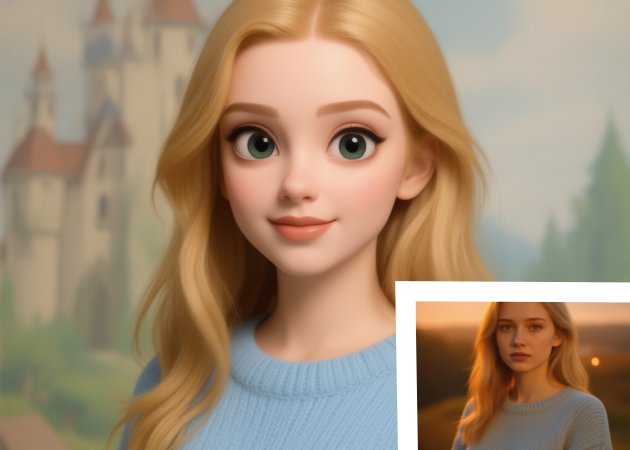
When you use this tool to add Disney filter to photo feature, you can turn any ordinary image into a soft, magical Disney-style character in just a few moments. Our online AI Disney filter tool gives your face smooth lines, bright eyes, and that dreamy cartoon warmth most people love. As you apply the filter, your photo keeps its natural charm while gaining that animated glow. This helps you create pictures that feel playful but still look like you. Moreover, the transformation is quick, making it easy to experiment with different poses or moods.

Convert Any Photo to a Disney Character

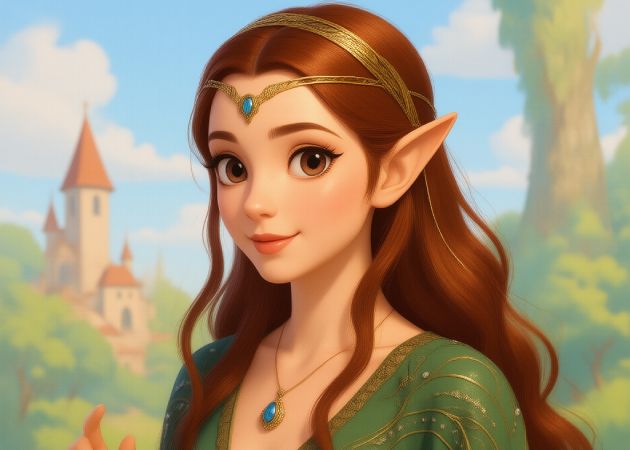
Our AI Disney filter online tool lets you turn almost any picture into an animated Disney-style character. This includes selfies, group shots, or even pet photos. It reads details in your photo and recreates them with a soft, friendly cartoon feel. As the AI works, it keeps each subject recognizable so the final result feels personal and charming. You can use this on family photos, profile pictures, or pet portraits, and it still delivers a smooth transformation. Additionally, the tool works entirely online, making the process simple and hassle-free.

convert any photo to disney character
apply multiple animation styles

Apply Multiple Animation Styles

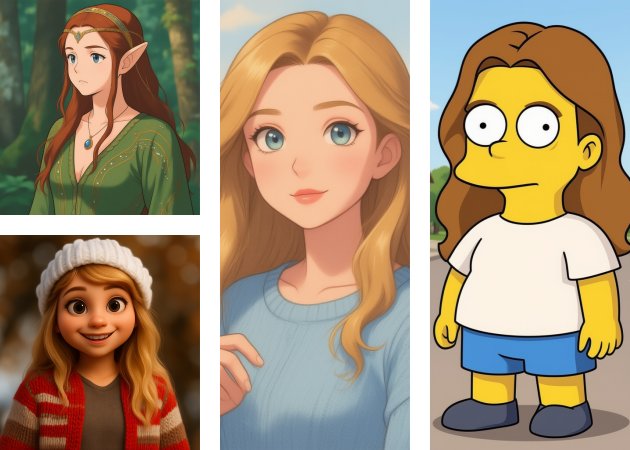
With our Disney filter AI, you are not limited to just one animation look. The tool also offers styles like Studio Ghibli, Pixar, and even Simpsons-inspired characters. This gives you the freedom to explore different artistic versions of your photos. As you try each style, you'll notice how the AI adjusts colors, shapes, and expressions to match the animation theme. It becomes a fun way to see yourself or others in different cartoon worlds. Moreover, switching styles only takes a few seconds, so you can experiment freely.

Export in Different Aspect Ratios

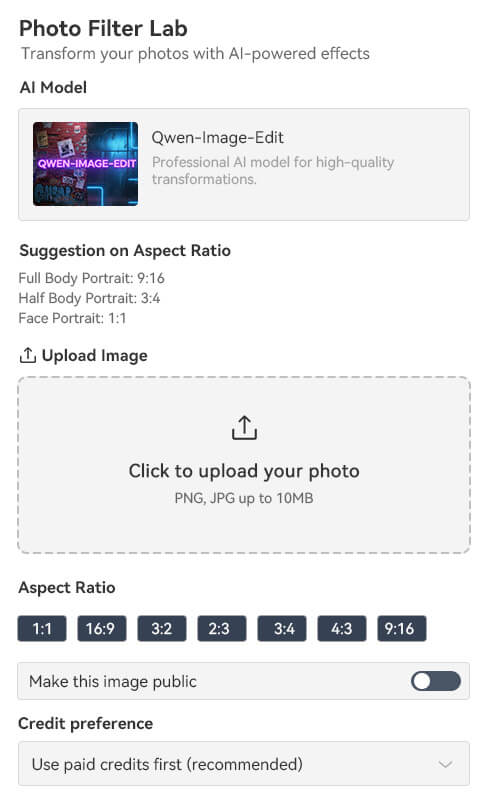
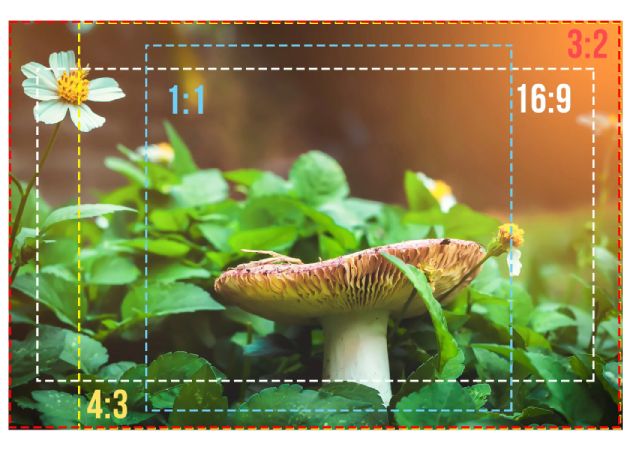
Using this tool to convert photo to Disney character tool also gives you flexible export options. You can pick from multiple aspect ratios, such as 9:16 for full-body shots, 3:4 for half-body, or 1:1 for profile portraits. As you select an aspect ratio, the tool adjusts the framing to keep your Disney-style character balanced and clear. This helps you create images ready for social media, wallpapers, or prints without extra editing. Additionally, the tool supports both JPG and PNG, giving you the freedom to save the format you prefer.

export in different aspect ratios

Simple Steps to Apply the AI Disney Filter

  • 01
    Go to the AI Disney Filter
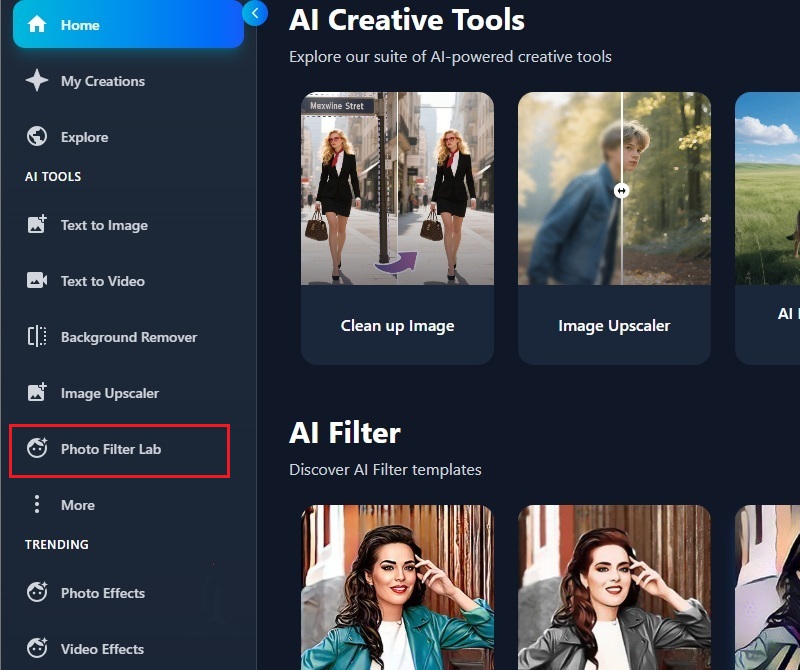
    On your device, access your browser and go to the online AI Disney Filter site. Afterward, proceed to create or log in to your account. Then, click the "Photo Filter Lab" to proceed.
  • 02
    Choose An Image
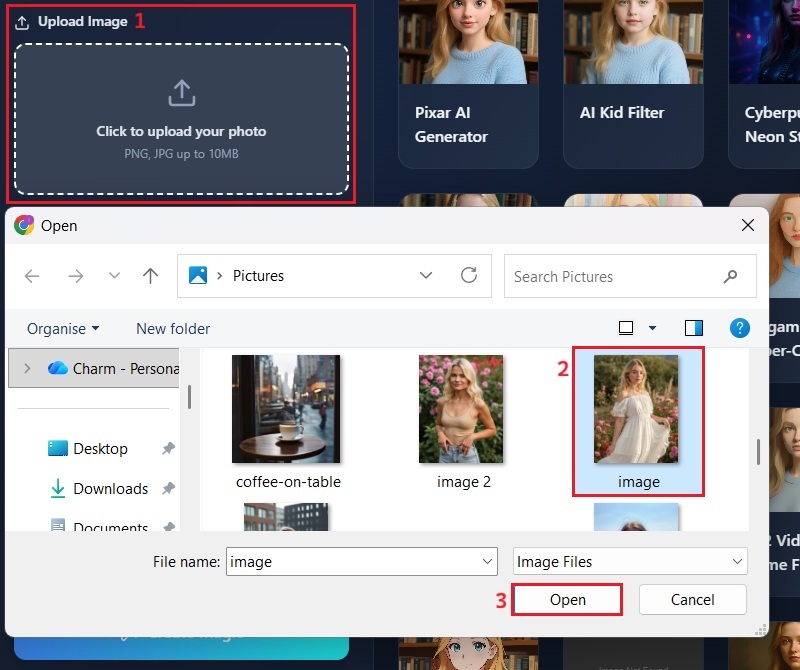
    In the Photo Filter Lab interface, upload the photograph you want to transform into a Disney-style character. Just click the upload option, and your file explorer will open. Here, pick the image and click the "Open" option.
  • 03
    Apply Disney Filter
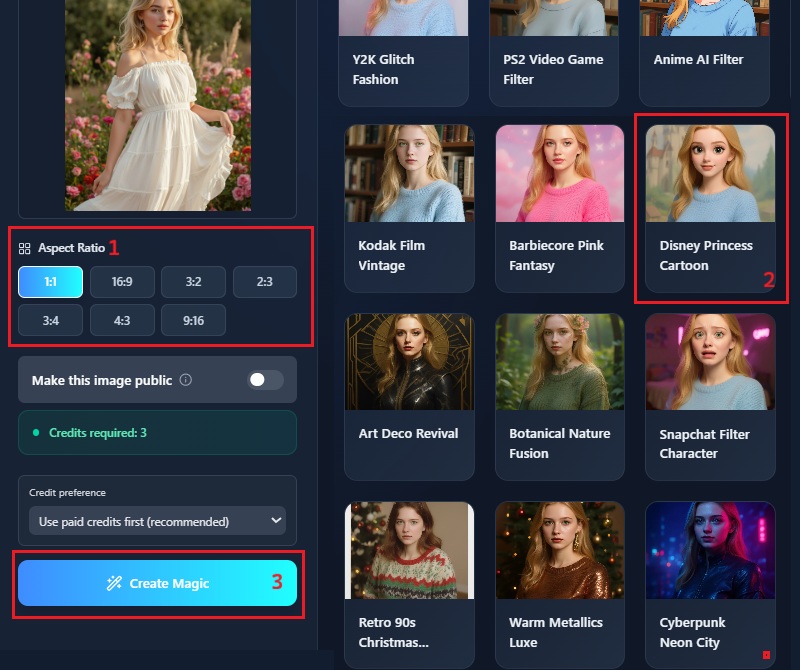
    Once the image is loaded, you will see the different filters. From here, scroll down and locate the "Disney Princess Filter." After that, select the aspect ratio and click the "Create Magic" button.
  • 04
    Download the Output
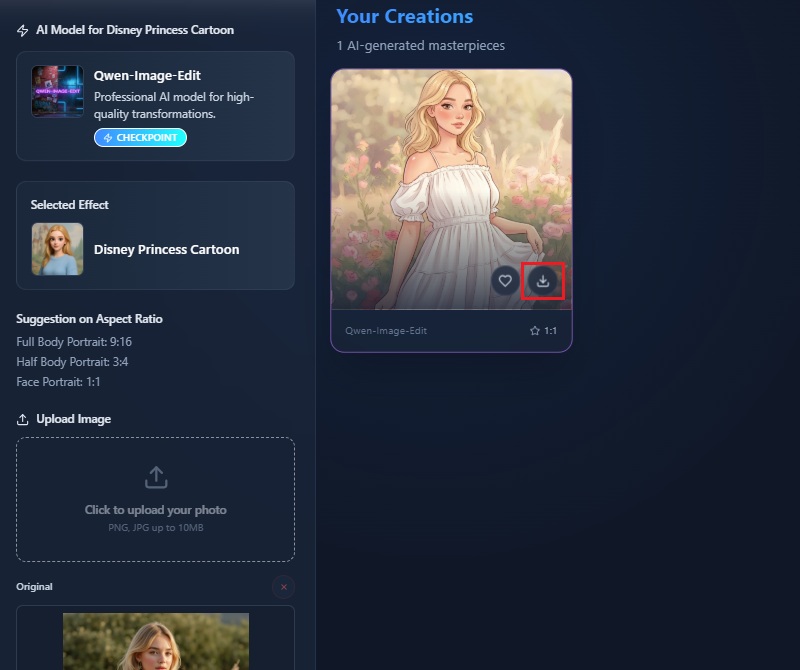
    Upon completion of the image processing, a preview of your Disney-styled image will be displayed. You can inspect it, and once satisfied, hover over the image. Once the download icon appears, click it to save the file to your device.
go to the ai disney filter
choose an image
apply disney filter
download the output

Explore More AI Photo Tools

Discover other advanced tools for image enhancements. With these tools, you can make your digital images truly stand out and elevate them to a professional level. Whether you're looking to compress your image or remove backgrounds, these will definitely streamline your image editing journey.
"The filter added a cute animated look to my picture without making it look strange. It processed fast, and the result was very clear. I also like that it worked well on a simple selfie. It’s a nice tool for fun profile photos."
Karen Palma, Office Staff
2025-10-24
iiiii
iiiii

"I tried the filter to make a cute profile picture for my shop. The result looked friendly and clean, which is nice for customers to see. I like how soft the overall style turned out. Thanks for this!"
Chelsea Filia, Online Seller
2025-11-04
iiiii
iiiii

"The Disney-style edit looked perfect for social media posts. It made my photo look cute and warm without removing my real features. I can see myself using it for themed content."
RJ Hilton, Social Media Manager
2025-11-14
iiiii
iiiii

"I tried the filter out of curiosity, and the output looked clean and bright. It was easy to use even on my phone. I think others will enjoy trying it too."
Patrick Lim, Freelance Writer
2025-11-22
iiiii
iiiii

"This tool made my selfie look like a Disney-style character. The process was smooth and didn't take long. It's a simple tool that gives a nice, playful touch."
Daesung Choi, Customer Service Representative
2025-12-03
iiiii
iiiii

"The cartoon looked soft and cute. It was easy to upload and process the photo. I might use it again for my profile picture."
Arielle Calle, College Student
2025-12-08

iiiii
iiiii

Why Choose Us

Frequently Asked Questions

What is an AI Disney filter, and how does it work?

An AI Disney filter is a tool that turns your regular photo into a cartoon style inspired by Disney characters. It studies your face and then recreates it using smooth lines, bright colors, and big expressive eyes. You don't have to adjust anything because the system handles all the details automatically. The process feels simple because you only upload a picture, and our online AI Disney filter tool does the rest. You can see the changes happen quickly, which makes the experience enjoyable. If you want a playful version of yourself, this filter gives you that effortlessly.

Do I need to be an expert to use the AI Disney princess filter?

No. You don't need to be an expert because this Disney filter is designed for beginners. Everything is laid out clearly, so you won't get confused while using it. Besides, you just need to upload a photo, select the Disney filter, and wait for the result. Even if you're not familiar with editing tools, the steps feel natural as you go along. You can get professional-looking results without knowing anything about design. This makes the filter easy to use for almost anyone.

Are my uploaded images secure?

Yes, your images are usually handled with privacy in mind. Our online Disney filter tool uses your photo to generate a result, then removes it from their system. The service also avoids saving your pictures unless it clearly tells you otherwise. Furthermore, you can manage your creations so that you retain full control over your transformed images. Still, it’s always good to read the tool's privacy note for extra peace of mind. This ensures your personal details and creations stay safe and remain fully under your control.

How fast does it take to apply the Disney-style filter to my photos?

With our AI Disney princess cartoon filter, you can expect the process to finish within a few seconds, depending on your photo. Our system quickly analyzes your image and face, so you don't have to wait long. Besides, you won't need to adjust settings, which helps speed things up. The result appears almost instantly once the processing is done. If your internet connection is stable, the experience feels smooth from start to finish. Overall, you can get your Disney-style image faster than most editing methods.

What if the transformed image doesn't look the way I expected?

You might get a result that feels slightly different from what you imagined, and that's normal with AI tools. The filter sometimes exaggerates features because it follows a cartoon style. You can try using a clearer or better-lit photo to get a more accurate transformation. You can also redo the process if the first attempt doesn't look right. Sometimes changing your facial expression or angle helps the tool better understand your face. With a few tries, you usually get a version you're happy with..

pro image logoAceThinker PicWish

Make Your Images Stand Out!

pro banner image
Back to Top
Contact Us
Learning Center