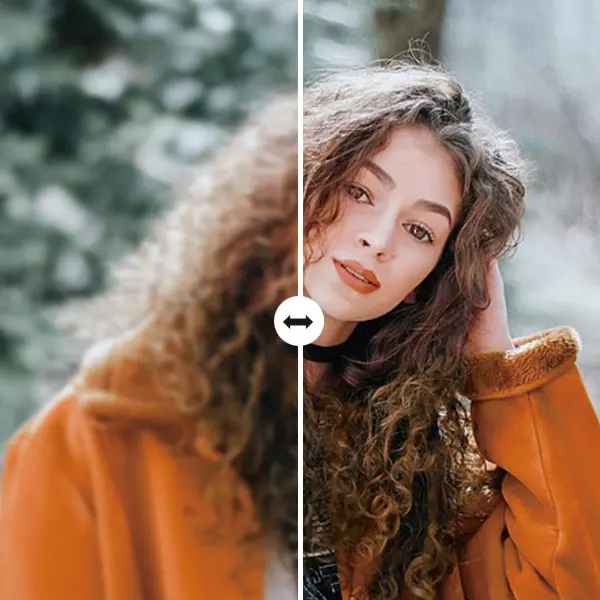
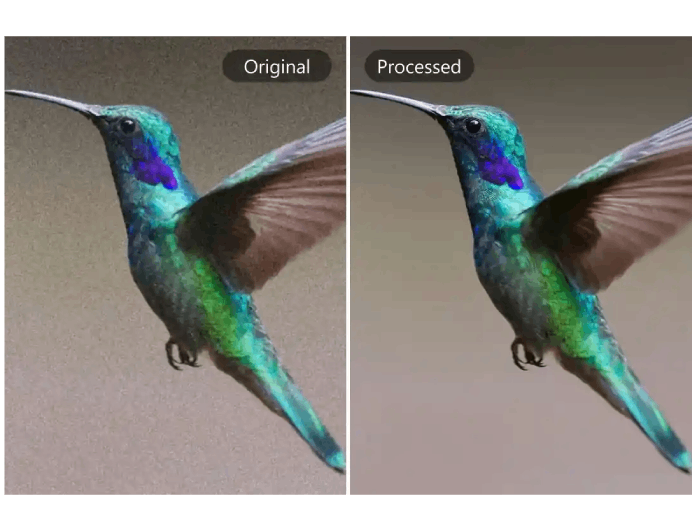
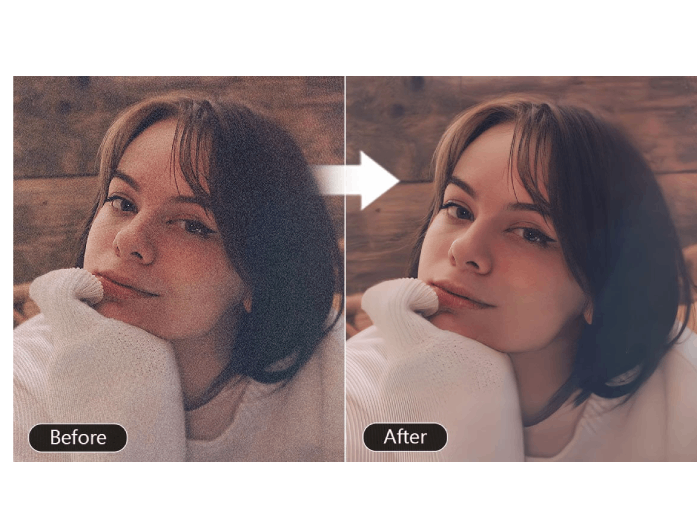
Our AI image denoiser enables you to enhance grainy or blurry photos. This utilizes advanced AI technology to automatically detect and remove unwanted grain or noise from your pictures. It analyzes every pixel carefully to smooth out imperfections while keeping fine details intact. As a result, your photos look cleaner, sharper, and more natural in just a few seconds.
Moreover, this image denoiser tool works perfectly for both low-light and high-ISO images. Whether your photo was taken indoors or outdoors, our AI image denoiser ensures a flawless finish that enhances your visuals without losing quality or clarity.
Our image denoiser online intelligently reduces noise while preserving the original details, edges, and colors. It keeps your photos realistic and smooth so they appear professionally edited. You can achieve stunning results where the lighting, shadows, and textures remain naturally balanced.
Besides denoising, our platform also works as an AI upscaler and denoiser, letting you improve resolution and clarity at the same time. It's perfect for restoring old photos, enlarging low-quality images, or preparing pictures for printing.


Our online denoise image tool supports a diverse range of image file types, including JPG/JPEG, PNG, and WebP. You can upload any photo format without worrying about compatibility or conversion. The tool processes each image with the same AI precision, ensuring consistent results every time.
Additionally, this flexibility makes it easy to remove noise from image online no matter where your file comes from, be it a camera, phone, or screenshot. It's an all-in-one solution for fast and hassle-free photo enhancement.


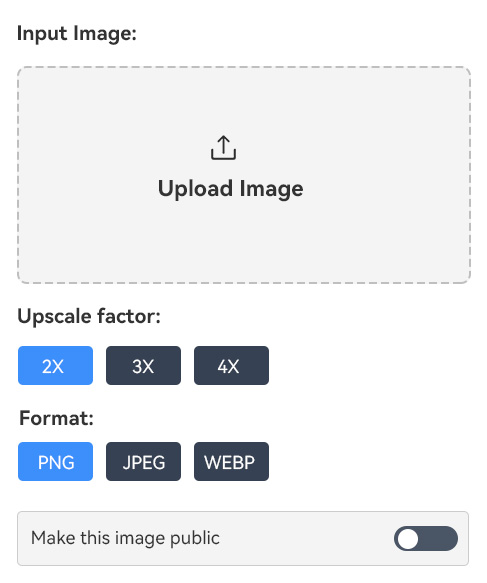
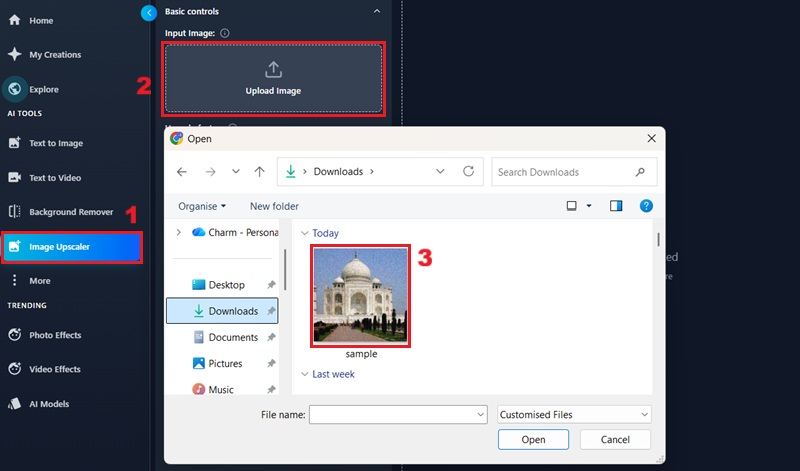
Access the online noise reduction tool, and locate the "Image Upscaler." Then, click the "Upload Image" box to select the image you want to process.
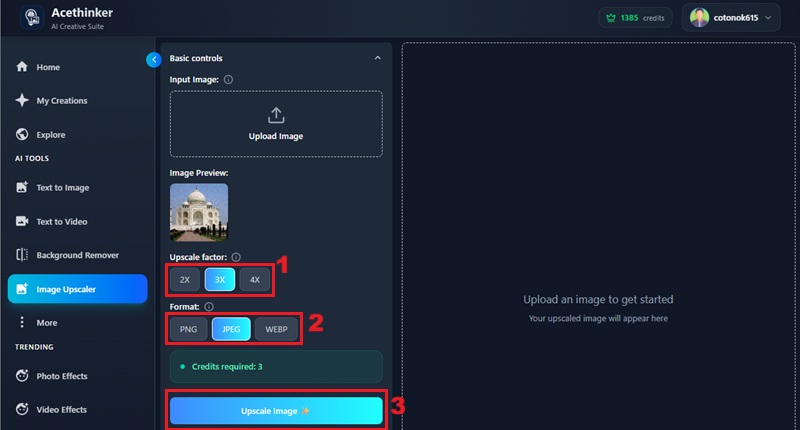
Once uploaded, choose the upscale factor and output for your image with options such as 2x, 3x, and 4x. Next, select the output format and click the "Upscale Image" option.
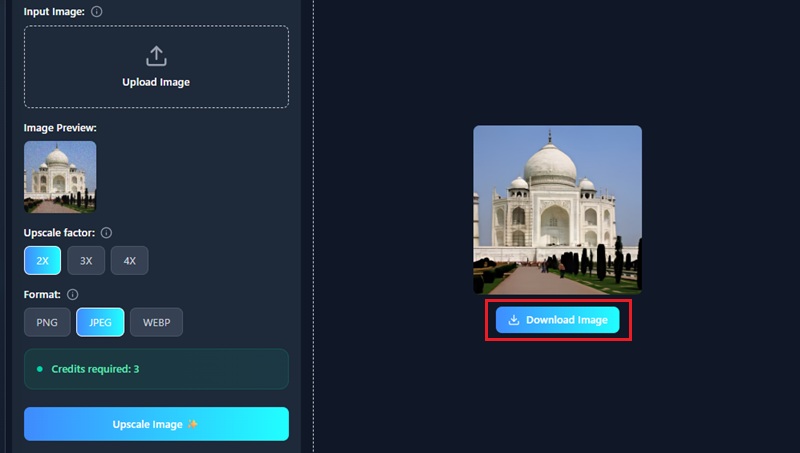
After the processing is complete, you will see the result on the right panel of the online denoise tool. Then, click the "Download Image" option to keep the image on your device.
Image denoising is the process of removing unwanted grain, blur, or visual distortion from a photo. These imperfections usually appear when pictures are taken in low light or with a high ISO setting. Using an AI image denoiser helps make the image look clearer, smoother, and more natural.
Denoising images is important because it improves photo quality and makes details stand out more clearly. Clean and sharp images appear more professional and visually appealing. Moreover, effective denoising is crucial for other computer vision tasks, such as photo recognition, object detection, and image separation.
Yes, our AI image denoiser is completely safe. Your photographs are processed securely, and you can delete them once you are done editing. Additionally, we utilize advanced encryption protocols to safeguard your data and pictures, ensuring that your privacy is maintained.
Our AI-powered online noise reduction tool is designed for efficiency. It only takes a few seconds to remove the noise and upscale your images. Nonetheless, you have to consider the file size and internet speed when uploading and processing your images.
For now, our online tool does not support batch processing. If you need to reduce the noise in your images, you must upload and process each image individually. Since the denoising process is face, this should not pose a significant burden to users.