menu

AI PS2 Filter

Our AI PS2 filter online turns any photo into a fun, retro-style PS2 character, giving your images a nostalgic, game-like look. It’s perfect for users who want a unique profile picture, enjoy creative edits, or simply want a quick and easy way to make their photos stand out.

Reimagine Your Images with a Nostalgic PlayStation 2 Aesthetic

transform image in seconds

Transform Image in Seconds

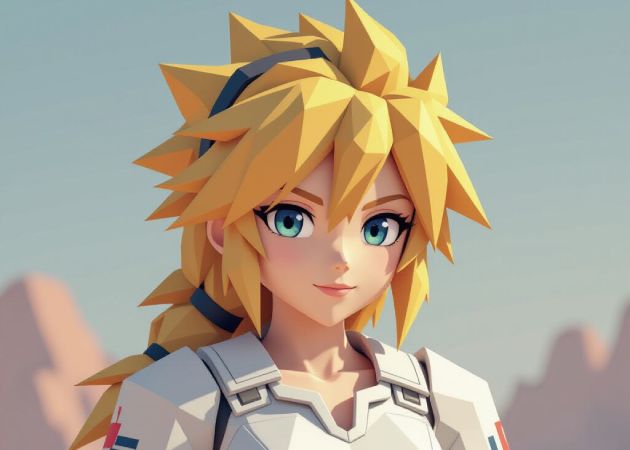
With our AI PS filter, you can give your image a whole new look in just a few seconds. The tool processes your photo quickly, so you don't have to wait around or deal with complicated steps. As you upload your picture, the filter instantly reshapes the style and feel, making the transformation feel almost magical. Moreover, it keeps the experience simple and smooth, even for beginners. This fast workflow helps you stay creative without slowing you down.

Create a Unique PS2 Avatar

Using our PS2 filter AI tool makes turning your selfie into a PS2-style avatar surprisingly easy. Instead of struggling with editing apps, you just upload your photo and let the AI recreate you in that nostalgic, pixel-smooth style. It allows you to see yourself transformed into a retro game character, yet still recognizable. Once your avatar is ready, you can use it on any platform, including social media, messaging apps, gaming profiles, and more. This smooth process helps you stand out online without having to learn any design skills.

create a unique ps2 avatar
retain your unique features

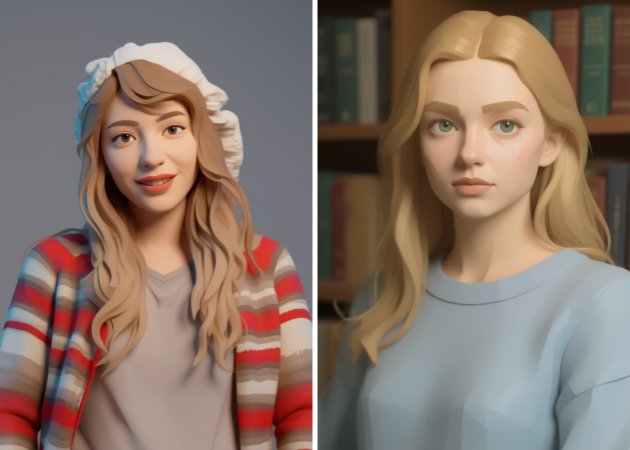
Retain Your Unique Features

With this free AI PS2 filter, you don't have to worry about losing the important details that make you look like "you". Even when the tool adds a retro style, it still carefully keeps your main facial features intact. As a result, the final output feels accurate, not random or distorted. This balance lets you enjoy the PS2 vibe without sacrificing your identity. It also helps create avatars you can confidently share on social media because they genuinely reflect your real look.

Grab Crisp HD Outputs

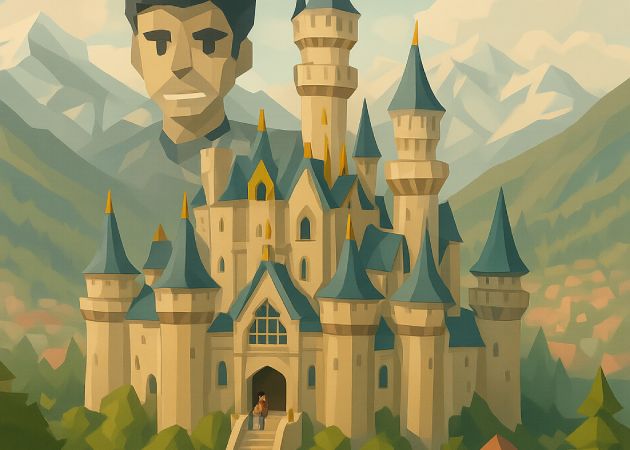
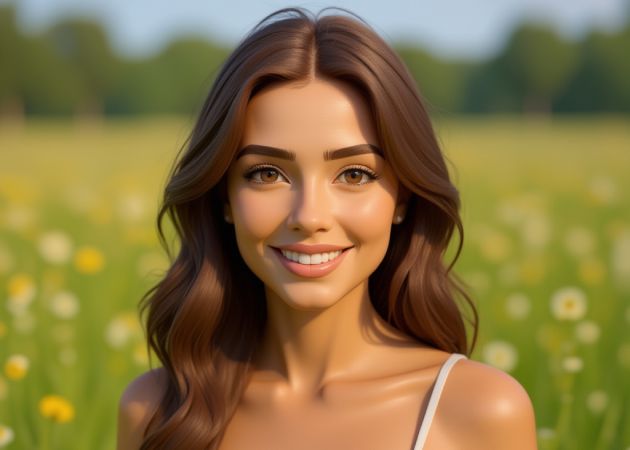
Our online PS2 filter delivers high-quality results that remain sharp even when you zoom in. This tool enhances details, so your final image looks clean rather than blurry or pixelated. Because of that, you can use your PS2-style avatar or image anywhere, including your profiles, banners, and even prints. Additionally, the HD clarity helps the retro style pop without losing important textures. It creates a polished finish that feels professional, even though the process is simple.

grab crisp hd outputs

Efficiently Apply the PS2 Filter Online

  • 01
    Access Photo Filter Lab
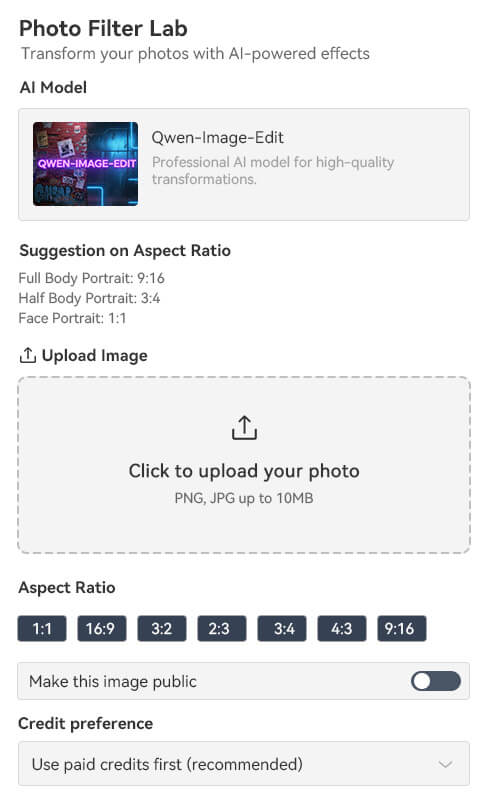
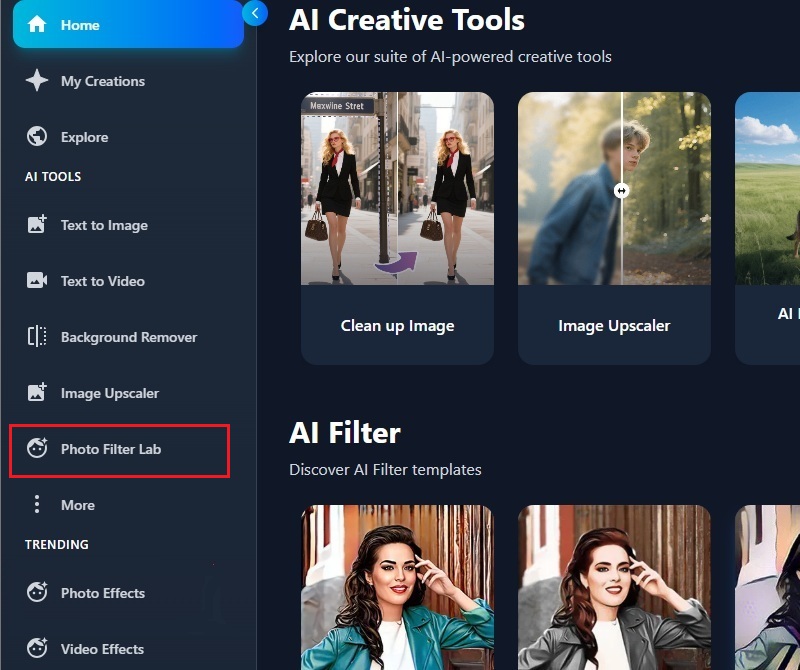
    To initiate the process, you should visit our AI PS2 filter generator tool. When you arrive at the page, you will need to log in to your account. Then, on the interface, click the "Photo Filter Lab."
  • 02
    Add Photo
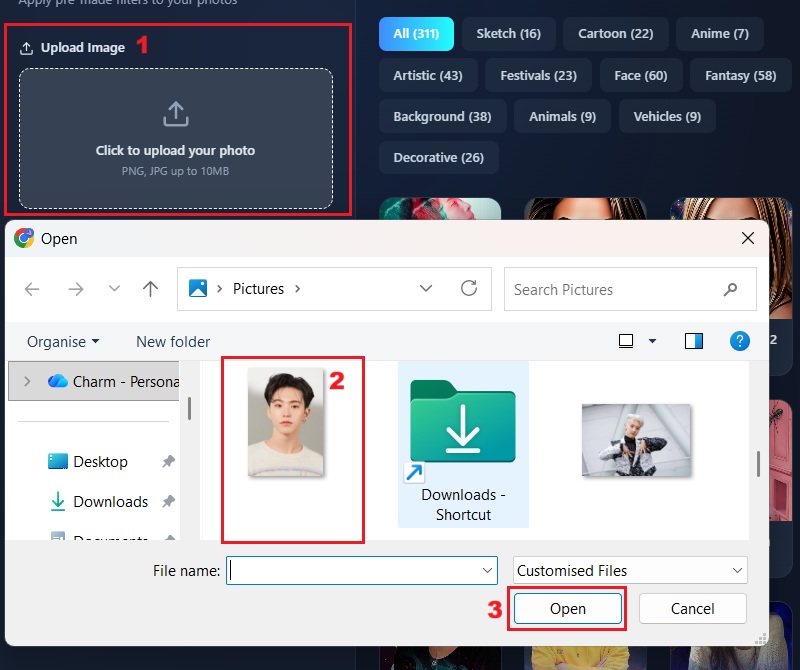
    Once you're in the Photo Filter Lab, click the upload box. After that, the file explorer will emerge on your screen. Here, select the desired image from your device and proceed to upload it.
  • 03
    Apply PS2 Filter
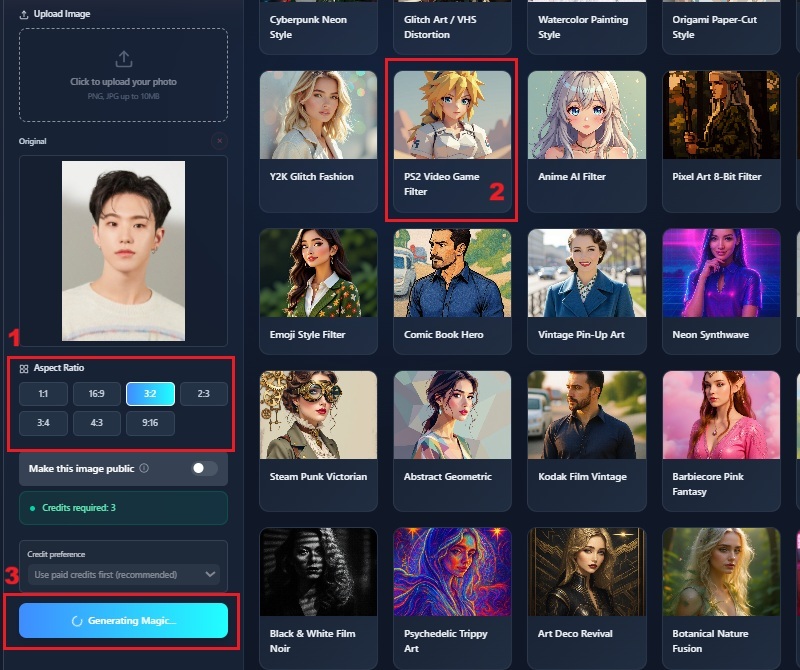
    When your photo is uploaded, pick the "PS2 Video Game Filter." Then, select the size for your photo. Lastly, click the "Create Magic" button to process it.
  • 04
    Save Retro Image
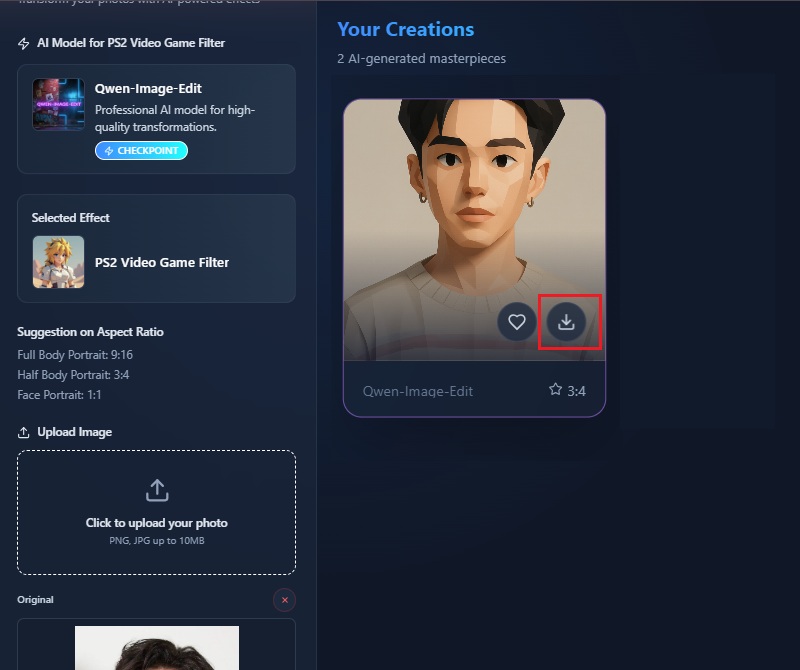
    Wait for the tool to finish applying the filter, and the image will appear in the preview panel. Once it shows up, hover over the image. Then click the download icon to save your retro-styled creation.
access photo filter lab
add photo
apply ps2 filter
save retro image

Discover Additional Tools

These suggested tools are meant to help users choose the right tool for what they want to create or improve. Each feature focuses on making tasks easier, whether it’s generating images, changing backgrounds, making videos from text, or sharpening low-quality photos. This way, users can get fast, clear, and creative results without needing technical skills.
"I tried this AI PS2 filter online out of curiosity, and it worked better than I expected. The avatar looked like something straight from an old game. I like how it kept my main features while giving that retro vibe."
Ed Miller, Graphic Design Student
2025-11-30
iiiii
iiiii

"This tool gives my profiles a fun PS2-style look. It only took a few seconds to finish, which is great when I’m busy. It's a simple tool that works well."
Joshua K., Content Creator
2025-11-25
iiiii
iiiii

"The filter gives a cool retro feel that I don’t see in other tools. It handled my photo well and didn't distort my facial features. The platform loads fast, too."
Leonella Parker, Marketing Assistant
2025-11-18
iiiii
iiiii

"I enjoy testing different styles, and this PS2 filter gave a nice nostalgic touch. The quality was clear, and the colors were balanced. It didn't take me long to figure out how to use it. I appreciate tools that keep things easy."
Hiller Smith, Photographer
2025-11-12
iiiii
iiiii

"I tried it out just to see what the PS2 style looked like. The result was fun and different from my usual photos. The process didn't take long, which I liked."
Joan Jane, High School Teacher
2025-10-23
iiiii
iiiii

"This AI PS2 filter online was straightforward to use, even for someone like me who doesn’t edit photos often. The result felt unique but still looked like me. I might try other filters too."
Mika J., Customer Service Agent
2025-09-10

iiiii
iiiii

Why Choose Us

FAQs about PS2 Filters

What is a PS2 filter?

A PS2 filter is an AI tool that changes regular photos into retro-style images like characters from PlayStation 2 games. It adds a pixel-smooth, nostalgic look while keeping your main features easy to recognize. The filter analyzes your photo and recreates it in a game-like style. Moreover, you can use it to make avatars for social media, messaging apps, or gaming profiles. It works quickly and requires no editing skills. This filter is mostly for fun and helps your images look unique and creative.

What photos should I upload for the best results?

For the best results, upload a clear and well-lit photo where the face is visible. Avoid blurry or dark images because the filter may not capture details accurately. A front-facing selfie usually works best, but slightly angled photos are fine too. Besides, simple backgrounds are easier for the AI to process, though complex ones can still work. The clearer your photo, the more recognizable and detailed the final output will be. Overall, choose images where the subject is obvious and not obscured by shadows or objects.

Is this AI PS2 filter mobile-friendly?

Yes, our online AI PS2 filter works well on mobile devices. You can open it directly in a mobile browser without installing extra apps. The interface adjusts to smaller screens, making it easy to upload photos and apply the filter. Moreover, the processing time is usually similar to that of a desktop, so it won’t take long to get results. You can also download your PS2-style photo straight to your phone. This makes it convenient to create and use avatars while on the go.

Are there other filters I can use?

Yes, many platforms with a PS2 filter also offer other AI-powered filters. You can try styles like anime, cartoon, or pixel art, depending on what you want. Switching between filters is simple, usually just a click or tap. Furthermore, each filter has a unique effect, but they all aim to transform photos creatively. Trying different filters can give you multiple avatars to use for social media or games. It’s a good way to explore fun styles and see which one fits best.

How long does it take to complete the process?

The process usually takes only a few seconds, depending on the photo and filter. Uploading a clear image speeds things up because the AI can process it faster. The system works automatically, so no manual adjustments are needed unless you want to tweak details. Once processing is done, your PS2 art is ready to preview and download immediately. Even on slower devices or mobile, the wait is minimal. Overall, it’s a quick and efficient way to get a retro-style image.

pro image logoAceThinker PicWish

Remove Background Effortlessly

pro banner image
Back to Top
Contact Us
Learning Center