menu

Quickly Turn Photo into Watercolor Art Online

ai-powered conversion

AI-powered Photo to Watercolor Conversion

With the help of our Image to Watercolor AI tool, you can instantly turn any picture you have into a stunning watercolor painting. The AI carefully studies your photo's colors, lighting, and details to create natural-looking watercolor strokes. It's like having a digital artist who paints your picture in seconds.

What makes it great is how simple the process is—you just upload, select filter/effect, and the tool does the rest automatically. No need for brushes or painting skills; the AI effortlessly gives your photo a smooth, hand-painted look. It's fast, creative, and perfect for anyone who loves artistic visuals.


Turn Picture Into Watercolor Online Free

Our Photo to Watercolor online tool lets you convert photos online for free without downloading anything. You can upload portraits, landscapes, or even pet photos and watch them transform into watercolor-style art. It's convenient, fun, and works directly in your browser.

The best part is how accessible it is—you can use it on your phone or computer anytime. Whether you're creating art for social media, photo products, or just for fun, the tool helps you achieve professional results with minimal effort. It's an easy way to explore your creative side through watercolor.

turn picture to watercolor for free
get realistic watercolor painting results

Realistic Watercolor Brush and Texture Effects

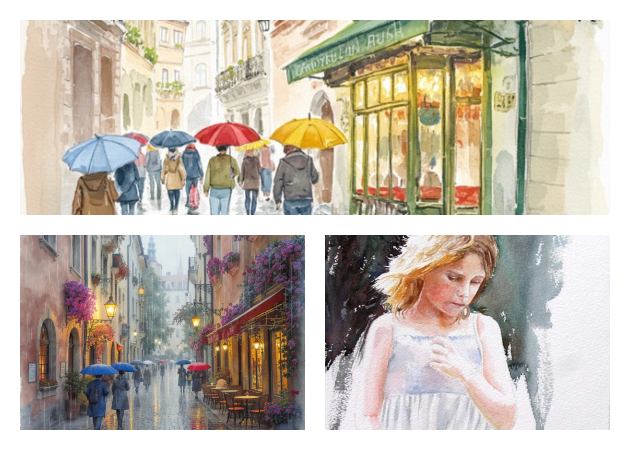
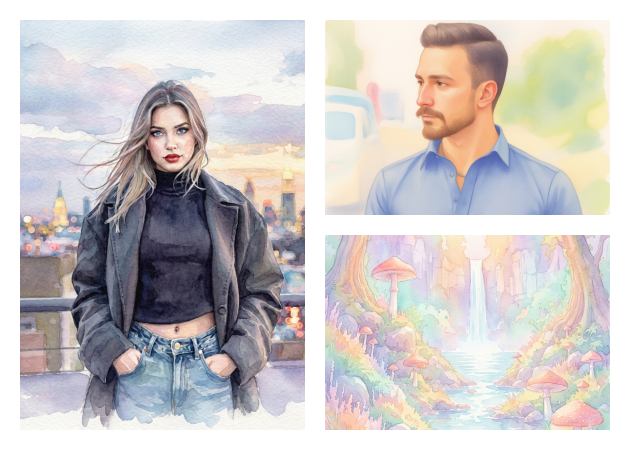
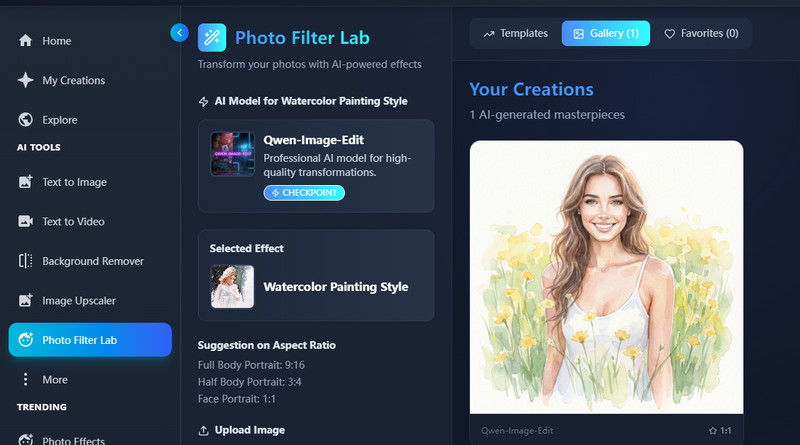
The tool captures the true beauty of watercolor by mimicking real brush strokes and soft textures. When you turn a photo into watercolor, you get subtle blending, light bleeding edges, and delicate color gradients that feel hand-painted. It also adds that artistic charm that digital filters often miss.

Furthermore, each image comes out unique. The colors blend smoothly, and the soft details make it feel warm and natural. It's like your photo has been painted by hand with real watercolor brushes. Whether you want a dreamy portrait or a scenic art piece, these realistic effects make your photo look like a genuine watercolor painting.

How to Use Our Photo to Watercolor App Online

access our online tool
upload the photo
apply the watercolor filter
  • 01
    Access Our Photo to Watercolor Tool

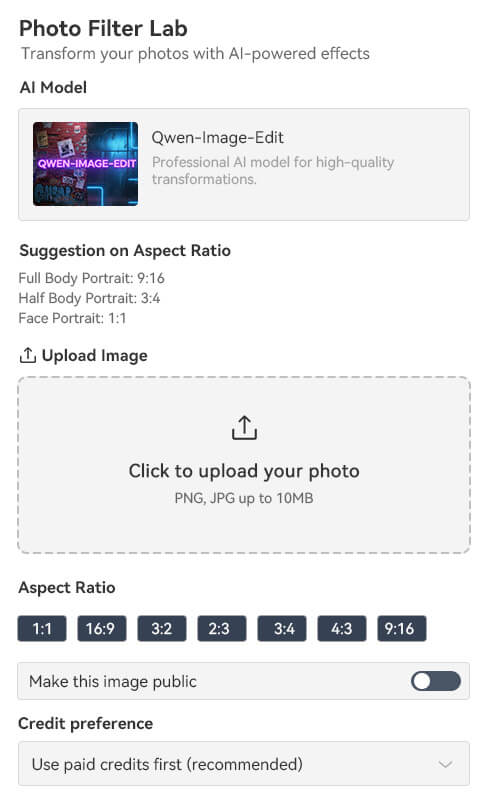
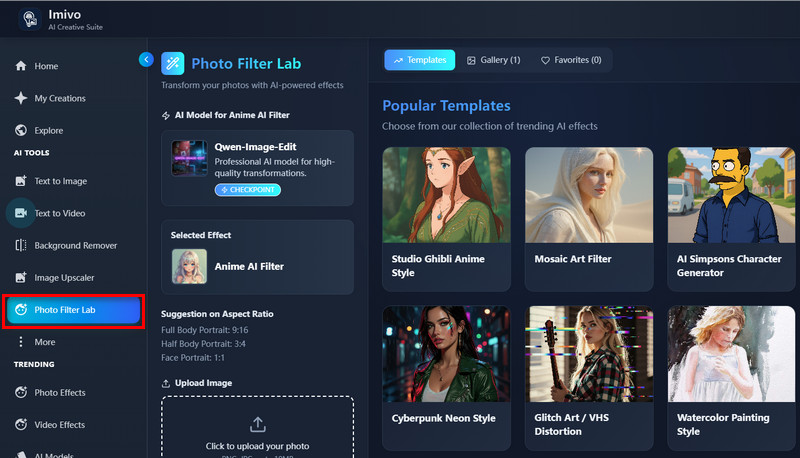
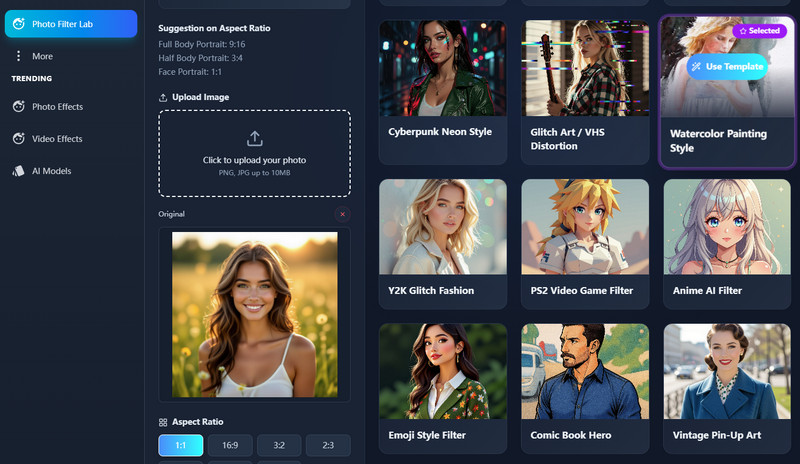
    On your device, open a browser and search for our Photo to Watercolor app. Then, go to the "Photo Filter Lab" tab to see all available filters.

  • 02
    Upload the Photo

    Next, upload the image you want to convert into watercolor art. Then, navigate and choose the watercolor filter you want.

  • 03
    Apply the Watercolor Filter

    Afterward, click the "Create Magic" button below, and the tool will start converting your uploaded picture. Once done, you can now download the photo.

Frequently Asked Questions

What types of images work best for watercolor effects?

You can use any photo for the watercolor effect. Portraits, landscapes, pets, or objects all work well with our tool. Just make sure your image is clear and bright for the best watercolor result.

What file formats does the tool support?

The tool supports PNG and JPG image formats. You can upload photos up to 10MB. This makes it easy to use most of your pictures without resizing them.

Can I preview the watercolor result before downloading?

Yes, you can preview the watercolor result right below your original photo. This helps you see how the effect looks before saving it. If you like the result, you can then download it instantly.

Are my uploaded photos safe and private?

Yes, your uploaded photos are safe and private. They can only be viewed through your account and are not shared with anyone else. The tool ensures your images remain protected and confidential.

How long does it take to convert a photo?

It usually takes around 2–3 minutes to convert a photo into a watercolor style. The processing time may vary depending on the image size. Still, the tool delivers high-quality results in just a few minutes.

product iconAceThinker PicWish

Instantly Enhance, Restore, and Transform Photos

pro image editor
Back to Top
Contact Us
Learning Center