menu

AI Anime Filter – Convert Photos to Anime Artwork

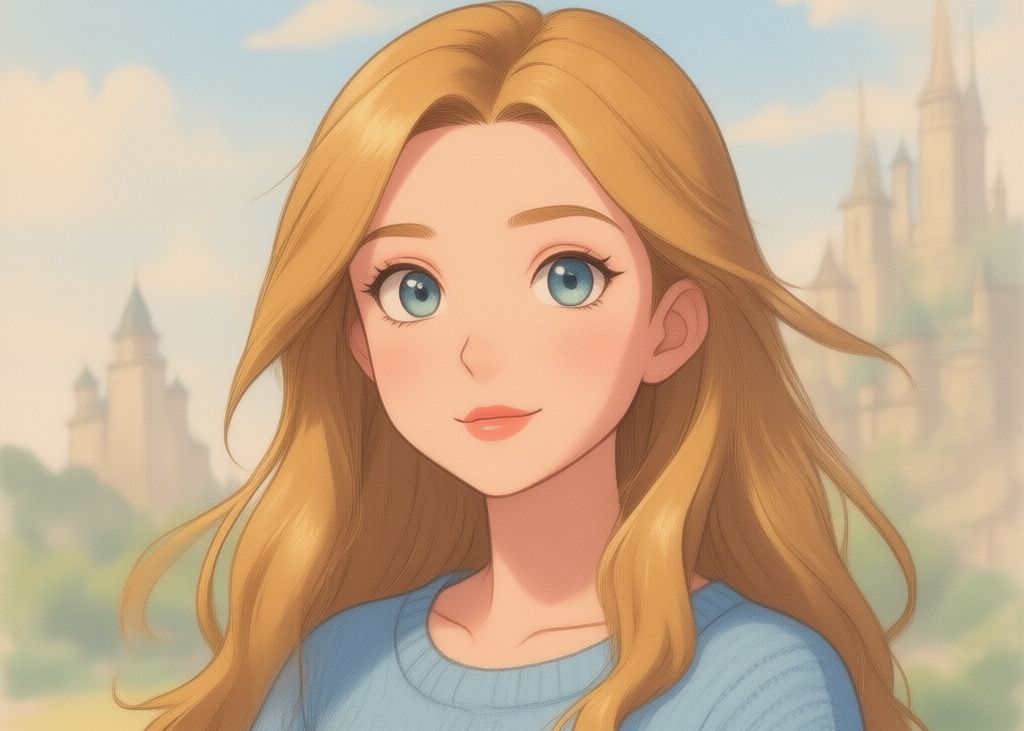
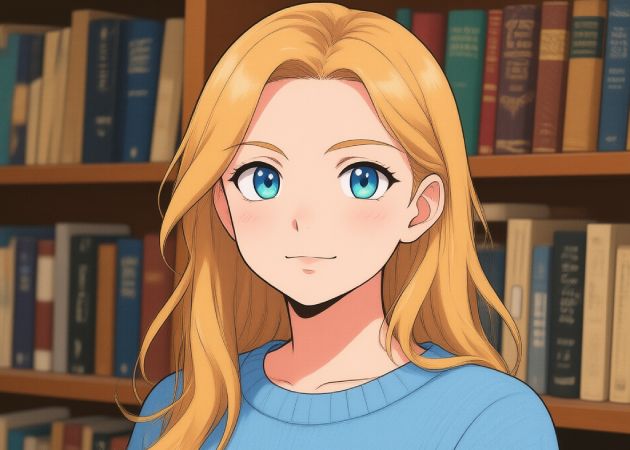
The AI Anime Filter lets users quickly and easily transform ordinary photos into anime-style artwork. It is perfect for anime fans, content creators, and social media users who want fun, creative, and eye-catching visuals.

From Real to Anime, Effortlessly

perfect for anime fans

Perfect for Anime Fans

This AI tool is ideal for anime fans who want to transform their photos into anime-style art. You can turn ordinary images into colorful, lively visuals that capture the unique anime aesthetic. It's easy to use, even if you don't have any design skills. As a result, your photos feel more creative and fun. Plus, it's accessible to everyone as an AI anime filter free option. This makes it a great choice for anime enthusiasts looking to explore their creativity.

Make Fun Anime Edits

Want to see your selfies or group photos in anime style? This AI anime filter online tool lets you add anime effects to any photo, including portraits, selfies, and group photos. The AI smoothly changes the image, keeping details clear and natural. You can also generate multiple times until you get the look you want. It makes editing photos fun and simple. This is a good tool for quick, creative results.

make fun anime edits
create anime profile pictures

Create Anime Profile Pictures

Want to stand out on social media? This anime filter tool helps you turn your photos into anime-style profile pictures. You can use it for sites like Facebook, Instagram, Pinterest, TikTok, and more. The AI quickly produces finished anime-style images ready for upload. It saves time compared to editing or drawing by hand. Using this AI Photo to Anime is an easy and effective way for social media users.

Anime Storytelling Visuals

Do you want to tell a story in anime style? This feature allows you to transform multiple images or scenes into a visual narrative. You can create characters, emotions, and settings that bring your story to life. The AI makes it easy to produce consistent and engaging visuals without advanced skills. It's great for writers, content creators, or anyone sharing stories online. Overall, it functions as a powerful anime filter app for creative storytelling.

anime storytelling visuals

Quick Steps in Turning Your Photos into Anime Style

  • 01
    Log In or Register
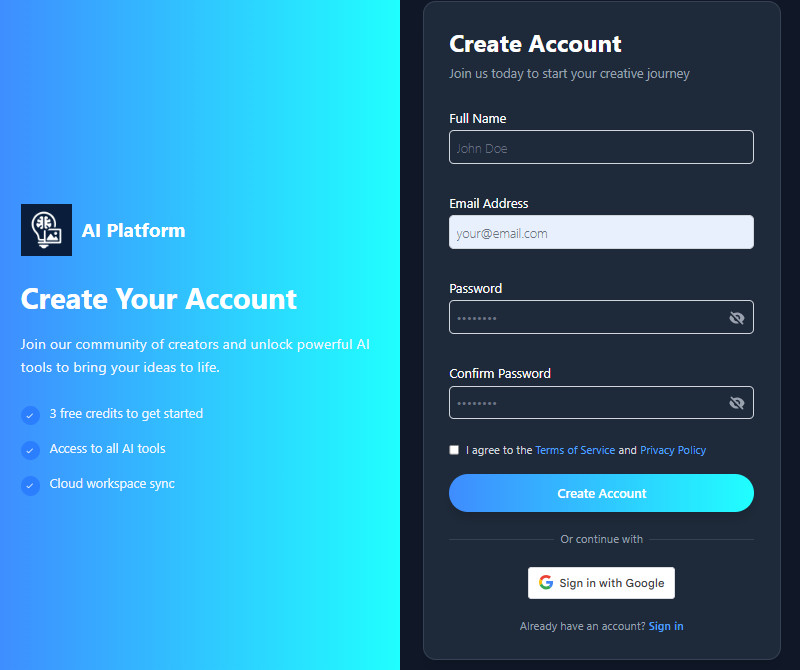
    First, visit the AI tool in your web browser, such as Chrome, Firefox, or Edge. On the homepage, you need to register or login to the tool. Sign up or log in to your account to start.
  • 02
    Upload Your Photo
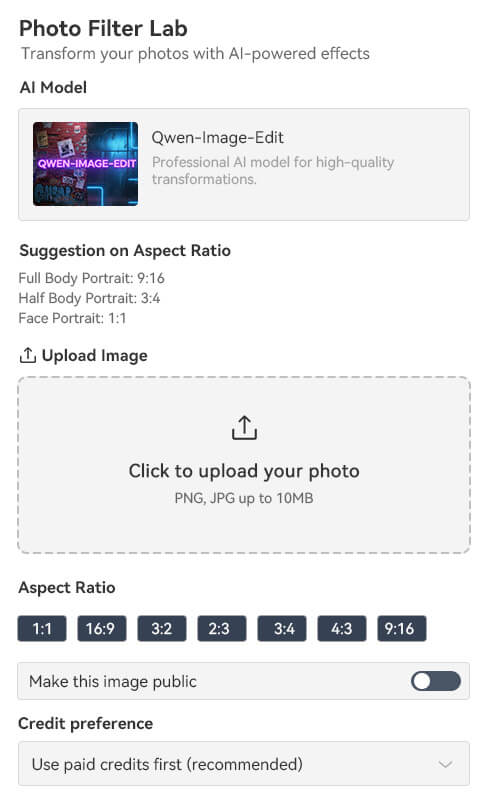
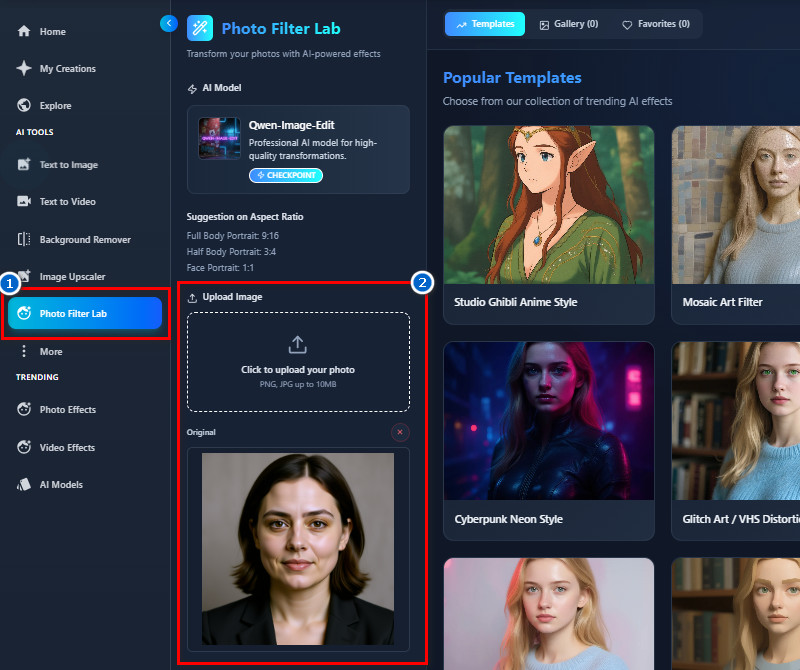
    Once you are on the main page, navigate to the Photo Filter Lab. After that, start uploading your image onto the tool. You can use the upload icon or drag and drop the photo directly.
  • 03
    Select Anime Filter
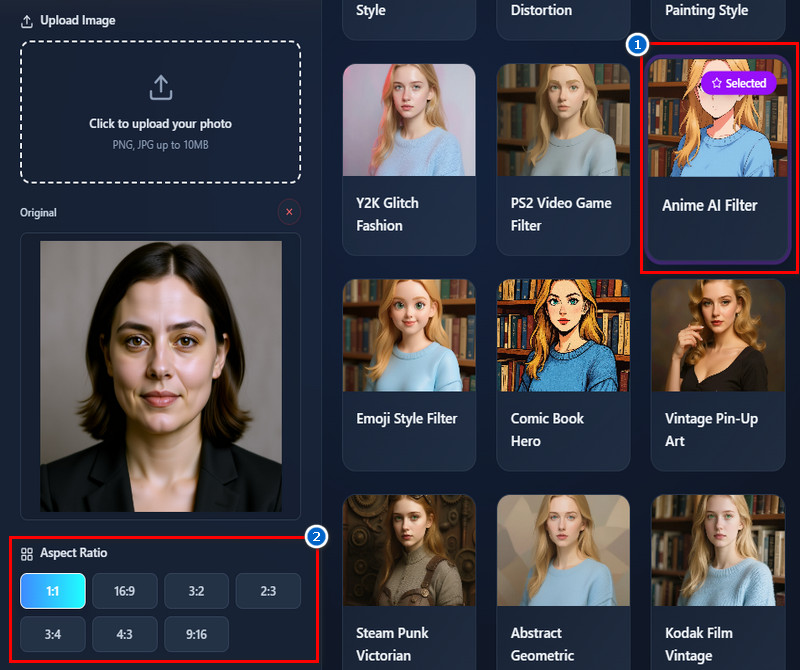
    Next, select the AI Anime Filter from the available options on the right. Once you find it, click it to select it. Then, choose an output aspect ratio for your output image.
  • 04
    Apply and Download
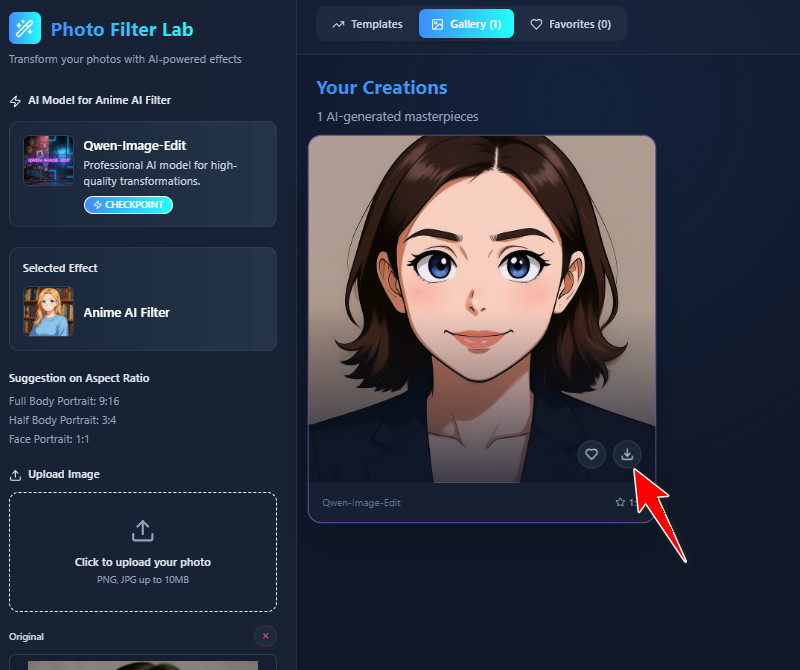
    Once everything is set, click "Create Magic" and let the tool do its magic. After a few seconds, you'll see the results in your Gallery. When you're satisfied, click the download icon right in the image to save it.
log in or register
upload your photo
select anime filter
apply and download

Expand Your Toolkit Easily

These recommended tools are useful for quickly expanding your creative and editing capabilities. They help users improve images, videos, and designs without needing advanced skills. As a result, you can complete projects faster and achieve professional-looking results with ease.
"This tool is great for creating anime-style content quickly. I uploaded an image, and the AI processed it instantly. It made my social media posts more fun and engaging."
Sofia Crawford, Social Media Manager
12-11-2025
iiiii
iiiii

"I created visuals for my blog using this AI anime filter, and the results were great. The photos looked polished and professional. I appreciated how fast it worked."
Bobby Moore, Blogger
12-05-2025
iiiii
iiiii

"I experimented with photos of my design projects. The AI anime filter online produced clean visuals that I could share with clients. It's simple and efficient for creative presentations."
Amelie Bell, Interior Designer
10-01-2025
iiiii
iiiii

"I converted my travel photos into anime visuals for my blog. The colors were vibrant, and the details were preserved nicely. It's simple to use and makes content more fun."
Olive Kerr, Travel Blogger
11-17-2025
iiiii
iiiii

"I turned some of my digital art into anime-style images. The filter enhanced my work without losing detail. It's simple and effective for creative projects."
Aria Gibson, Illustrator
12-10-2025
iiiii
iiiii

"I uploaded some landscape photos, and the anime effect made them look unique. The tool processed everything fast. It's fun to experiment with different images."
Scarlett Reilly, Travel Photographer
10-10-2025

iiiii
iiiii

Why Choose Us

Frequently Asked Questions

How does the AI anime conversion actually work?

The AI anime conversion automatically applies an anime-style filter to your photo. It enhances colors, lighting, and details while preserving your facial features. The tool also analyzes your image to maintain realism and clarity. It works with various photo types, including selfies, portraits, and group shots. Besides, you don't need any editing skills to use it; simply upload the photo, choose the anime filter, and start the generation process. Overall, it creates anime-style images quickly and easily.

What file formats are supported for anime conversion? 2

Our tool supports JPG and PNG file formats for anime conversion. These are the most common image formats, so most photos will work. You can upload pictures straight from your device without extra conversion. Additionally, both formats maintain good image quality after the AI processes them. The tool also automatically detects the file type and works seamlessly. This makes it easy for anyone to start creating anime-style images.

How long does it take to convert a photo to anime style?

Usually, the conversion process takes just about a minute. The exact time may vary depending on your internet speed. The tool quickly processes the photo and generates an anime-style image automatically. Plus, you don't need to wait or perform any manual steps. Once the conversion is done, you can preview and download your image immediately. Overall, it's a fast and convenient process for all users.

Do I need to download any software to use the anime filter?

No, our AI anime filter is fully online-based. You don't need to install any software or apps on your device. You can use it right in your browser on a phone or computer. This makes it easy to use from anywhere. It also ensures that updates and new features are available immediately. Overall, it's convenient and hassle-free for everyone.

Is the data in my uploaded photo secure and private?

Yes, your photos are secure and handled in a private manner. The tool processes images safely without sharing them with others. Uploaded photos are not saved; they are used only for conversion. This ensures your personal data remains protected. You can safely upload selfies, portraits, or any images. Overall, your privacy is respected while using the tool.

pro image logoAceThinker PicWish

Your Quick Background Remover

pro banner image
Back to Top
Contact Us
Learning Center