menu

AI Image to Video Generator

Our online AI Image to Video Generator turns static images into short, engaging videos in seconds. It helps users save time and create professional-looking videos easily, even without video editing skills.

Transform Static Images to Dynamic Videos with AI

transform images into videos

Transform Images Into Videos

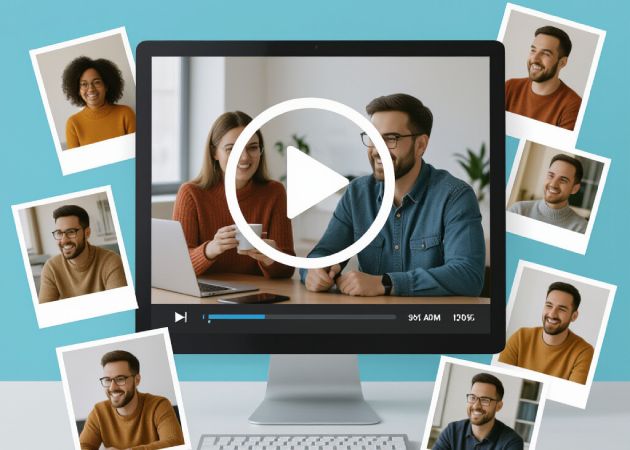
This tool lets you turn any photo or image into a short animated video using the photo to video generator. You upload your image, and it automatically creates a dynamic video that brings your visuals to life. It's especially helpful when you want to make content more engaging for social media or presentations. The AI scans your JPG and PNG photos and transitions them naturally, resulting in a professional look. This makes it easy to add motion to static content and capture attention quickly.

Pick From Multiple Templates

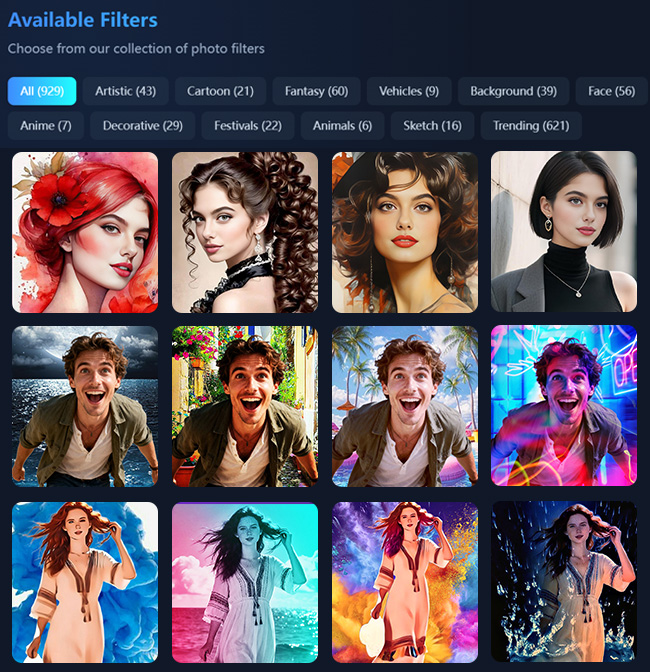
Our AI offers a broad selection of image to video AI templates that fit different themes. This includes festivals, entertainment, or decorative styles. You can quickly choose a template that matches your content without spending time designing from scratch. This variety allows you to easily experiment with different appearances and moods. Moreover, it helps maintain consistency if you're creating multiple videos for the same project. It's a practical way to make visually engaging videos without hassle.

pick from multiple templates
create high-quality videos

Create High-Quality Videos

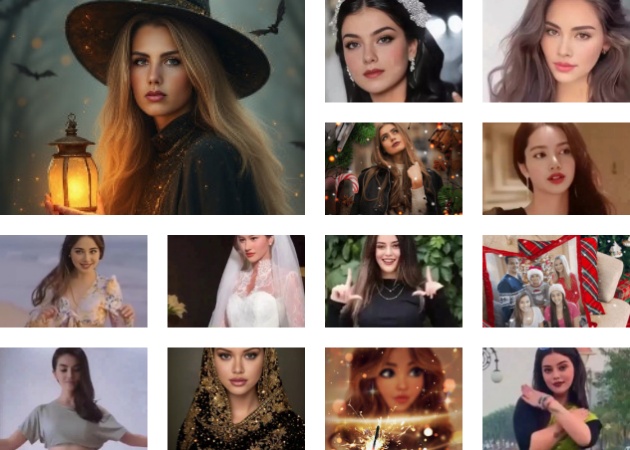
This AI video generator lets you create crisp, clear videos that look polished and professional. It lets you turn even simple or low-resolution images into high-quality videos without losing detail. You can create content that's ready for social media, presentations, or client sharing immediately. This image to video tool ensures your videos are smooth and visually appealing, helping you capture attention easily. It also saves you time since you don't need to redo or enhance the output later.

Fast and Simple Workflow

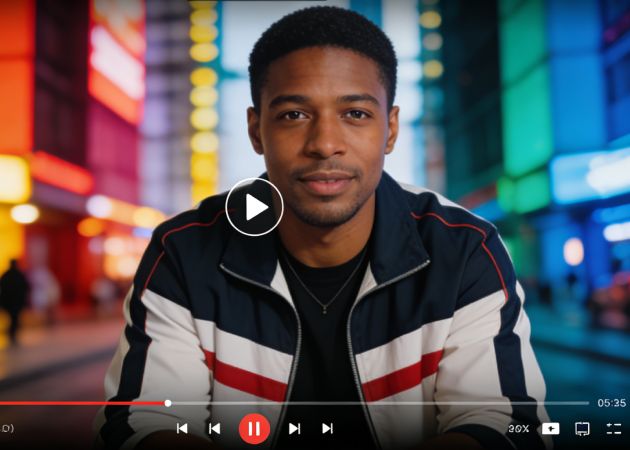
Our free image to video AI generator lets you process images one at a time, and each video is ready in just a few seconds. You can upload an image, choose a template, and download the result without any technical skills. It makes creating professional-looking videos quick and easy. Even with multiple images, generating each video takes very little time. The tool handles all the steps automatically, so you can focus on your ideas instead of editing.

fast and simple workflow

How to Convert Images into Videos Easily?

  • 01
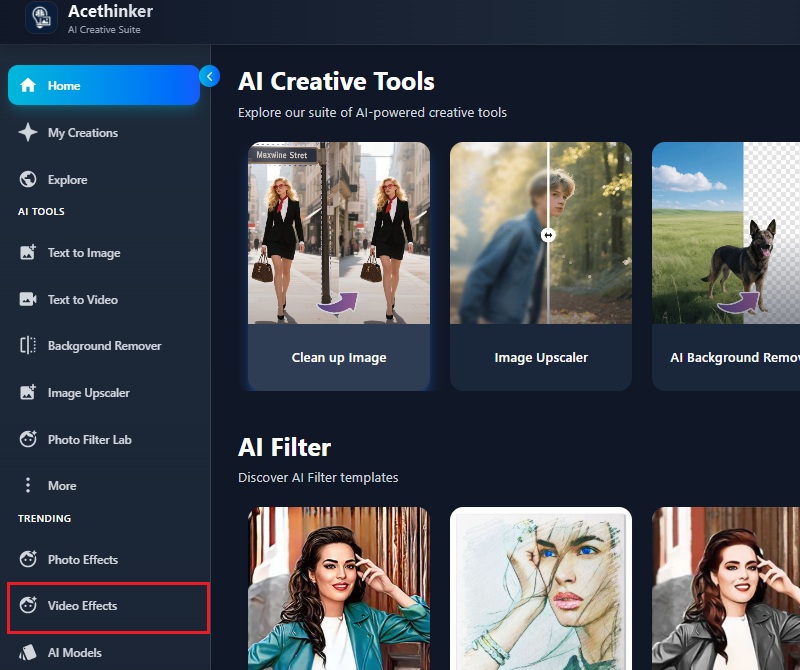
    Launch the Image to Video Tool
    On your web browser, navigate to our online AI Image to Video Generator. Once you're on the page, you need to create an account or log in if you are an existing user. Once logged in, locate the "Video Effects" option and click it.
  • 02
    Upload Your Image
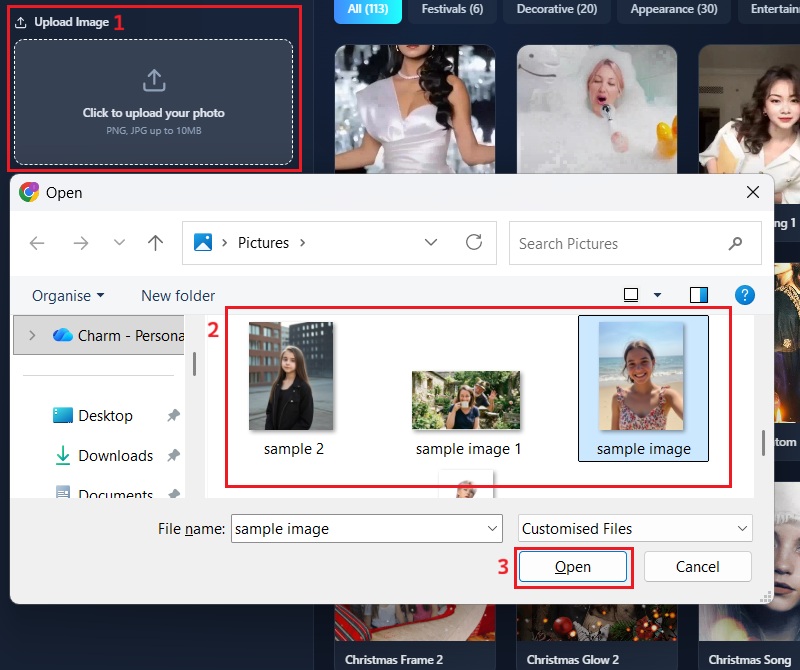
    When you click the Video Effects option, you will notice an input box where you can add your image. Click the upload option, and your file browser will open. Here, select the image you want to convert and click "Open."
  • 03
    Apply Video Effects
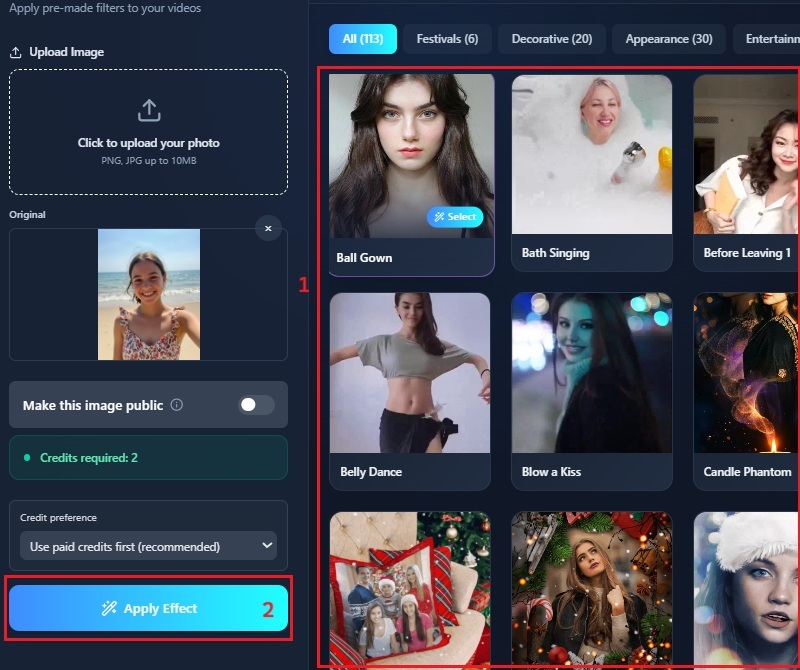
    After uploading, you can browse the available video effects for your image. Once you have decided which video effect you will use, click it. Then, click the "Apply Effect" option to initiate the video generation process.
  • 04
    Share or Save Video
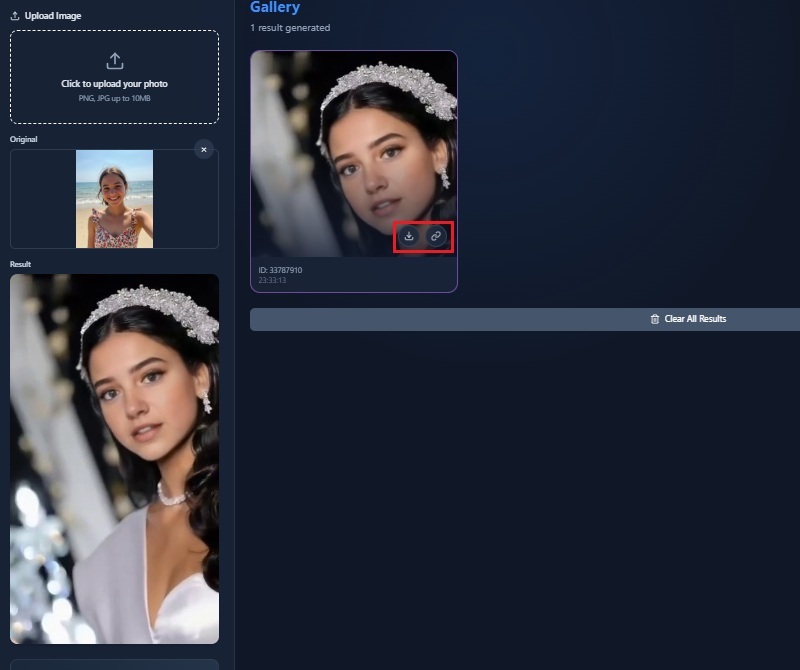
    Once the video is generated, you can click it to play your file. From there, you can choose to download the generated video. Alternatively, you can hit the share icon to post it to your preferred social media platforms directly.
launch the image to video tool
upload your image
apply video effects
share or save video

Transform Your Images into Stunning Visuals Instantly

These tools let users quickly and efficiently improve and change their images. They save time, make editing simple, and let anyone create polished results, even without experience. With these features, users can make professional-looking visuals for personal projects, social media, or presentations.
"I used this AI tool to turn my photos into short videos for Instagram. The effects made my posts more dynamic, and it was very easy to use. It saved me a lot of editing time."
Mariel L., Vlogger
2025-12-01
iiiii
iiiii

"This generator helped me create quick video content for our brand page. The transitions and effects are smooth, and I could finish a video in minutes. It's perfect for keeping our social media feed active."
Luna Grey, Social Media Manager
2025-11-19
iiiii
iiiii

"I love how this tool adds motion and style to my photos. The video effects are subtle but engaging. It makes my content more eye-catching for followers."
Nami Moto, Influencer
2025-11-22
iiiii
iiiii

"Creating videos for YouTube Shorts has become much faster. The AI handles everything automatically, and the effects look natural. I can experiment with different looks without extra software."
Kwon SY, Content Creator
2025-11-03
iiiii
iiiii

"I turned some travel photos into short clips for my blog. The effects made the scenes more lively, and it was super simple to do. It adds a professional touch without much effort."
Gracie Lucas, Blogger
2025-09-22
iiiii
iiiii

"I made a few short videos for my followers using this AI. The dance effects are perfect when I'm too lazy to do a video. It's simple, fast, and works well for social posts."
Mon Dorae, Dancer
2025-11-13
iiiii
iiiii

Why Choose Us

FAQs about Image to Video Generator

What is an image to video generator?

An image to video generator is a tool that turns static images into short, animated videos. You can upload photos, and the AI automatically adds movement, transitions, and effects. It helps make content more engaging for social media platforms like Instagram, Facebook, and TikTok. Moreover, our image-to-video AI saves time because you don't need to manually edit videos. You can create professional-looking videos from images in just a few steps. This makes it easy to bring static visuals to life without extra software.

Do I need filming or editing skills to use this tool?

No filming or editing skills are required to use this image to video generator. You simply upload your image and choose a template or effect. Then, the AI automatically handles transitions, animation, and video output. This makes it accessible even for beginners who have never edited videos before. You can quickly produce polished-looking videos without learning complicated software. It's designed to make your video creation fast and simple for everyone.

Are there any watermarks on the generated videos?

The generated videos using our AI image to video generator come out completely free of watermarks. This allows you to share them directly on social media. You don't need to worry about logos or branding covering your content, as that can be distracting or unprofessional. It keeps your videos looking professional and clean, which is essential to maintaining a consistent brand image. Even when you create multiple videos, all your outputs will remain watermark-free. This ensures that your work looks polished and ready to use.

Does my uploaded content remain private and secure?

Your uploaded images and content remain private and secure while using the tool. The platform does not share or store your files for any purpose other than what you intended. Besides, you can manage your creations: either delete them right after downloading or keep them on your account for later use. Additionally, all processing is performed safely, keeping your data protected. This is important for sensitive or personal images. You can work with confidence knowing your content won't be exposed.

Which file formats does the image to video converter support?

You can upload your photographs in JPG or PNG format, with each file up to 10 MB in size. Then our tool converts these images into a video, letting you choose the video effects you want to use. The final videos are downloaded in MP4 format, which works with most devices and platforms. This makes sharing and uploading to social media easy. You don't need to convert the generated video files manually afterward. The supported formats keep the process simple and compatible for all users.

product iconAceThinker PicWish

Clean Image Backgrounds Quickly

pro banner image
Back to Top
Contact Us
Learning Center