menu

AI Simpsons Filter

Turn your photos into fun, Simpsons-style cartoons in just a few clicks. This tool is great for fans, social media users, and anyone who wants quick, playful, and shareable edits.

Transform and Create Simpsons-Style Character

accurate simpsons style transformation

Accurate Simpsons-Style Transformation

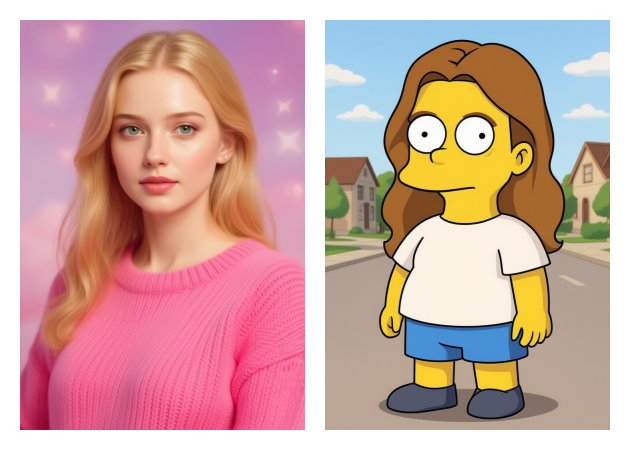
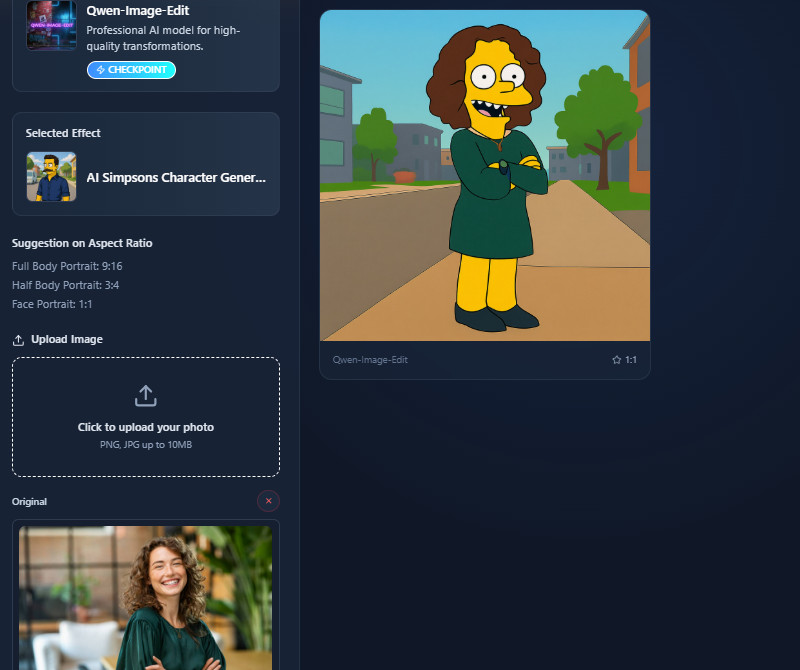
This AI Simpsons filter uses advanced AI to transform your face into a classic Simpsons-style character with precision. It keeps key facial details intact so the result looks recognizable and fun. This means you can enjoy a playful transformation without losing your personal features. Additionally, the tool works quickly, letting you see the cartoon version in seconds. It is also perfect for sharing on social media or sending to friends.

Works with JPG and PNG Image Formats

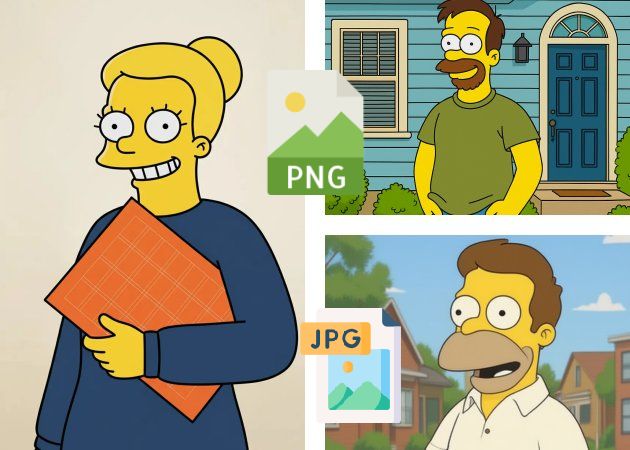
Do you have a favorite photo ready for editing? The tool accepts both JPG and PNG formats, making it simple to use almost any image. Using our Simpsons filter online free, you don't have to worry about converting files or resizing photos beforehand. Additionally, it maintains high image quality throughout the transformation. This ensures your final cartoon looks sharp and clean. It's convenient for casual users who want fast results without technical hassle.

works with jpg and png format
realistic faces and expressions

Realistic Faces & Expressions

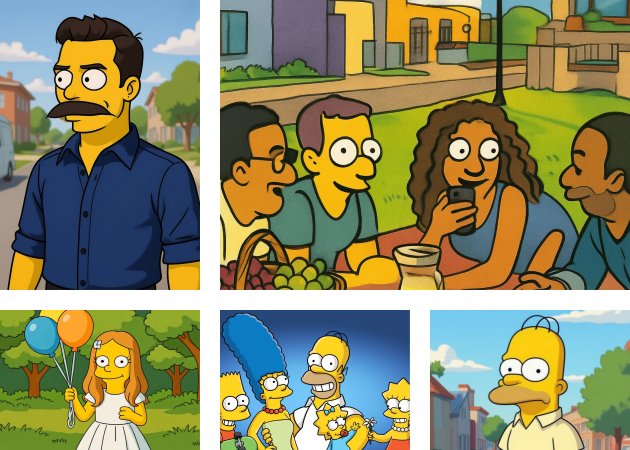
Our Simpsons image generator focuses on keeping realistic facial expressions, so smiles, frowns, or surprised looks stay true to your original photo. It also adds subtle details to make the character feel natural and lively. As a result, the edits feel playful but still recognizable. This feature is great for creating content that feels personal and fun. It makes every transformed image engaging and ready to share.

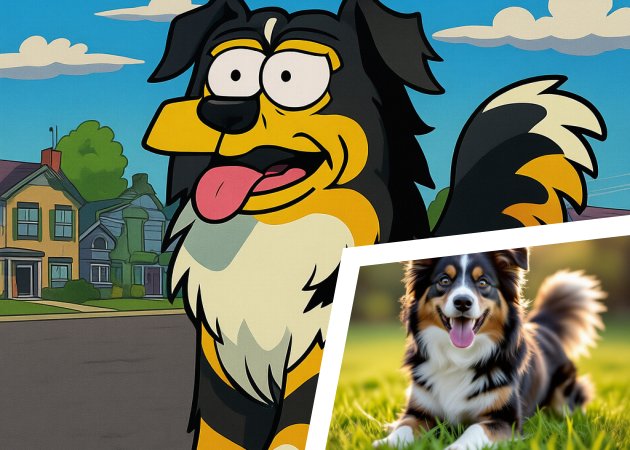
Supports Animal Photos

Ever wondered how your pet would look as a Simpsons character? This Simpsons character creator can transform animals, too! It applies the same cartoon style to cats, dogs, and other pets, preserving each pet's unique features. Additionally, the output is cute and entertaining, perfect for social media or personal fun. This means you can include your furry friends in the cartoon universe. It's a fun way to create playful images with both people and pets.

supports animal photos

Easy Step-by-Step to Generate Own Simpsons Character

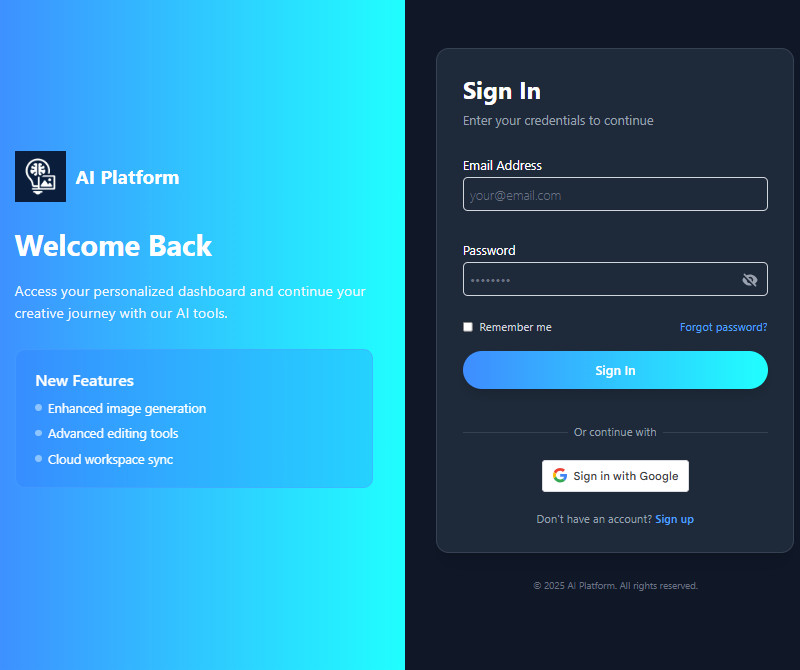
  • 01
    Register or Log In
    On the homepage, you will be asked to register or log in to your account. If you don't have an account yet, click the "Sign Up" button below and input your details. Alternatively, you can sign up/in with your Google Account by clicking the "Sign with Google" button.
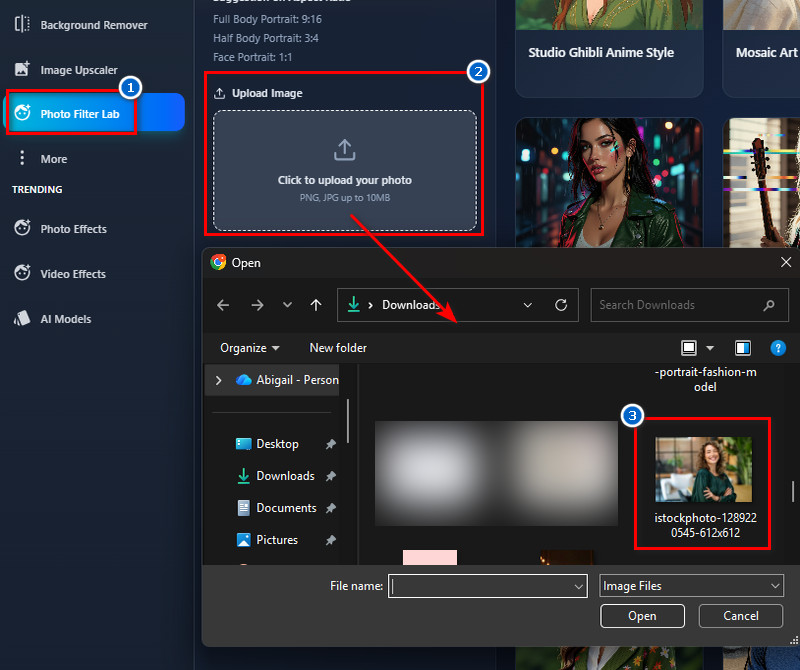
  • 02
    Add Your Photo
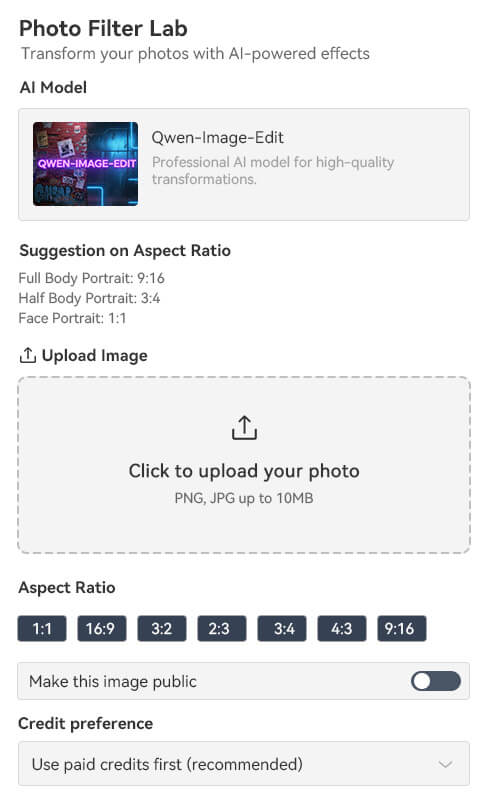
    Once you are on the editing page, go to the "Photo Effects Lab". Here, navigate to the Upload Image section and start adding your image. Or use the drag-and-drop method to upload.
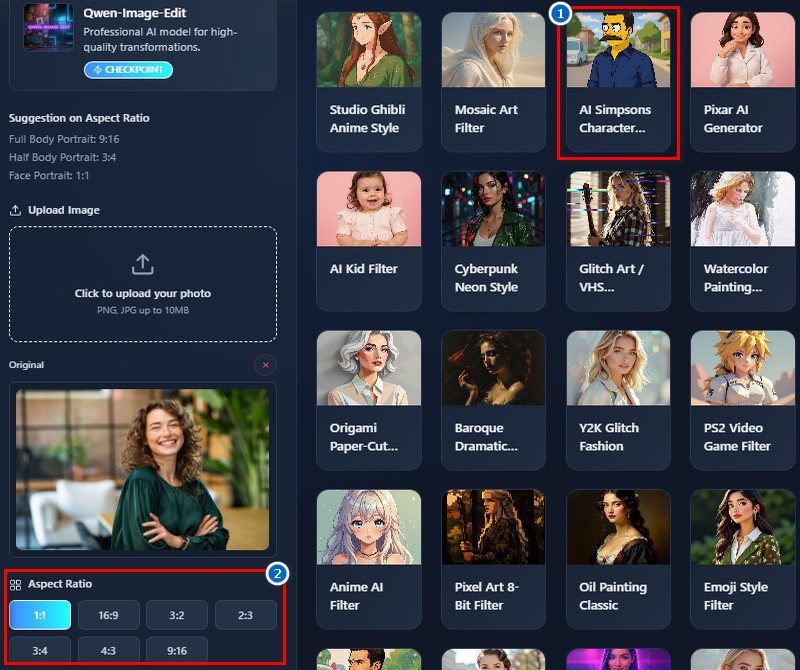
  • 03
    Choose the Simpsons Filter
    Next, navigate to the "Templates" section to see the available filters. Then find the Simpsons filter and click it to select it. After that, choose a size for the output image below.
  • 04
    Apply and Download
    Once all set up, click the "Create Magic" button and let the tool turn your photo into a Simpsons character. The process will only take 1-2 minutes. When the result comes in, preview it on the right side and download it afterward.
register or login
add your photo
choose the simpsons filter
apply and download

Discover more apps worth adding to your toolkit.

Discover more apps worth adding to your toolkit. These recommended tools help you enhance, edit, and transform your photos with ease. They are designed for users who want quick results, creative options, and simple solutions without complicated steps.
"I wasn’t expecting much, but the AI Simpsons Filter worked well. The colors and details were accurate. I shared it with my friends, and they liked it too."
Hugo Wright, Delivery Driver
11-11-2025
iiiii
iiiii

"It’s a fun little tool for a quick laugh. The cartoon version kept my expression and looked natural. I can see myself using it again."
Isabella Milne, Teacher
12-09-2025
iiiii
iiiii

"It’s entertaining to see myself as a Simpsons character. The tool is easy to use and finishes the image quickly. I liked how it looked realistic yet cartoonish.."
Celina Jensen, Student
12-03-2025
iiiii
iiiii

"The tool is fast and easy to navigate. I liked that the cartoon still looked like me. It’s fun to create and share."
Nathan McGrath, Photographer
10-06-2025
iiiii
iiiii

"I used it on a group photo, and it worked well for everyone. Each face kept its unique expression. The tool is easy and entertaining."
Grace Alexander, Freelancer
10-30-2025
iiiii
iiiii

"The AI Simpsons Filter gave me a fun edit in just a minute. The cartoon version is colorful and clear. It’s simple enough for anyone to use."
Johan Olsson, IT Support
11-29-2025

iiiii
iiiii

Why Choose Us

Frequently Asked Questions

Will the filter keep my facial features recognizable?

Yes, the filter keeps your facial features recognizable while transforming your face into a Simpsons-style character. It softens and adjusts features but ensures you still look like yourself. The feature provides a balance between cartoon style and realism. The AI focuses on preserving key details to make the cartoon feel natural. Even with exaggeration for the cartoon effect, it doesn’t distort your appearance. This makes it fun and safe to share with friends.

Can I use these images for commercial projects?

Yes, you can use the generated Simpsons images for commercial purposes. The tool lets you download the cartoon without restrictions on use. You can use it for creating content for social media campaigns without any issues. You can also use it for small business promotions or personal projects. It’s convenient because you don’t need additional licenses. Overall, it makes the cartoons versatile for a variety of purposes.

Can I transform multiple people into Simpsons characters?

Yes, the tool supports both group and single photos. It can detect multiple faces and apply the cartoon effect to each one accurately. Additionally, it keeps each person’s expression intact while using the cartoon style. The AI adjusts for different face angles and distances. This feature is great for photos with friends, family, or your team. However, make sure that the uploaded image is clear for accurate results.

Is this tool affiliated with The Simpsons?

No, this tool is not affiliated with the official Simpsons brand. It’s an independent AI filter inspired by the cartoon style. The style is recognizable but does not use copyrighted characters or official artwork. Also, the tool is intended for personal and creative use. Users can safely create fun, Simpsons-inspired cartoons. It is a fan-style cartoon generator, not an official product.

Can I use the Simpsons portrait generator on my phone?

Yes, the tool works on mobile devices. It functions smoothly on both Android and iPhone browsers without needing an app. You don’t need to download an app, which makes it convenient. The interface is designed to be mobile-friendly and is easy to navigate. It supports uploading photos directly from your gallery. This makes it simple to create cartoons on the go.

pro image logoAceThinker PicWish

Make Every Photo Background-Free

pro banner image
Back to Top
Contact Us
Learning Center